Home theater receivers: The complete beginner's guide
How to find the surround sound receiver that's right for you

In this article: We'll help you choose the right home theater receiver by answering a few questions, including...
- How much power do you need?
- How many channels do you need?
- What connections do you need?
- Where should it go?
- What features should you look for?
...And we'll also cover a few ways to control your AV system.
N
othing beats surround sound for movies and TV — and surround sound starts with a home theater receiver. But a receiver can give you a lot more than that.
During my time as a Crutchfield Sales Advisor, I helped many people choose the receiver that worked best for them. As a home theater enthusiast with an ear for sound and an eye for movies, I’ll walk you through the most important and coolest features so you know what to look for.
What does an AV receiver do?
A home theater receiver (also known as an AV receiver) brings immersive, theater-like surround sound to your living room. It acts as a connection hub for a variety of audio, video, and internet streaming sources. And it uses video processing and surround sound decoding to make movies and TV look and sound their best.
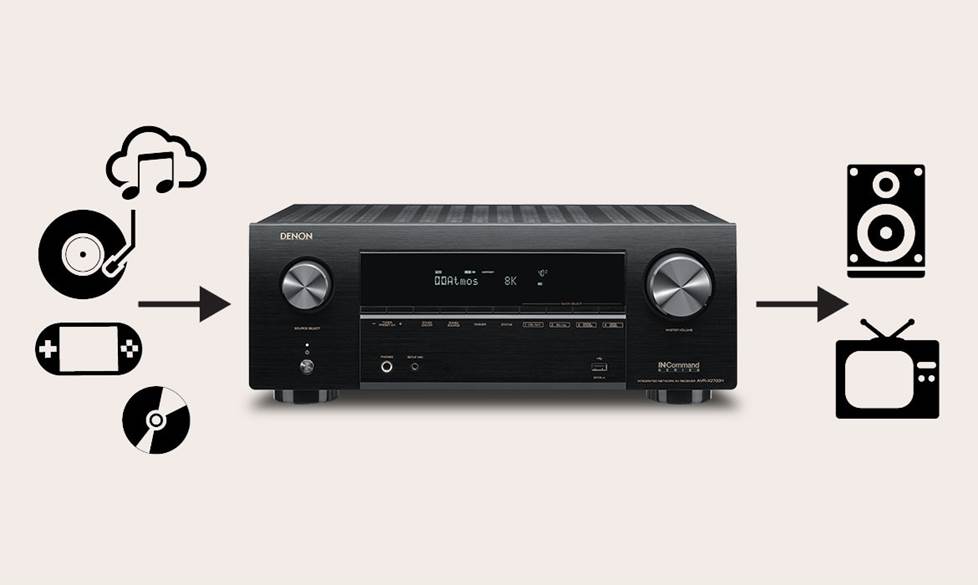
A receiver routes incoming video signals from your cable box, Blu-ray player, and other devices to your TV. At the same time, it directs the audio from these devices to your speakers.
How much power do you need?
Home theater receivers have built-in multi-channel amplifiers to power a full complement of surround sound speakers. How much power do you need? The ideal wattage for your receiver depends on the power requirements of your speakers.
You’ll often see a range of acceptable wattages to power a given speaker. To get the clearest sound with minimal distortion, aim for the high end of this range. For example, if your speakers can handle 25-100 watts, you'll get fuller sound with a 100-watt receiver than you would with a 50-watt receiver. And you'll have plenty of reserve power to ensure your speakers don't distort during loud moments in a movie.
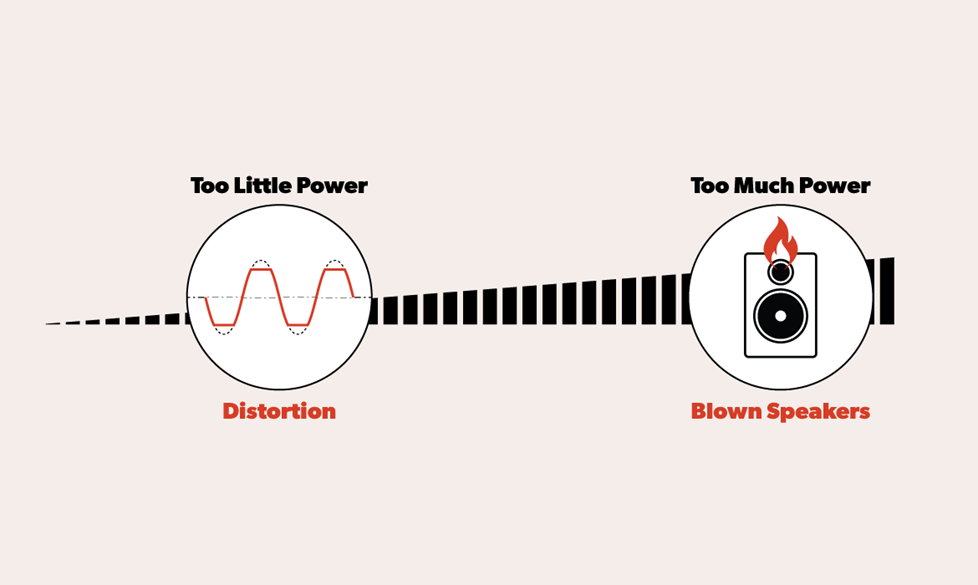
Try to match your receiver's power output to your speakers' power requirements.
The graphic above shows what can happen in extreme situations, but for the most part it's not too difficult to match receivers and speakers. And, of course, we're here to help if you have any questions along the way.
How many channels do you need?
Home theater receivers come with as few as five channels or as many as fifteen. Think about how much room you'll have for speakers, including powered subwoofers. Most receivers have outputs for two powered subs, but a few just have one output. Recently, we've been seeing receivers with four sub outputs for the mega-bass lovers.
A note about stereo receivers
Before we get too deep into our recommendations, let’s do a quick reality check. Are you willing to set up five or more speakers for surround sound? For people with limited space or the less tech-inclined, it might be daunting. If that sounds like you, a stereo receiver might be a better option.
You only need two speakers for stereo sound, and if you've never used anything but the built-in TV speakers for your audio, you'll be pleased at the results. Keep in mind, surround sound is not an option with a stereo receiver, but not everyone wants that.
Many moons ago, I hooked a TV to a stereo receiver, and I was floored by the results. Soundtracks were more vibrant! My DVD player could play my CDs! We have many stereo receivers with the capability to connect to your TV, some with HDMI connectivity. Check out our stereo receiver buying guide for more information.
Get a seven-channel receiver for more flexibility
We usually recommend home theater receivers with at least seven channels. Seven-channel receivers provide more system flexibility than five-channel models, and if you’re not starting out with seven speakers, you’ll have some room for future upgrades.
My receiver is similar to this NAD T 758 V3i that has seven powered channels and the option to add a separate amplifier for four more channels. I started with five channels, now have seven, and if I decide my living room can handle some height speakers, I may go to nine, or even eleven channels! For now, I'm enjoying my seven channels of surround sound.
Here are a few other things you can take advantage of with a seven-channel receiver.
Dolby Atmos and DTS:X
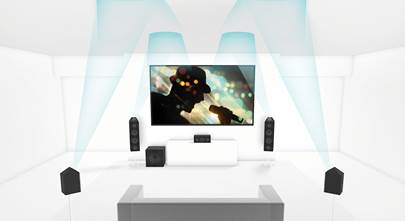
With seven or more channels of power, you can play cutting-edge surround sound formats like Dolby Atmos and DTS:X. They use in-ceiling speakers or special up-firing speakers to produce overhead surround effects. The result is an all-encompassing audio experience that immerses you in your music or movie. Check out our article on surround sound for more in-depth information on different formats.
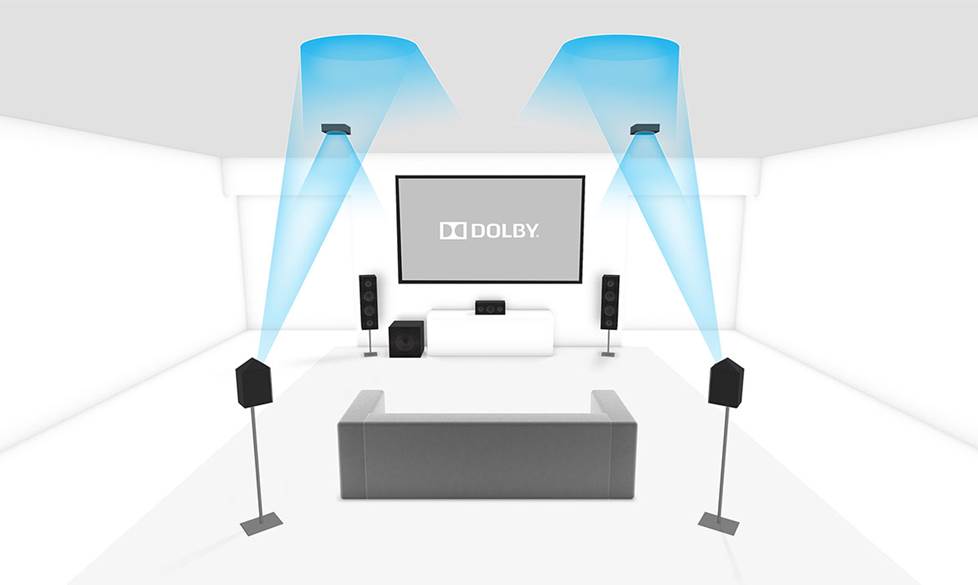
A Dolby Atmos system starts with a 5.1 or 7.1-channel surround sound system. Then you add two or four upward-firing or in-ceiling speakers for overhead effects.
Wired multi-zone audio
Want to listen to music out on the patio? A seven-channel receiver lets you use five channels for surround sound in your living room and two channels to hook up a pair of stereo speakers outdoors or in another room.
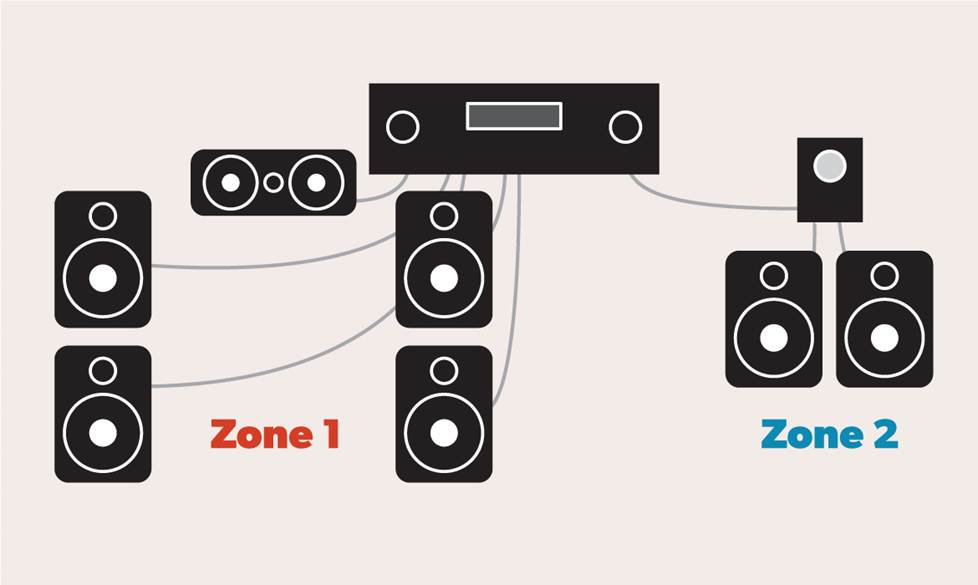
Enjoy multiple zones of audio with one receiver.
Most seven-channel A/V receivers can provide power to at least two zones. See our article on how to power a multi-room music system for details.
Bi-amp your front speakers for more powerful sound
Some receivers support bi-amping of the front speakers. If your speakers have two pairs of speaker terminals, you can use the front main speaker channels, as well as an unused pair of surround speaker channels to boost volume and detail for a more powerful front soundstage. With a seven-channel receiver, you can bi-amp your main speakers and still have room for a 5.1-channel surround sound system. Bi-amping is also handy if your speakers need a lot of power.
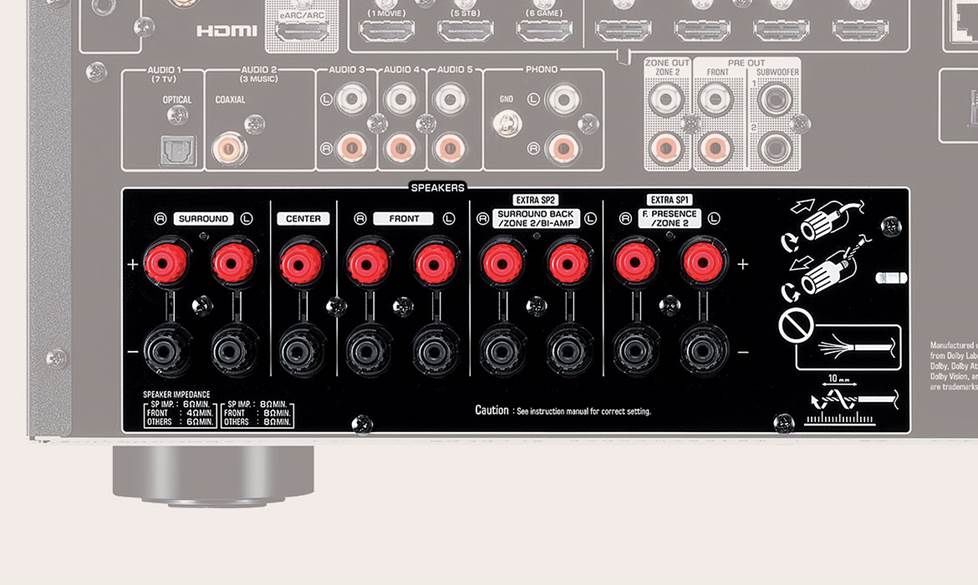
Use all channels for surround sound, assign some channels to another zone, or use extra channels for bi-amping — the choice is yours!
What connections do you need?
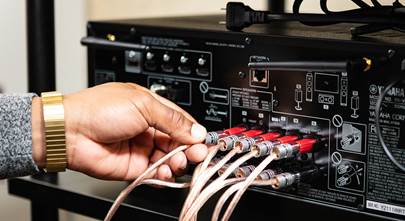
Look at the back panel of any AV receiver and you’ll find lots of different connections for audio and video components. Most of your gear will connect to your receiver via HDMI cables.
To allow for system expansion, get a receiver that has more HDMI inputs than you need right now. Want to connect two TVs? Look for a receiver that has more than one HDMI output. Check out our article on multi-zone video for more information.
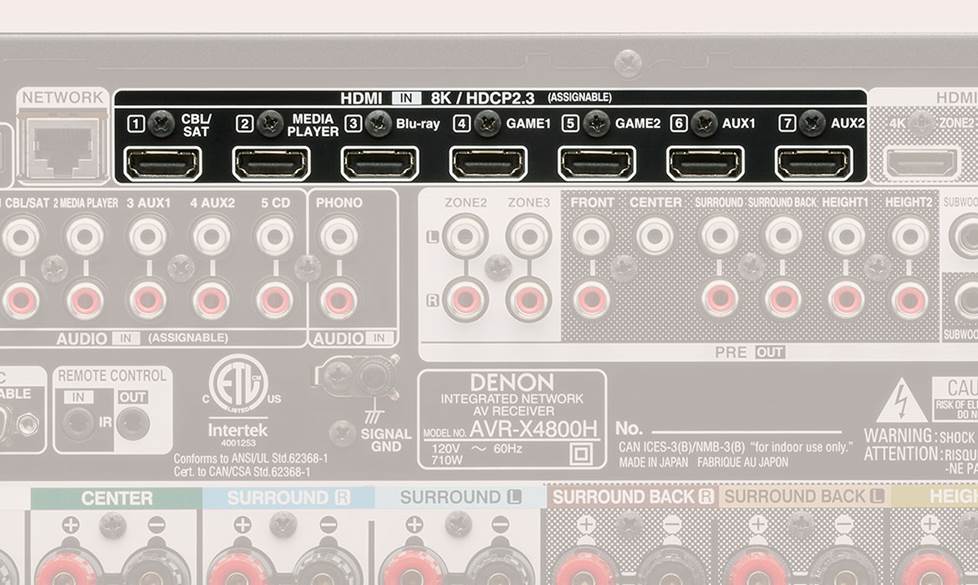
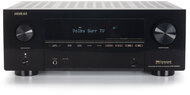
This Denon receiver has seven HDMI inputs for 4K and 8K content.
HDMI cables allow two-way communication between your receiver and TV, so you only need one cable to pass audio and video. This is thanks to ARC (Audio Return Channel) or eARC (enhanced Audio Return Channel) capabilities, which are standard for current models.
If your source components (Blu-ray player, game console, media streamer, etc.) are connected to the receiver, the receiver processes the sound and passes the video to the TV. If you’re streaming from TV apps or have your sources connected to the TV, the video is processed by the TV, and the sound is passed to the receiver to be processed.
If you have an older TV that doesn’t support ARC, you’ll need an additional cable to pass audio to your receiver. More on that below.
HDMI 2.1
HDMI 2.1 is the latest HDMI version. It supports bandwidth up to 48Gbps and higher video resolutions and refresh rates. HDMI 2.1 also supports Dynamic HDR formats like Dolby Vision, HLG, HDR10, and HDR10+ for brighter, clearer, and more vibrant video than ever before.
Most receivers support HDMI 2.1, but check to make sure. Best results happen when your TV and all connected components, like Blu-ray players, streaming boxes, and game systems have HDMI 2.1 built in — just make sure you pick up HDMI 2.1 cables for best performance.
And don't worry if you have some older gear in your system. Each HDMI version is backward-compatible with previous versions, so older components with HDMI will work with a new receiver. Their capabilities will just be limited to the oldest HDMI version.
To learn more about HDMI 2.1 and older HDMI versions, check out our HDMI cables buying guide.
Other connections
If you have an older TV or AV components without HDMI connections, an RCA or optical digital connection is your best bet for getting them hooked up to your receiver.
Got a turntable? For the easiest connection, look for a receiver with a dedicated phono input. For trickier scenarios, see our article on how to connect a turntable to a receiver.
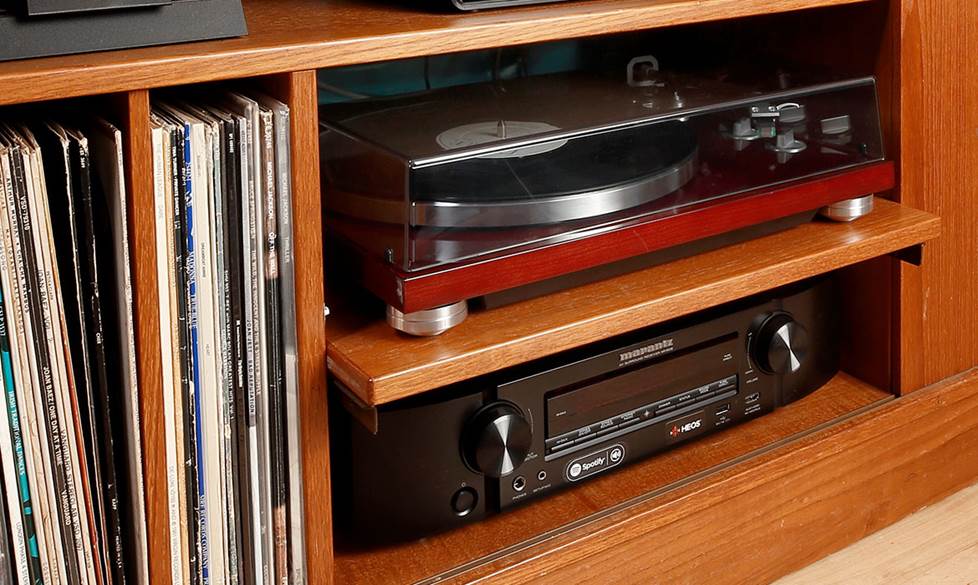
Vinyl enthusiasts can indulge their passion for vintage records with a home theater receiver.
For a comprehensive list of AV receiver ins and outs, including older video connections, check out our Home AV Connections Glossary.
Where should it go?
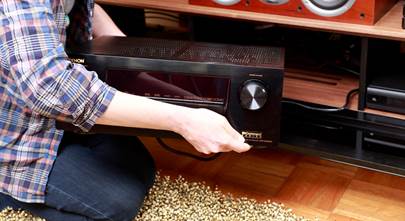
You may need to think about how your current living room setup will accommodate an AV receiver. See our receiver placement tips and our small home theater ideas articles for some helpful suggestions.
Not sure where your speakers will go? We've got speaker placement tips for all sorts of rooms.
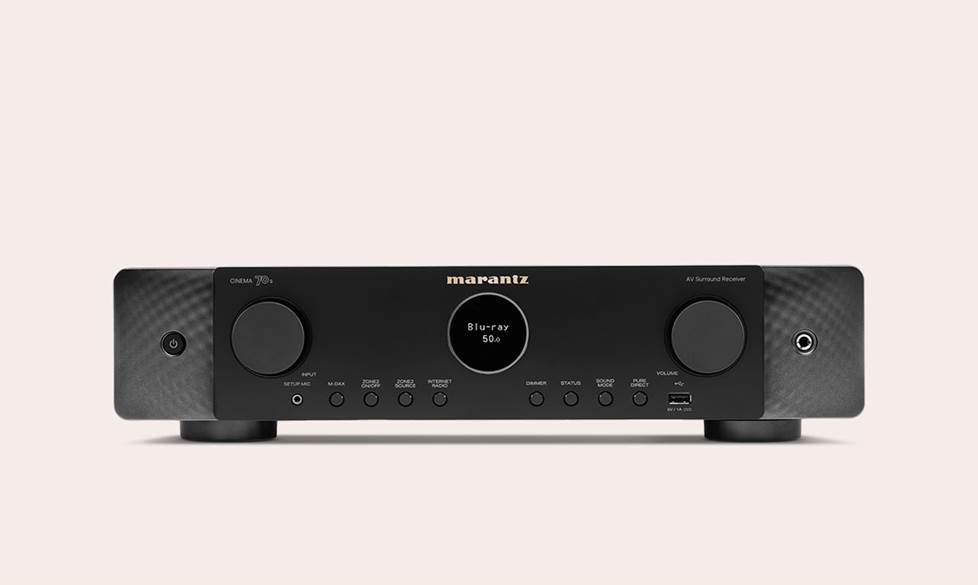
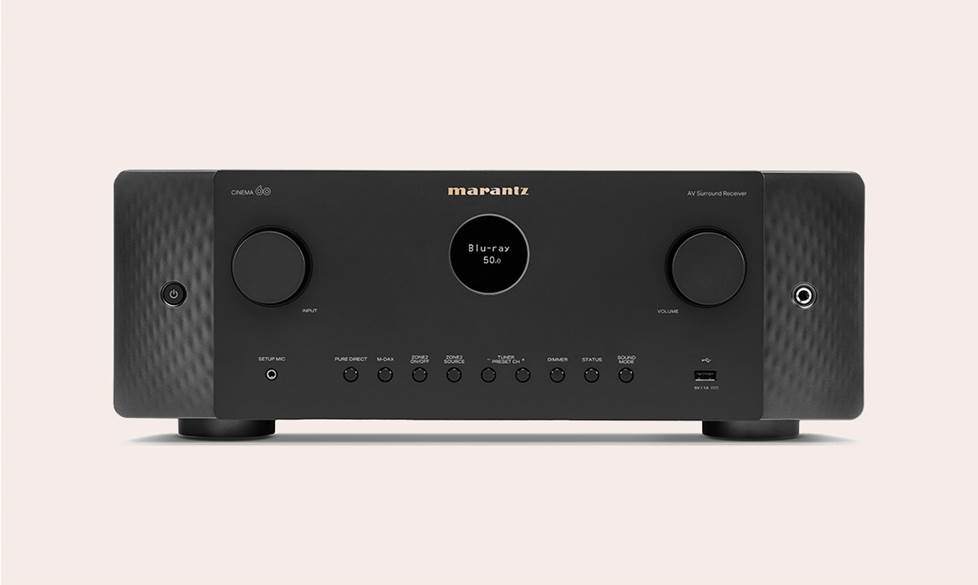
A slimline receiver like the Marantz Cinema 70S (left) is about half the height of a typical home theater receiver (right). It's perfect when space is at a premium.
Features to look for
AV receivers are great for hooking up all kinds of audio components, but your music choices don't stop there. Receivers that have built-in Bluetooth let you play anything you want from a compatible phone, tablet, or computer. And lots of models let you stream via Wi-Fi with built-in support for popular streaming services like Spotify, Pandora, and TIDAL.
Home theater receivers can reproduce top-quality audio, so naturally most of them are compatible with popular high-resolution audio formats like FLAC and DSD.
Wireless multi-room music
Many receivers work with multi-room music platforms that let you stream music to compatible wireless speakers you have set up throughout your home. You can create different zones and control what's playing in each room with an app on your phone or by using voice commands.
If you want your receiver to be part of a wireless multi-room music system, you have quite a few options. Keep in mind that for everything to work seamlessly, it's best to pick an ecosystem that matches all your gear. The current list is as follows:
Next-gen gaming features
If you're a gamer, you should look for a receiver with all the latest gaming features. These features are designed to optimize next-gen gaming consoles, like the Xbox Series X/S and the Sony PlayStation 5. Immerse yourself in detailed atmospheric audio and never miss a shot due to lag.
Next-gen gaming features to look for include:
- 4K/120Hz HDMI inputs for a smooth, detailed picture
- ALLM (Auto Low Latency Mode) for reduced input lag
- eARC (enhanced Audio Return Channel) for passing high-quality, uncompressed audio between your console and your compatible TV
- VRR (Variable Refresh Rate) allows your compatible TV to adjust its frame rate in real time to match your console’s output
Wireless surround sound
Customers have been asking us about wireless surround sound for years, so we're very excited that technology has finally advanced enough to make it a reality. We expect to see more and more wireless surround sound solutions in the coming years, but there are a couple of compelling options already.
Yamaha MusicCast receivers support wireless surround sound with the addition of MusicCast wireless speakers. And Sony just entered the arena in 2023 with their new home theater receivers that support wireless surround sound with compatible Sony wireless speakers and subwoofers.
Another solution is the OSD Nero WRSKII wireless surround transmitter and amplifier receiver with sub out. Connect this to your existing home theater receiver, a pair of surround speakers, and a powered subwoofer to minimize the amount of wires coming from your receiver to your speakers.
Convenient control options
The remote controls included with most home theater receivers have extensive options for switching sources and dialing in settings. You can even customize your remote for certain functions, and some link to other components, like the matching brand of CD player or Blu-ray player. Plus, most modern receivers and TVs allow HDMI-CEC control. As long as both your TV and receiver support HDMI-CEC, you can control your receiver with your TV remote.
You can also go with a universal remote control, like the One For All remotes. They can be programmed to control any or all of your audiovisual components. Of course, they may not work for very old equipment.
App control
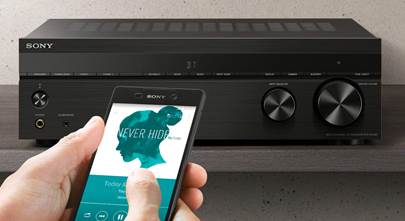
Just about every AV receiver with network capability offers a free app to use your phone or tablet as a remote. They make it easy to switch sources, adjust the volume, tweak settings, and stream music from online sources.
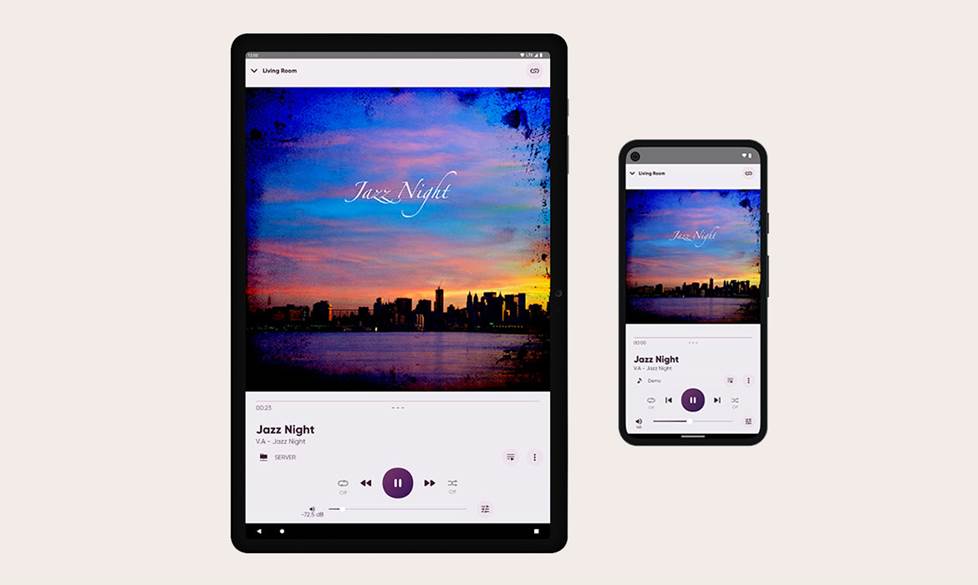
Remote apps are the easiest way to control your receiver’s multi-zone features. You can choose which rooms to play music in, and select the music for each room.
Voice control
Voice control integration adds a new level of convenience to today's home theater receivers. When you don't have your phone or remote handy, you can just speak.
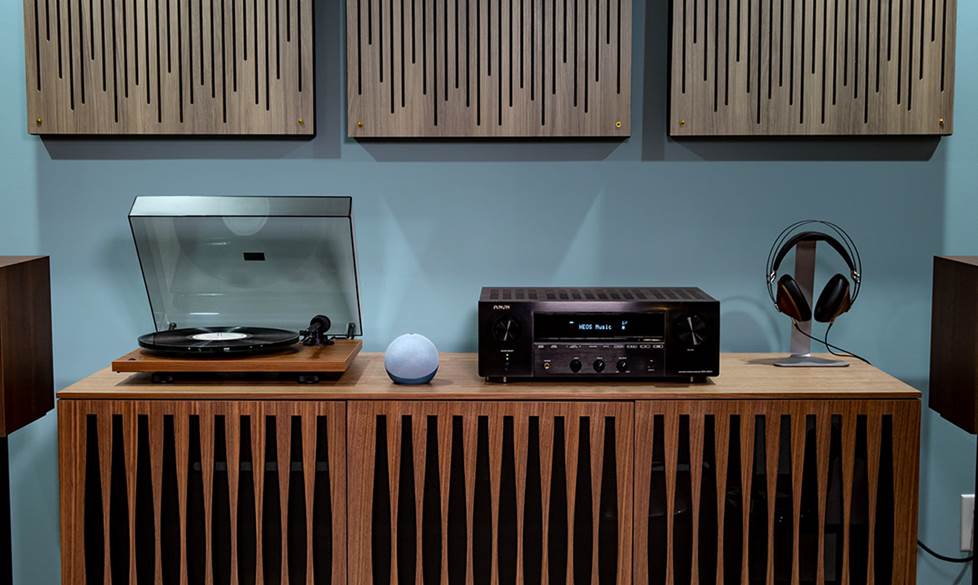
Receivers with voice control capability work together with voice-activated virtual assistants for easy control of your A/V system.
Some models support voice control with Amazon Alexa, and others support Google Assistant voice control. Whichever your preference, you can use verbal commands to:
- power your receiver on or off
- control volume on the receiver
- play and pause music; skip or go back to the previous track
- mute/unmute the receiver
- change the receiver's input selection
- link or unlink rooms in a multi-room music setup
- control music playback in different rooms
Check out our guide to Google and Alexa voice control for more information.
We're here to help
Have questions about hooking up your new receiver? Check out our setup guide. Need help choosing the right receiver? Get in touch with one of our Advisors.
Our expert Advisors know the gear inside and out. Your Advisor can send specific Crutchfield pages to your screen, saving you a lot of browsing time. You'll get a shopping cart loaded up with everything you need for your home theater.
Free lifetime tech support is included with your Crutchfield purchase.




John from Ann Arbor
Posted on 8/2/2024
Enjoyed reading the article, thorough
James
Posted on 6/17/2024
I've got a sr8015 marantz and am about to get 2 new book shelf speakers , I have a 7.1 set up and was seeing if you think the kef r3 metas would be too powerful to have ?
Athena H. from Crutchfield
on 6/18/2024
Thomas McGinn from Wrentham
Posted on 11/10/2023
Great article. I am in the process of renovating my basement and would like to get a speaker setup that would support Atmos. I will be able to ceiling mount speakers but am wondering if the rear surrounds can be ceiling mounted or should they be more ear-level. Thanks
Rogers Emmanuel Walugembe from Kampala
Posted on 11/10/2023
Hello crutchfield, I am living in Uganda and I love the AV receiver how do I get one?
Athena H. from Crutchfield
on 11/17/2023
Paul Paine from Auburn MA
Posted on 11/10/2023
Thank you for this update on receivers. We can always count on Crutchfield for quality information!
Lonnie
Posted on 11/9/2023
What shelf speakers do you recommend for a ONKYO TX-NR6100? (WITHOUT BREAKING THE BANK)
Alan Cutler from Shippensburg
Posted on 10/30/2023
To me it doesn't matter what my TV sounds like my Yamaha A4A that I bought from Crutchfield gives me all the clean power I need to drive my old Polk SDA speakers and the Polk subwoofer I Also got from Crutchfield. And I don't even need to turn the receiver all the way up.
Remy from Baltimore md
Posted on 4/2/2023
How do I get the protection off
Athena H. from Crutchfield
on 4/3/2023
Mwangi Gitemi from Federal Way
Posted on 10/3/2022
Thanks for the information I've got so far. This is what I've been looking for. I will be buying an AV soon.
Danny R Watts from Lewisville
Posted on 11/6/2021
Previous owner left 7 Onkyo speakers on the wall. The 3 largest of these are at the tv and the other 4 smaller are spread around the room. What kind of receiver do I need?
Kramer Crane from Crutchfield
on 11/8/2021
You'll likely want a seven-channel home theater receiver to power your speakers. We'll want to gather a little more info about the speakers to make a recommendation, so I suggest giving one of our Advisors a shout to go over your options. Thanks again for reaching out!