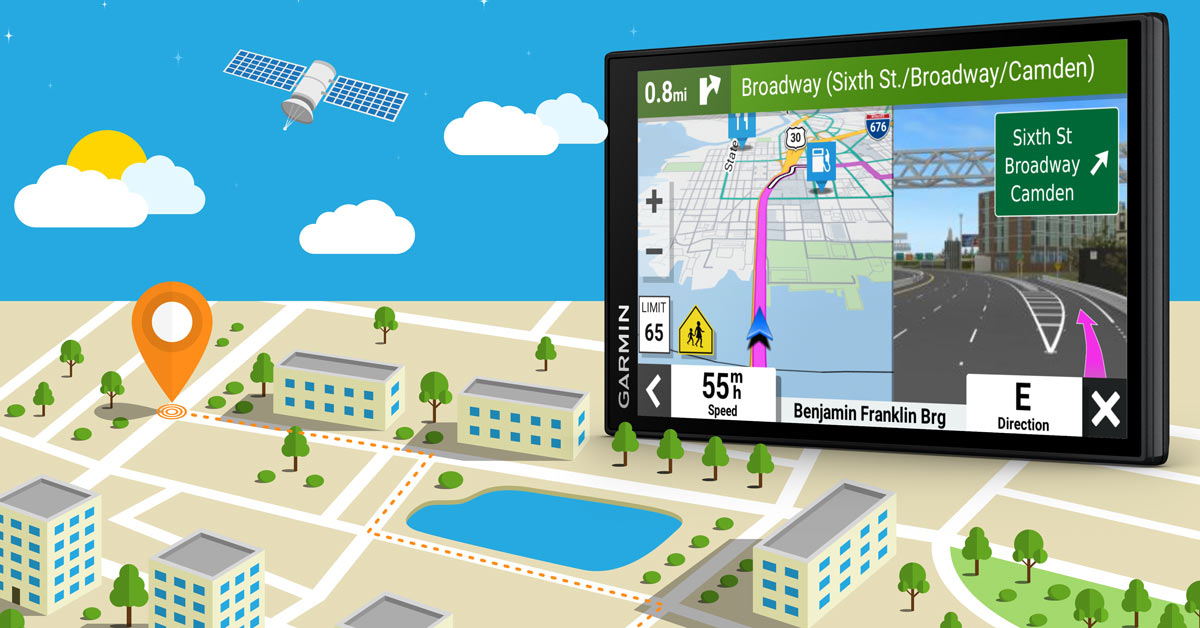
Portable GPS navigator buying guide
What to look for so you can find your way

When shopping for a portable GPS navigator, there are a few main factors that can determine the right one for you. Screen size is just the beginning. Thinking about how you're going to use your navigator is a great first step toward making the best choice.
Portable GPS navigators are intended for use in your car, but because they're portable and have a ton of features, they are some of the most versatile forms of GPS navigation you can get. The options, of course, can make it difficult to choose which navigation system is right for you. Read below for helpful ways to narrow down your search.
When you're ready, dive into our full selection of portable GPS navigators. If you're leaning toward getting an in-dash navigation unit, be sure to check out our In-Dash Navigation Buying Guide.
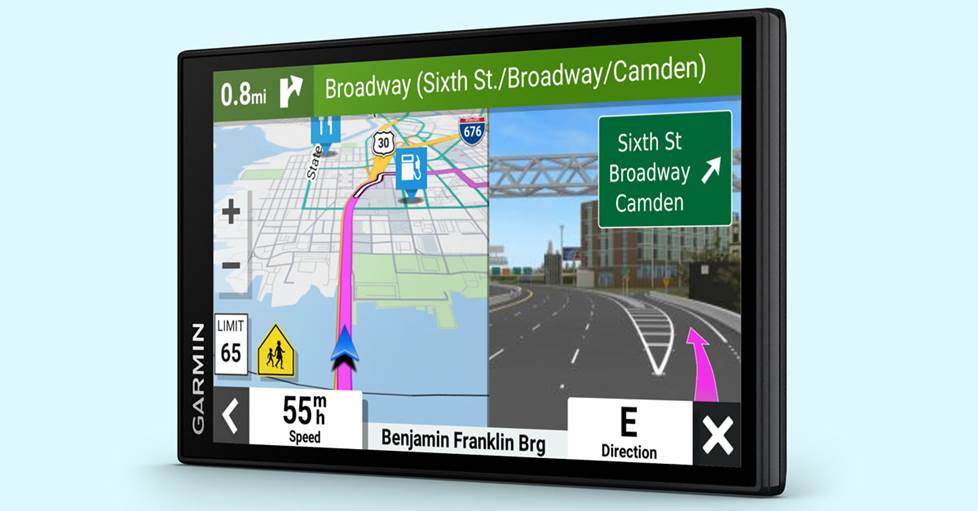
The Garmin DriveSmart 66 combines a number of great portable features, including traffic and map updates, Bluetooth, lane guidance, junction view, a large screen, and voice-activated navigation.
Phone navigation vs. portable GPS — which is better?
This is a popular question. Not so long ago, the answer would easily be yes. But navigation apps and phone processing speeds are now on par with a dedicated GPS unit. The best reasons to choose portable GPS are:
-
Car GPS won't use up your phone's battery. When packing for a trip, wouldn't it be nice to know that if you forget your phone charger you won't run out of juice because you've been using your phone for directions? A portable or dedicated navigator can help alleviate that worry.
-
Car GPS won't use up your phone's data. Phone data can get very costly. If you're the type of phone user who pushes their data limit every month, a dedicated GPS device can help you avoid the anxiety of a road trip pushing your data plan over the edge.
-
You're less likely to get interrupted. Relying on your phone for navigation means that your maps and spoken directions get interrupted by incoming texts or calls, which might cause you to miss an important turn. With a portable navigator at the helm, you don't run this risk.
Really, it comes down to the matter of convenience and practicality. For some people, having a dedicated GPS device is easier. Especially if your vehicle is also your office. If you frequently need to use the phone while on the road, then a separate navigator could easily worth the investment.
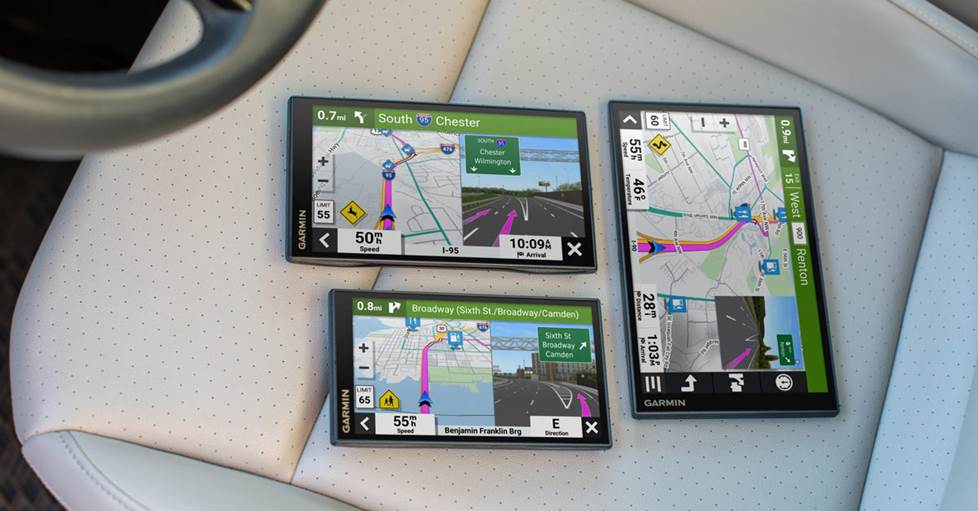
What about screen size and portability?
These are two of the most important features to consider when shopping for portable navigator, so we'll start with them.
Screen size
Most portable navigators have touchscreen displays that range in size from 4" to 10". Smaller units are generally easier to mount and are less intrusive on your view of the road. But large displays may offer more control functions on a specific display screen than a smaller device. For instance, you might be able to see the map, as well as six other menu options on a large screen, whereas a small screen might let you view the map and one or two menu options.
Larger screens can also be helpful if the ideal mounting location is far enough away to require squinting or neck-craning. A 4" display from two-and-a-half feet away can be a challenge to read for anybody.
Portability
Most portable navigators now are very thin, measuring from less than an inch to about an inch and a half thick. Think about how often you'll be taking your portable navigator out of the car with you, to use it for walking directions, to keep it safe, or to employ in a rental vehicle after a flight.
A larger navigator might be better for in-car use, but a more compact unit might be more convenient for carrying in your pocket, purse, or carry-on bag. Battery life is another consideration if you're planning on using the navigator away from the vehicle for extended time periods.
Where do you go from here?
After screen size and portability, it's important to know the limits and special features of your portable navigator. Consider each of the following details and decide which features you definitely want in your navigator.
Built in maps
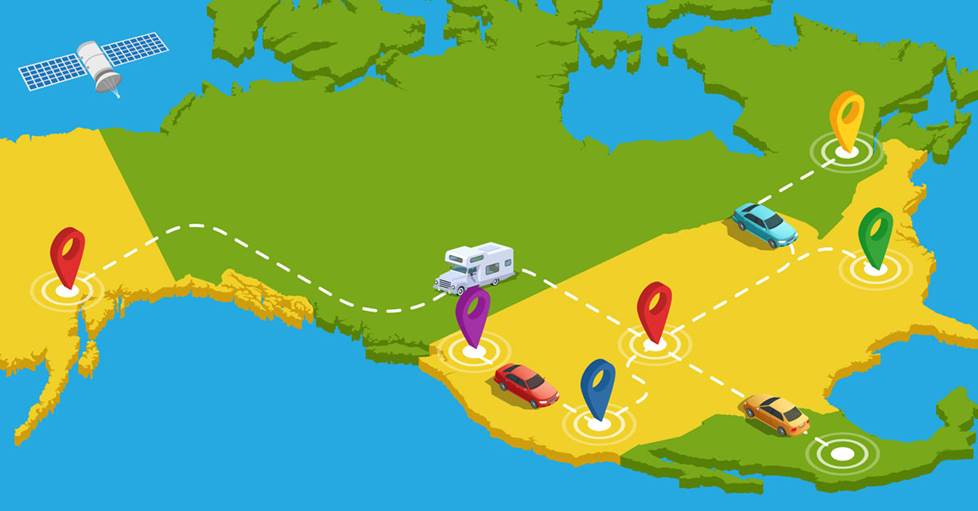
Most portable navigators come with all the maps you'll ever need built right in. Typically, you'll get maps of the contiguous 48 states. Many models also offer Alaska, Hawaii, Puerto Rico, and most or all of Canada so you can find your way, even if you're in an out-of-the-way place. There are models that even feature built-in maps of Mexico and/or most European countries.
Some navigators even allow you to make edits to certain aspects of their built-in maps, in case a street changes direction, your favorite restaurant moves, or there's extended construction along your route to work. Additional maps are usually available as downloads or on separate memory cards (see below).
Points of interest
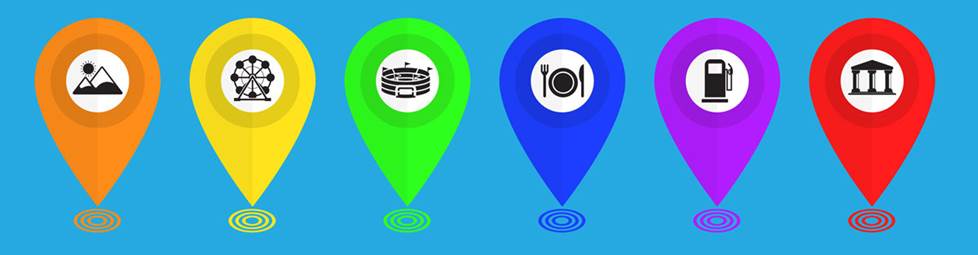
One of the more distinguishing features among portable navigators is the number of points of interest, or POI. POI are all the various places along a journey that might make it more fun, more educational, or helpful, such as theaters, museums, hospitals, hotels, restaurants, ATMs, and gas stations. If you want the greatest number of options for places to stop, rest, or explore, look for a device with more POI. Some advanced navigators utilize internet connectivity to provide unlimited, up-to-date consumer-rated POI for businesses, products, and services.
Storage capacity
Some portable navigators also offer additional maps available for download from their brand's website. If you want a super-detailed map of New York City, or some maps for your upcoming European vacation (for units that work in foreign countries), they're right there for you. If you think you'll be uploading maps frequently, choose a unit with lots of storage space. Some websites offer additional POI as well, in case you wanted to see a more in-depth tour of your destination, or let you add your own. For handheld GPS devices used primarily for outdoor use, you can even download marine and fishery maps.
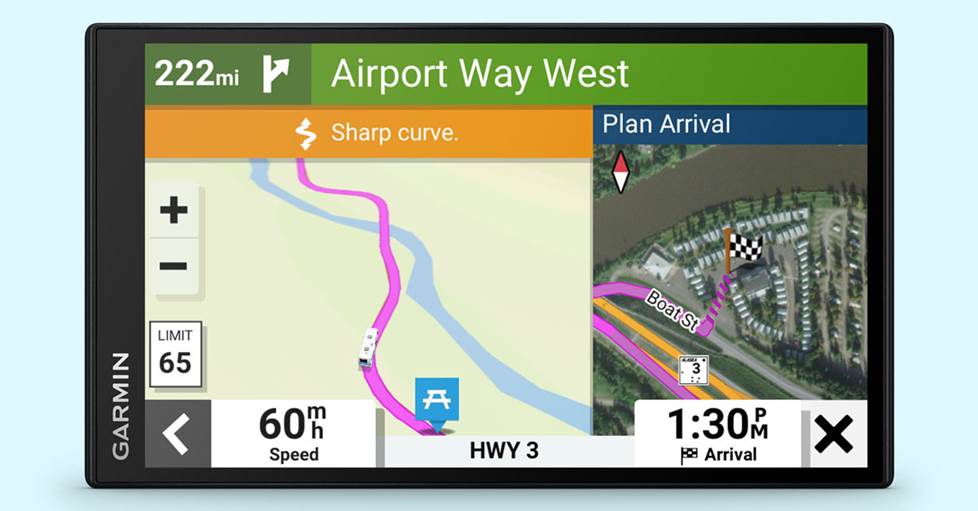
The Garmin RV 795 features a generous 6.95" color display. Garmin offers a similar model for truckers, too.
Type of vehicle
The portable GPS market for non-traditional vehicles has grown greatly. Most typical navigators offer similar mapping for cars and trucks driving on paved roads, but owners of motorcycles, tractor trailers, RVs, and ATVs can enjoy specialized navigators for their specific vehicles. These navigators allow custom profiles for their vehicles and tout routing preferences which avoid roads and conditions that could be hazardous or illegal. Motorcycle and ATV navigators feature more robust construction that can survive in the outdoors.
Map updates
Each year there are thousands of changes to America's geography, from new buildings going up to businesses moving locations to roads changing directions. If your navigator's maps go out of date, you might get just as lost as you would have without a device. Many maps are now updatable with a direct download via Wi-Fi® or as a download from the manufacturer's website, but in most cases you'll have to pay a little extra for the navigator up front to obtain free map updates over the life of the device.
Traffic reports and information
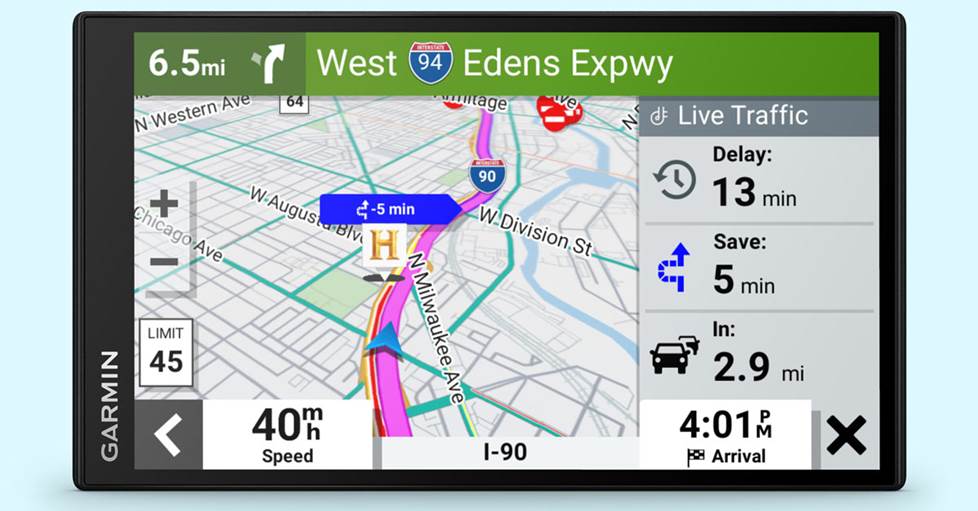
Some portable navigators can indicate on the screen where there are congested roads in your area or along your route. Typically you can attempt to route around the traffic, which may take you on a longer but ultimately faster path. Traffic-info reports are usually available in and around metropolitan areas.
The GPS unit receives traffic reports in one of two ways. The first is through an auxiliary receiver (typically built into the navigator's 12-volt power cable) that gets the traffic data reports from FM-based RDS (Radio Data System) signals, satellite radio, or HD Radio™ signals.
The other way is through a compatible smartphone app. The app picks up traffic data from similar sources like RDS, and then it shares the data with the navigator via Bluetooth® and the navigator maps the traffic info onto its screen.
The cost of traffic info may be baked into the price of the unit which includes the auxiliary receiver, or through a subscription fee for getting the info through the app. Sometimes a free trial subscription to the traffic updates is included with the navigator purchase before the fees apply.
Does the navigator connect to phones or the internet?
Bluetooth connectivity
Most navigators offer Bluetooth wireless connectivity, so you can make and receive calls with your compatible phone through the navigator. Many navigators include a phone number with their POI information, so you can use the unit to find a destination, such as a restaurant or hotel, and then call ahead for a reservation.
Wi-Fi® connectivity
Some portable devices feature built-in Wi-Fi connectivity so they can receive map and software updates wirelessly when you bring your device inside or if you park close enough to your house that your navigator can connect to your home Wi-Fi network. Some navigators can also create ad hoc Wi-Fi networks to enable faster communication with smartphones to pull over app data more quickly, but they typically won't be able to be used to surf the internet.
App compatibility
Some navigators with built-in Bluetooth can pair with your phone for more than just phone conversations. There are a number of smartphone apps that can convey information to your navigator via Bluetooth. These apps can provide real-time search results for destinations as well as access to updated travel information, such as traffic along your route, area gas prices, weather forecasts, movie times, local events listings, and much more. You'll be able to find out-of-the-ordinary spots along the way quickly, plus consumer ratings and other useful applications, all without touching your phone. In some cases, you'll even be able to "check in" to locations via social media apps like Foursquare®. Some navigators can also alert you when you have an incoming text or an upcoming appointment on your calendar.
Smart assistants
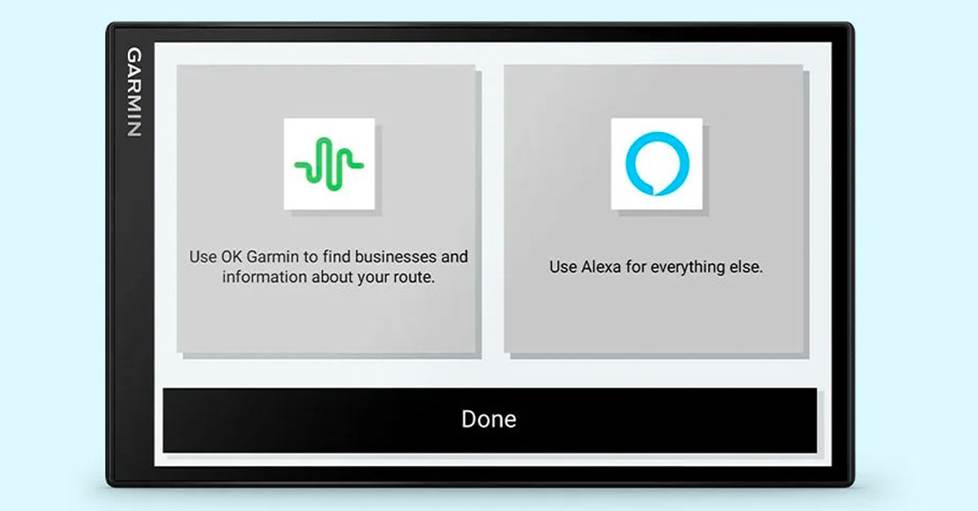
Some portable navigators have compatibility with select smart voice assistants, like Amazon Alexa. This means you can ask the navigator any sort of thing you would ask a smart speaker at home and it'll provide an answer or execute a task, like adding something to your shopping list or scheduling an appointment or giving you the weather forecast.
Voice control (you talk to it)
Voice-activated navigation allows you to initiate a search without touching the device. In most cases, you just say a keyword aloud and the navigator "wakes up" to ask you where you want to go. You may have to tell it what state, city, and street address in separate steps, or you might be able to say something like "find nearest Starbucks" in order to get directions to the next place you'll get your caffeine fix. Either way, it's a lot smarter (and safer) than trying to type a search in while driving.
Voice guidance (it talks to you)
You'd be hard-pressed to find a navigator these days without voice guidance and a built-in speaker — but not all voice-guiding systems are created equal. Most of them will give you a list of accents and languages to choose from. If you're an Anglophile, perhaps you'd like to hear a British accent; if you're trying to learn Spanish, perhaps you'll want to switch it to the Spanish directions.
Some navigators now feature voice directions that use landmarks and buildings to indicate the next turn, rather than street names and numbers — this is supposed to make the direction sound more natural and like how you'd get them from another person. And if you don't like anyone else telling you where to go, some navigators even allow you to record your own voice saying key words and directions, which you can then hear as you drive.
Text-to-speech
One of the most exciting developments in voice-guidance technology is called text-to-speech. This means that instead of a general directive like "turn left ahead," you'll hear a reference to the specific street name: "turn left onto Colfax Street." This can remove a lot of confusion at a busy intersection or when streets are close together. A navigator with this technology would be good for you if you know you'll often be driving in areas with confusing traffic patterns, or exploring unfamiliar locales.
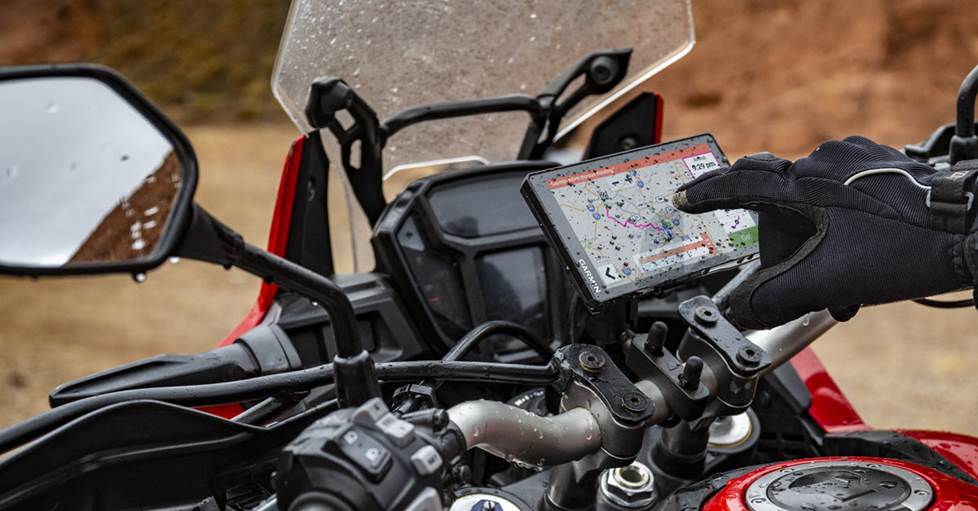
Garmin's Zumo XT2 is built for motorcycle use with a glove-friendly touchscreen and water-resistant construction
Do you want more than just navigation?
Extra features
Some portable navigators include additional user functions. You might find a built-in dash camera or music file playback capability. And some units are expandable, with A/V inputs and outputs available for devices such as your headphones or a rear-view camera. Some navigators are even able to receive and display backup camera images wirelessly from compatible devices.
3D building graphics
As portable navigators integrate faster processors, they're able to deliver better visual information than in the past. One example of this is 3D building graphics, which depicts important buildings or landmarks realistically on the screen, to help you visualize your surroundings better as you follow the directions either by car or on foot. These graphics are typically limited to buildings in major cities or other major attractions.
Lane guidance and junction view
To go along with the graphics mentioned above, many newer navigators feature lane guidance, which indicates on the screen the proper lane to use on a multi-lane road to ensure you won't miss an upcoming turn or maneuver. This is especially helpful in unfamiliar areas or on busy highways with many exits in quick succession.
Junction view provides a detailed and realistic look at complicated intersections, including highway signs, to help ease the confusion of "mixing-bowl" scenarios with multiple ramps and levels that would be harder to follow with a simple 2D representation.
Warnings for school zones and speed limits
If you miss a sign indicating a speed limit change or a school zone while driving, you might be speeding without even realizing it. Some navigators can let you know when there's a school zone up ahead or if you're driving over the posted speed limit, to help keep you safe and legal.
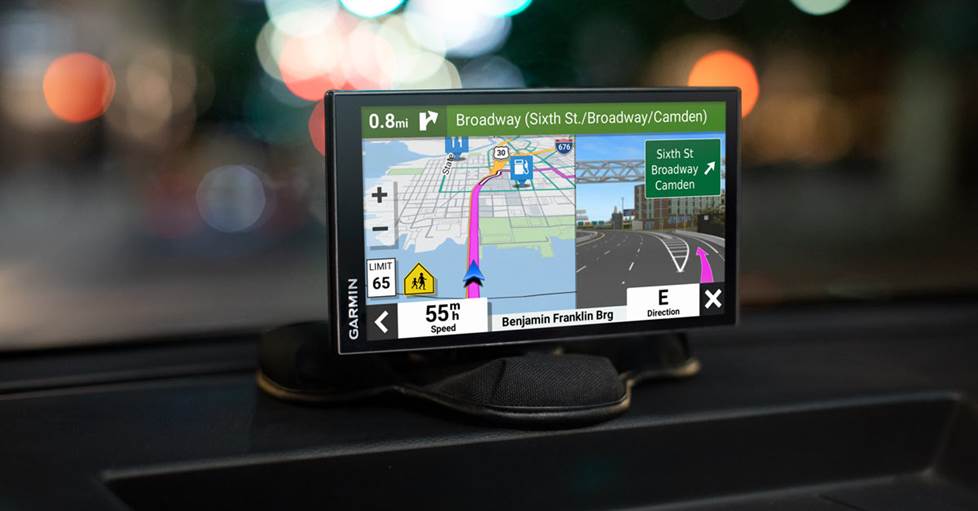
Installed using a beanbag-style friction mount
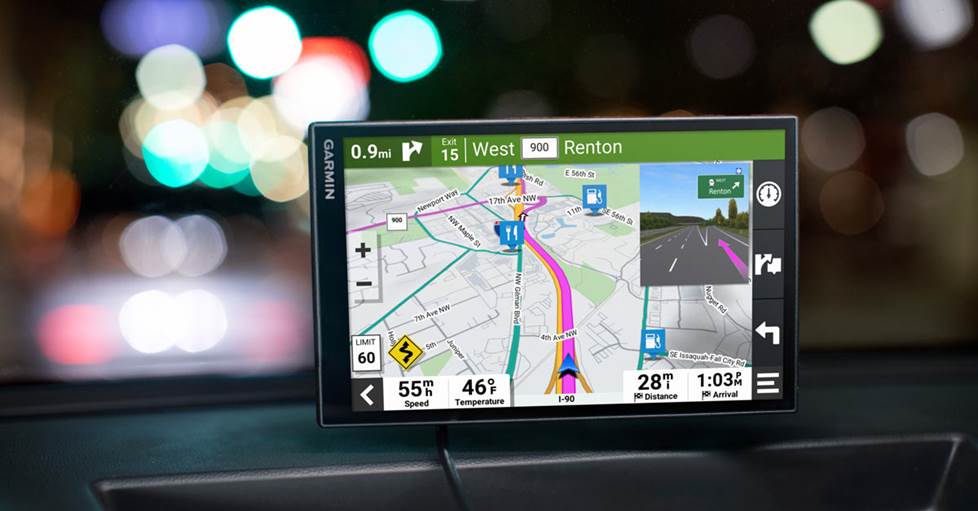
Installed using an adhesive mount
How are you going to mount it?
Most navigators come with a windshield suction cup mount, which is one of the easiest and most easily viewable ways to install the device. These work very well with the smaller portable devices. However, some areas do not allow devices of any sort to be mounted on the windshield, so be sure to check your local regulations.
Another mounting option is a disc which mounts to your dash or console with heavy-duty adhesive backing. Or you can use a portable friction mount, which is a non-slip beanbag with a mount attached to it — perfect for uneven surfaces. Many of the in-car mounting and holding solutions available for handheld devices can be also repurposed for portable navigators.
Need help finding the right portable GPS navigator?
As you can see, there are many features which could mean the difference between you choosing one portable GPS navigator or another, so be sure to read each product description before you decide which device is the best one for you.
Have questions about GPS navigation and how to get the most out of it? Our expert Advisors know the answers. Call or chat with us today. Free lifetime tech support is included with every Crutchfield purchase.



Philip from Edwards, Mo
Posted on 6/23/2023
Can you reccomend a marine nav system for inland lakes like Table Rock Lake or Lake of the Ozarks?
Dominic DeVito from Crutchfield
on 6/24/2023
Olivia Thomas from Los Angeles
Posted on 11/11/2021
My GPS switched languages (Spanish) I don't know how it happened. But how do I return to English?
Dominic DeVito from Crutchfield
on 11/12/2021
Jim haehl from Lockport, NY
Posted on 4/26/2021
where can i get a nextar Q4-03 automotive power cord? the tip broke off mine
Dominic DeVito from Crutchfield
on 4/26/2021
Susan A Huff from Myrtle Point
Posted on 9/28/2020
Inquiring about mounting options for the new Garmin RV 890. With the larger screen, it seems mounting options are limited. What are the options for mounting in a pickup?
Dominic DeVito from Crutchfield
on 9/28/2020
Ted Herr from Dawsonville
Posted on 12/22/2019
My reason for going with a dedicated GPS is due to the fact that I'm ok with using my phone data and android auto for maps. But as soon as I lose cell signal that leaves me with nothing. Picked up a used nuvi, Lifetime maps and some kind of traffic data built in.
Linda Weller
Posted on 9/30/2019
I need a GPS stand-alone device that will give me lifetime map updates and live traffic updates WITHOUT a smartphone. This seems to be hard to clarify with most advertisers. Willing to pay up to $300. Can you recommend a specific model? I would be most grateful! Lost Linda
Dominic DeVito from Crutchfield
on 9/30/2019
Dave from Tomah
Posted on 7/30/2019
Shame you're stuck on Garmin. I personally prefer TomTom, mostly because of the software. Their City Center option for finding places is invaluable!
Lin Tate from Clarion
Posted on 11/17/2018
I want a dedicated GPS device for grid soil sampling on my farm in Iowa. This requires the exact location of a soil samples taken over 300 acres and later mapped for application of fertilizer. What hand held device would you recommend? Thanks for your help, Lin Tate, Clarion, Iowa
Dominic DeVito from Crutchfield
on 11/19/2018
Eric Scott from Schenectady
Posted on 10/10/2018
How well do traffic advisory services work? There have been major holdups on the Mass Pike recently, and guidance to avoid them would be valuable.
Dominic DeVito from Crutchfield
on 10/15/2018
Eric Scott from Schenectady
Posted on 10/10/2018
What about waypoints? Going from Albany NY to Maine I like to go cross country and avoid the Mass Pike. I have to fudge somewhat. Also, having found a nice route it would be good to be able to store it for repeat uses.