Digital cameras buying guide
Learn which type of camera is right for you

Heads up!
Welcome to this article from the Crutchfield archives. Have fun reading it, but be aware that the information may be outdated and links may be broken.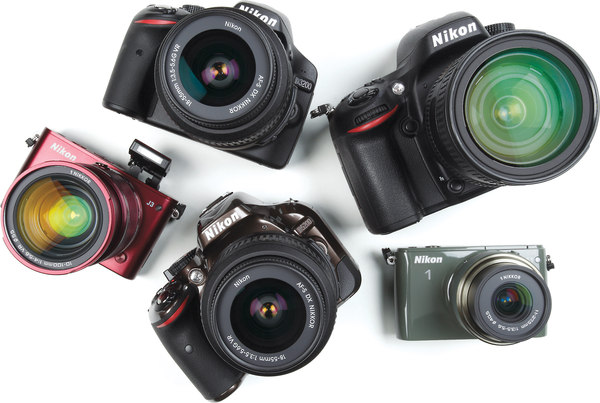
These days, you can use your mobile phone to take basic snapshots. So why buy a digital camera? In this article, we’ll highlight some of the useful high-tech features and shooting modes offered by contemporary digital cameras, and help you decide which options will make a big difference when you need more flexibility and higher image quality than a mobile device can provide.
If you want to snap a selfie at a ballgame or upload photos of your dinner, a cell phone will do the job. Those are relatively static photographs that don’t need to look spectacular. Try using your mobile device to go bird watching or shoot photos of your daughter’s soccer game, and the limitations begin to show. People in motion, objects that are far away from your lens, and variable lighting conditions can stymie a lesser camera.
Cell phones also do so many other things. Do you really want to have to hang up on your best friend to snap a photo of a random celebrity sighting? The more you use your phone to take photos, the less battery life you’ll have for staying connected.
Taking a tip from cell phones, many digital cameras come equipped with touchscreens, putting sophisticated features at your fingertips. Many offer internal photo and video editing, allowing you to make some artistic choices on the fly.
Overview: Camera sizes, shapes, and designs
Point-and-shoot. These convenient, compact all-in-one cameras are great for easy shooting on the go. Within the overall category, there are a few specialized types of point-and-shoot camera you may want to consider.
- High-zoom cameras. These cameras feature 10X or greater optical zoom to get you closer to your subjects. These powerful cameras often feature manual focus, aperture, and shutter speed settings for more control over your shots. Ultra-slim. These point-and-shoot cameras are often less than an inch thick, with low-profile designs that make them easy to slip into a pocket or purse. This style beats your phone on image quality and offers helpful automatic shooting modes in a cool-looking camera that's easy to take everywhere.
- Waterproof and weatherproof. These more rugged cameras are specifically designed for use in the great outdoors. They have airtight bodies to protect against water, snow, dust and sand, and are often freeze-and shock-proof, making them an ideal choice if you tend to be tough on your gear.
Read: Point-and-shoot cameras guide
Digital SLR. The digital SLR is a different approach to photography, offering features for hobby photographers and professionals alike. It's the largest digital camera style available, with the most features and flexibility. A digital SLR design makes sense when you need maximum manual control and lens quality, and don't mind carrying a camera bag with space for an SLR and one or more lenses.
Read: Digital SLR cameras buying guide
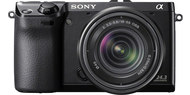
Mirrorless Cameras. You can get the best of both worlds with this class of camera, which offers many of the sophisticated features and creative options of the digital SLRs, while keeping the low-profile, easy-carry attributes of the point-and-shoot class. These cameras offer the ability to switch lenses to suit the subject you’re shooting, and save on space by losing the large mirrors or prisms DSLRs use to allow an optical viewfinder.
Most of the time, your viewfinder is electronic — essentially, a small monitor similar to an LCD screen — which offers some advantages for video shooters. Mirrorless cameras come in a range of sensor sizes, with many at the top end rivaling the picture quality of their DSLR cousins.
Still not sure what you’re looking for? Keep reading for hints on which features to look for when you’re shopping for a digital camera.
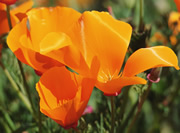 A large image sensor will capture a high level of detail. A large image sensor will capture a high level of detail. |
Larger sensors take more detailed pictures
The size of your camera’s image sensor is important, because it directly affects the level of detail you have in your photograph. That makes a big difference in not only the overall image quality, but how good a photo looks when you decide to print, re-size or crop it as well.
The size constraints in a mobile device mean you get an image sensor roughly the size of the nail on your little finger, and it shows. The average point and shoot camera is a slight improvement; more like the size of your thumbnail. Mirrorless cameras offer a range of image sensors, varying in size from 2/3” up to the DSLR-standard 35 mm or “full frame.”
Capture fast-moving action
Digital cameras can adjust for motion and vibration in several ways.
- Faster shutter speeds enable you to freeze motion, capturing the look of intense concentration on your midfielder’s face as she battles for possession of the ball. This can be as simple as an “action mode” setting that handles the details for you, all the way up to the manual settings that allow complete creative control on a DSLR.
- Continuous, or burst mode shooting lets you capture a series of dramatic photos by holding down the shutter button, like a fashion photographer at the end of the catwalk.
- More sophisticated cameras offer auto-focus points, allowing you to look through the viewfinder and choose which part of the image you want to keep in focus (just my kid, thanks) and track that focus point from left to right, foreground to background.
- Maybe your subject is still, and you’re the one who’s moving. If you’re standing on the deck of a boat, or shivering in the cold, you’ll want image stabilization (like Nikon’s VR vibration reduction or Sony’s SteadyShot) built into the camera, an external lens, or both. A tripod or monopod will help steady the shot as well.
- Sometimes, you actually want the blur. If you’re going to get creative, you’ll want to work your way up to a DSLR in manual mode. You’ll have complete control over every detail, and you’ll be making the decisions, not your camera’s internal processor.
If any of these issues sounds familiar, you may prefer shooting with a digital camera instead of your phone.


When you compare the images above, you get a sense of the advantages of image stabilization.
High-definition video in the palm of your hand
Digital cameras are also excellent video cameras. They shoot high definition video at the Blu-ray standard of 1080p, producing high quality footage. Many professional journalists no longer bother to purchase a separate video camera, finding that they can produce top-notch still images and uploadable video with just one DSLR in their work kit.
Get closer with zoom
A subject that’s far away – say, some skittish wildlife – has to be brought closer somehow. This is where digital cameras excel. A basic point and shoot camera will offer at least 3x optical zoom, and several go up to 10x and beyond. The difference can be striking, as these photos illustrate.
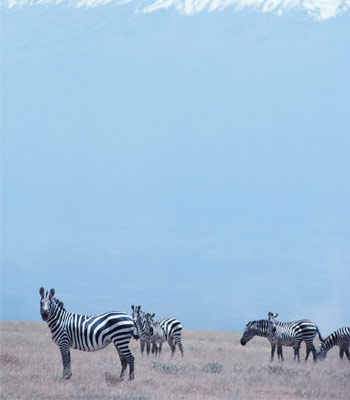 No zoom No zoom |
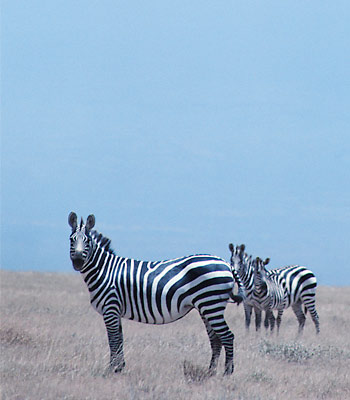 3X zoom 3X zoom |
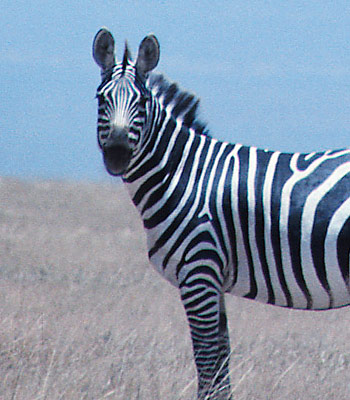 10X zoom 10X zoom |
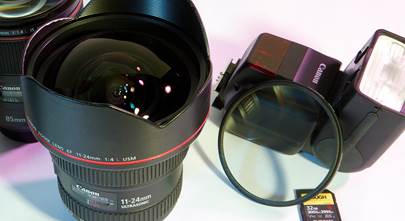
Removable lenses, which are found on all DSLRs and several mirrorless cameras, can reveal stunning detail on far-away objects.
Shed light on the subject
Getting light on a subject is the essence of photography. A tiny bulb - such as the one in your phone - illuminates only a small amount of space. The built-in flash on a smaller camera is an improvement, a pop-up flash is even better, and true art can be done with one or more portable flash units working off of a powered hot shoe. As you move up the camera hierarchy toward the DSLR, you gain more control over how your scene is illuminated.
Share instantly with Wi-Fi
Wi-fi capability is your doorway to the internet. Many cameras have this technology built into the chassis, others accomplish it via an outboard wireless adapter that plugs into an external USB port.
If you're a world traveler, you may also want to look into a GPS-capable camera, which can tag your photos of pyramids and beaches with relevant geographical information, all ready to upload to your favorite site. You'll never forget where you were when that dramatic photo was taken.
How many megapixels do I need?
Once upon a time, megapixels were the big differentiator in cameras - because if you didn't have enough megapixels, you couldn't print high-resolution photographs. Fortunately, most contemporary cameras boast 10 megapixels or more - ample resolution for larger print sizes. The difference in resolution between 10 megapixel and 15 megapixel photos can be difficult to detect, unless you're a pro who looks for the tiniest details, or you plan to make really enormous prints.