Video: How does your home wireless network work?
What is a modem, router, mesh system, powerline adapter or repeater?

Having a strong home wireless network is more important than ever as more and more of our devices and appliances go online. In this short video, we'll explain how your home Wi-Fi system works so you can make sure your home network is as strong as it needs to be.
Check out our networking gear, and feel free to chat, email, or call one of our Advisors if you have any specific questions about your home network.
Read video transcript
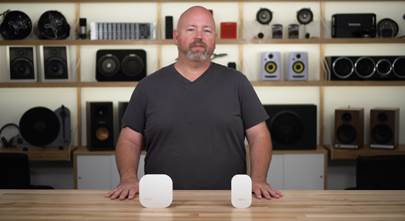
Hey I'm JR, training manager here at Crutchfield, and today we're going to talk about how your home wireless network, or Wi-Fi, works. It's actually pretty important to have a good wireless network at your home. So many of our devices need a strong Wi-Fi signal to work properly, whether it's multiple wireless speakers, smart appliances, a smart TV, right down to the phone in your pocket. Let's take a look at how your home network works, and how you can make it stronger.
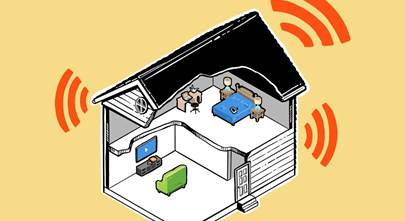
You pay a provider a monthly fee for internet service at a certain bandwidth, and that internet you pay for is delivered to your house through a modem. Once it receives the outside Internet signal, the modem then connects to a router and this is where your internet turns into wireless internet or Wi-Fi. In many cases the modem and router you get from your internet provider will be one device. The router beams that Wi-Fi signal all over your house, and all over your house devices connect to that signal, eating into your bandwidth.
It's important to have a modem and router that can handle all the bandwidth you're paying for. You can always rent them from your internet provider, but if you buy your own you'll not only save that rental fee but you can get all the speed and features you want. If you've got multiple stories or your router just can't be in the optimal spot in your house, it's going to need some help getting that strong signal to out-of-the-way places.
You can provide that help in many forms, starting with range extenders. Those connect wirelessly to your main router and then rebroadcast the Wi-Fi signal, extending the reach. Powerline adapters can send your internet signal over your home's wiring to a problem spot like a TV room far away from the main router, or you can run an ethernet cable from your router to another access point.
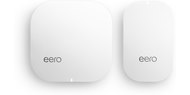
A mesh system works kind of like a router and extender combination, but it does so much more seamlessly and creates the strongest wireless network with the best coverage. Mesh systems are a great choice if you're paying for broadband or fiber internet and want a super-fast signal all over your house.
Having a strong and reliable home network is crucial, especially since so many of our devices are connecting to the internet these days, and understanding what's needed to make that all work great can be confusing. That's where Crutchfield advisors come in, so give us a call, chat with us online, send us an email, and let our advisors help get your house up and running.






Richard Scott from Seaford
Posted on 12/17/2022
We use Comcast service and have an issue getting the signal to our Epson printer which is in a different part of our home. When I try to print something from my iPhone is won't print saying Network connection. I also lose connection to a wireless smoker/grill outside of our garage. What would I need to help with this issue and how would I install this. I'm dumb to this technology??
Larry Hill from Frederick, MD
Posted on 8/20/2021
You have given me hope. Although I do live in a multiunit Condo. I do live in the heart of the City of Frederick, MD. We only have Xfinity service available and I do not know how to evaluate the band width(?) My Xfinity router/ is rented monthly from Xfinity. I have been thinking about buying my own but now am much More serious IF you tell me that that move (or any other) would solve the ZOOM Meeting transmission issues of blurred/smeared/delayed images can be solved.
Stanley Baker from Carrollton
Posted on 5/16/2021
24/7 support is false advertising. You have a crutchfield adviser rep who is not 24/7 support. You are connected to crutchfield instead of a netgear representative. What a pain in the butt and the model I have is not even close to what the picture that is showing for that model.
Daniel Wilson from Oxford
Posted on 10/10/2020
The video does a good job of outlining the benefits of a good router. This technology is still very new to me and I'm trying to get up to speed on what would be best for my application. There are so many choices that it could get confusing. My broadband provider is AT&T and their U-Verse is a source of constant frustration due to the slow speed. I'm paying for premium service but trying to watch YouTube in 4-K is almost impossible. I'm using the providers wifi equipment. Would a good quality router help because a dozen service calls certainly did not.