Multi-room home speaker system buying guide
How to design an easy-to-use music system that sounds and looks great

In this article: We cover different ways to get music in multiple rooms or areas of your home, including...
Easy wireless multi-room streaming systems
Traditional wired multi-room audio systems
...and we'll talk about hybrid systems that combine elements of both, as well as how to include your outdoor spaces in a multi-room system.
T
here are tons of approaches you could take to getting your music to play throughout your house. Whether you’re building your dream home and wiring it for sound or looking to get into the wonderful world of wireless streaming, you’ve never had so many solid choices for whole-house audio.
Wireless systems are the easiest solution. We'll explore those first.
Wireless multi-room audio
It’s amazing how far wireless solutions for multi-room audio have come since a handful of Silicon Valley innovators developed the protocols for Sonos in the early 2000s. It’s been an enormously popular wireless ecosystem ever since. Other companies have been taking wireless multi-room technology in a variety of different directions. And we’ll continue to get better connectivity, better control, and better sound as technology advances.
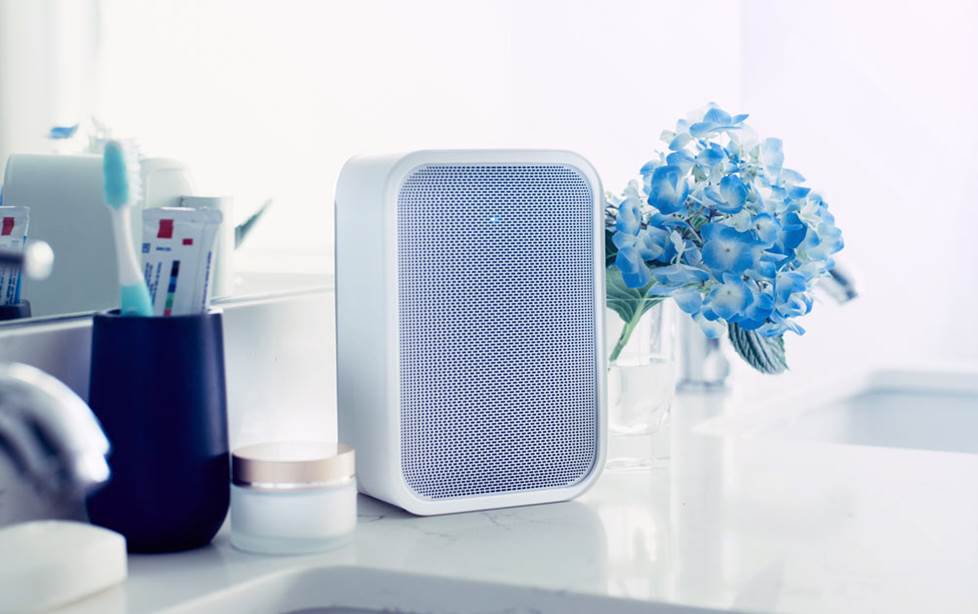
The Bluesound Pulse Flex 2i doesn't take up much space, but can open your home to wireless multi-room streaming music.
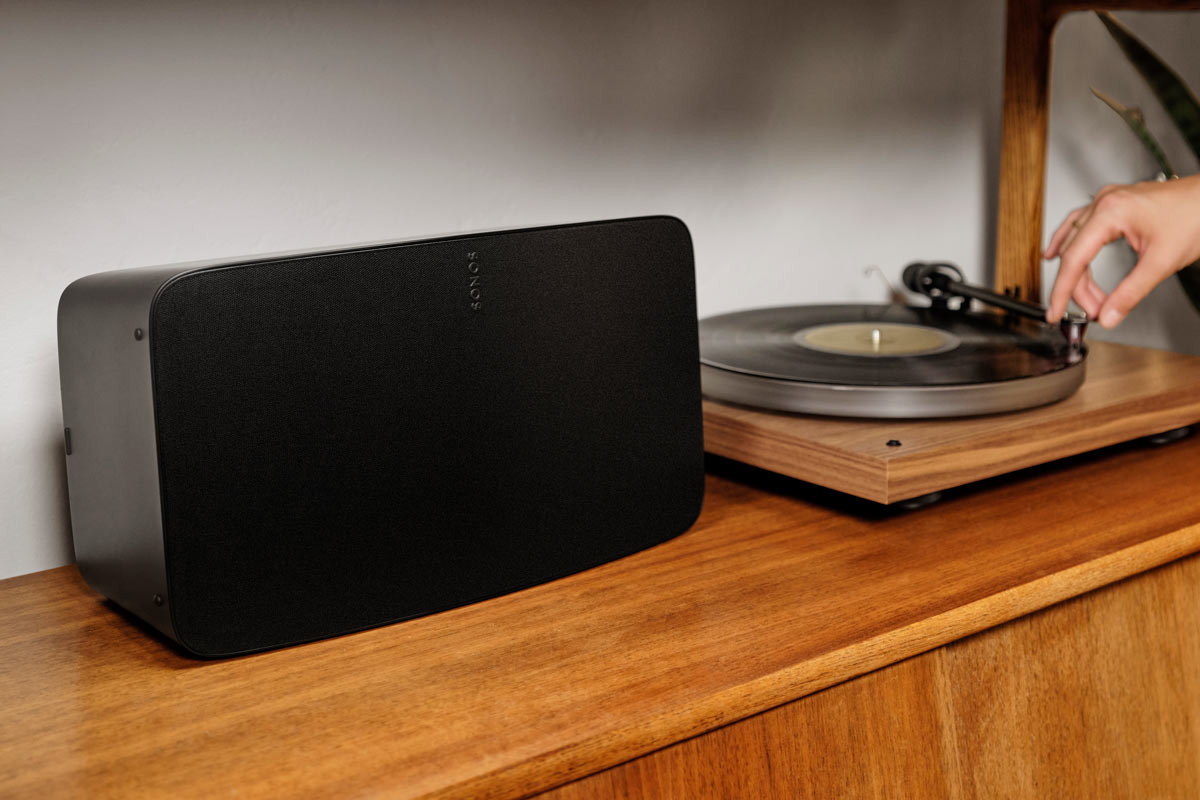
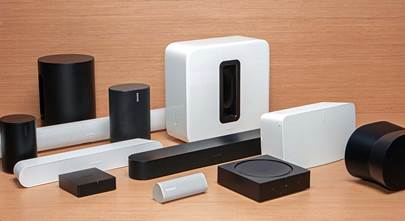
You can walk a narrow path with an expandable platoon of standalone wireless multi-room speakers like the Sonos Five or Bluesound Pulse Flex 2i. Within those brand ecosystems, you can liven things up with subwoofers, soundbars, and more.
But you don’t have to start from scratch if you’ve already got a hi-fi system that sounds and looks great in your home. You can add multi-room streaming to what you’ve already got, and I’ll talk later about a few different ways to do it.
Simple, expandable ecosystems
Thinking about gettting into Sonos? Check out Crutchfield writer Ralph’s article on what you need to know if you’re planning to get into Sonos.
Bluesound offers a similar choice of multi-room speakers and components. They use the BluOS operating system, which also comes built into a range of hi-fi integrated amps and receivers.
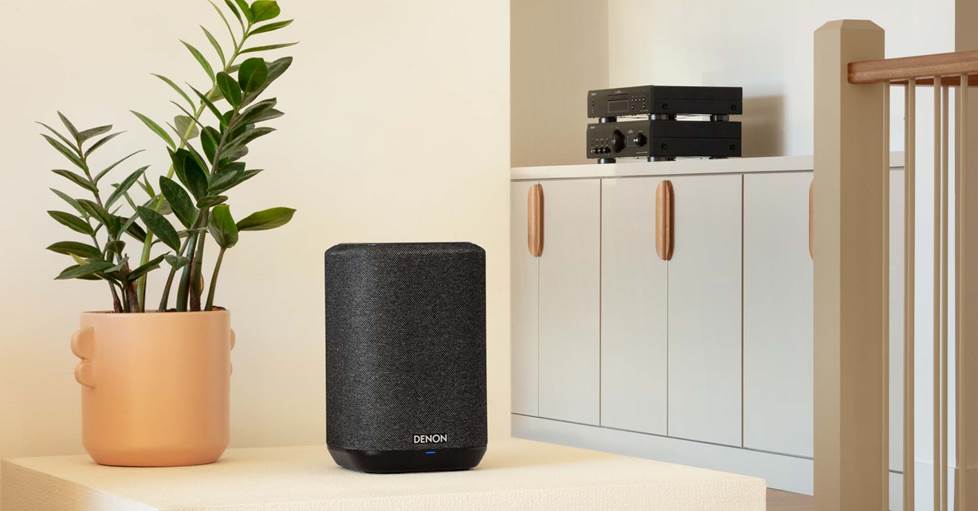
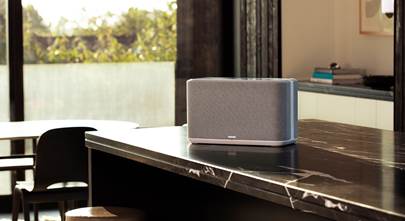
Denon Home wireless powered speakers work with other HEOS built-in components in a wireless multi-room music system.
Denon’s wireless multi-room speakers use the HEOS operating system, which also comes built into a lot of their components. The same goes for Yamaha’s MusicCast ecosystem, which we explore in this video.
Big tech wireless multi-room ecosystems
Broad-platform ecosystems like Google Cast and Apple AirPlay 2 come built into a large and growing number of components. From humble voice assistants to high-end integrated amps and A/V receivers, these platforms make it easy because they just show up as speaker options from within nearly all the top streaming services’ apps.

KEF's LSX II wireless powered speakers deliver clear, high-fidelity sound and feature Google Cast built-in, AirPlay 2, and other multi-room options.
Google Cast has been around since 2013. It boasts 24-bit/96kHz resolution and, in my experience, very quick and immediate playback control.
Apple’s AirPlay 2 works like a charm when you’re playing music from an iPhone or iPad. It gives you multi-room CD-quality sound with user-friendly connectivity. Find out which brands and products make use of this ecosystem in our article on what works with AirPlay 2. Keep in mind that some products still come with the original AirPlay, which can’t be used for multi-room sound.
Amazon Alexa has a good reputation for making it easy to use voice control. That means you can easily play the same music on multiple Echo units throughout your house, but it’s not going to be a hi-fi experience. But since Alexa (and, for that matter, Google Assistant) control is built into tons of Wi-Fi multi-room components, you can use your voice to control great-sounding music if you want. Check out my article on using voice assistants with your hi-fi.
Roon
The subscription-based online music aggregator Roon — available in a long list of components — gives you multi-room capability. It also gives you great notes on artists and recordings and makes suggestions based on your taste. Our article goes into detail on how Roon works.
Traditional wired multi-room audio systems
Maybe you don’t have the greatest internet connection, but you still want music throughout your home. Or maybe you're building and have the opportunity to wire everything before the drywall goes up.
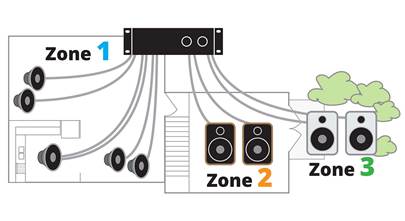
Either way, you can extend your reach more traditionally with a wired multi-room system. A lot of A/V receivers have zone outputs for powering speakers in other rooms. You can also get separate zone amplifiers for each room.
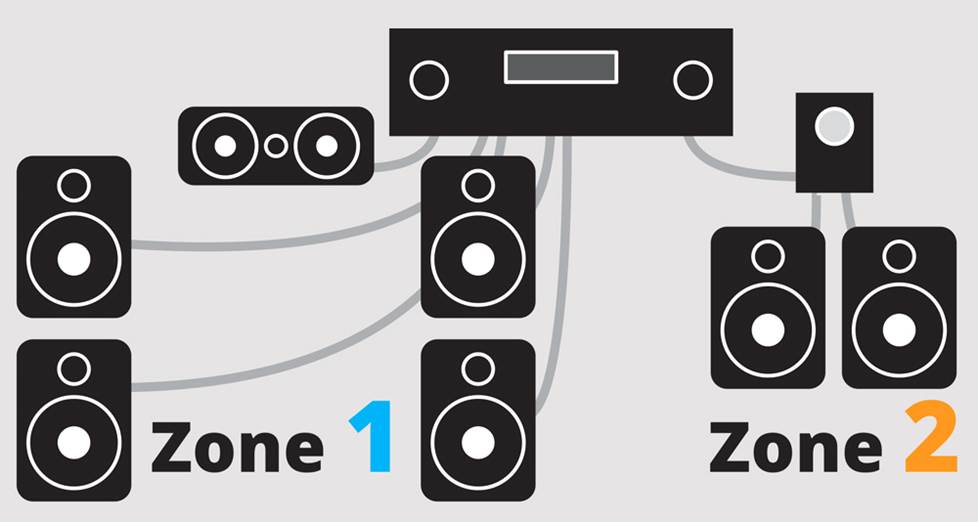
The illustration above shows how you might connect multiple sets of speakers to an A/V receiver with zone outputs.
Wired solutions are more complicated to install, but you’ll have a more stable connection to your speakers, and if the internet drops out, your music still plays. Check out Crutchfield writer Deia’s article on powering speakers in multiple rooms.
If you have an ambitious wired multi-room audio project, you might want to connect with our custom system design team.
Hi-Fi approaches to multi-room audio
If you love listening to music in high fidelity like I do, you don’t have to stick with a single brand to have multi-room audio in your house.
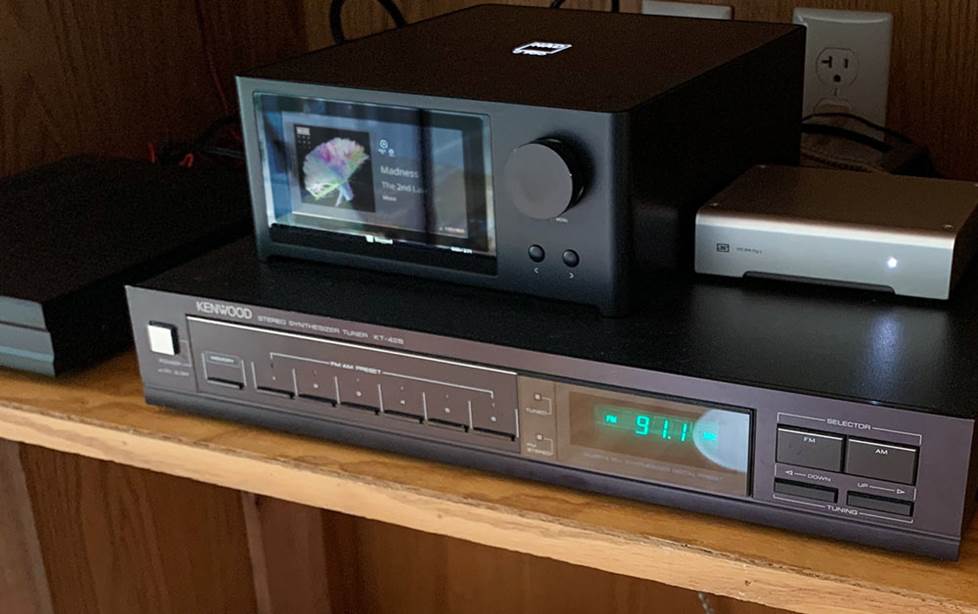
My NAD C 700 integrated amp has BluOS built-in, but I can also use Apple AirPlay 2 to connect to it — and my two Bluesound NODEs in my other home hi-fi systems.
For example, I’ve got three different hi-fi stereo systems in my home, and use the BluOS ecosystem — two NODEs and an NAD C700 integrated amp — to connect them together. One NODE is powered by my vintage Harman Kardon Stereo Recital II receiver, the other by my Mission LX Connect wireless powered speaker system.
Anyone with an iPhone can use AirPlay 2 — built in to BluOS — to play music on and control playback and volume. That makes it easy for everyone to play DJ — all three systems show up as speakers from within your streaming music service’s app. I use Qobuz, but it works the same way with Spotify, Tidal, Pandora, and many others.
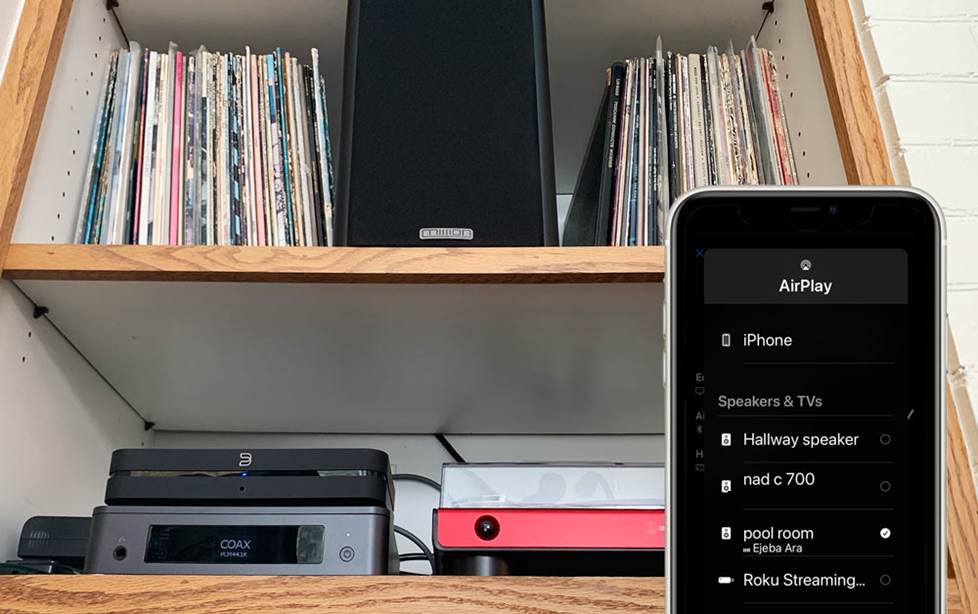
The Bluesound NODE in the "pool room" is the only selected component on this speaker list, but I can select multiple speakers — and even TVs — and control volume independently all from within this AirPlay 2 menu.
And I’ve learned firsthand that I can add non-BluOS components that have AirPlay 2 — like the McIntosh RS250 — and control them together with my iPhone. To put it in one nutshell, BluOS, Sonos, HEOS, and MusicCast devices all support AirPlay 2.
Take your music outside
If you’re like us and love to listen to music while you hang out on your deck or patio when the weather’s nice, you can include your outdoor spaces in your multi-room ecosystem. If you’re using Sonos, the portable Move 2 and Roam 2 speakers are nice options.
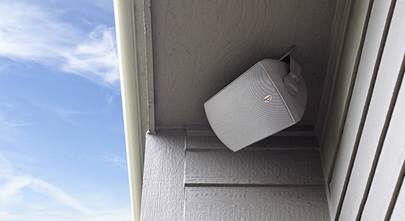
But if you’re adding a more permanent outdoor zone, you would want to hardwire the speakers to an amplifier or receiver that has your streaming ecosystem either built in or added on in one of the ways I talked about earlier.
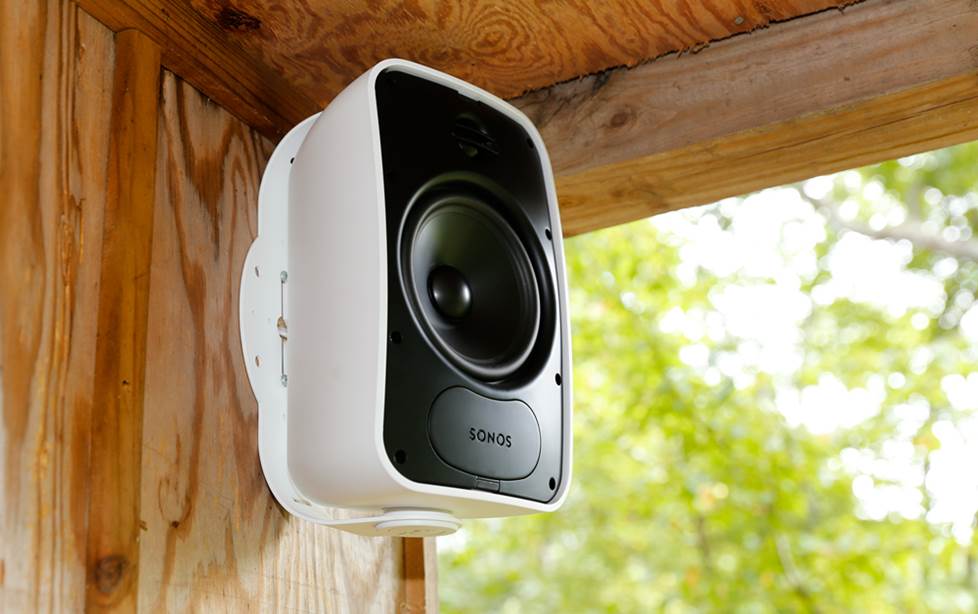
Crutchfield content manager Tara's treehouse is like another room when the weather's nice; she keeps the music flowing with a pair of these Sonos outdoor speakers powered by a Sonos Amp.
In our article on how to use Sonos with wired outdoor speakers we discuss a few scenarios. You can also check out our outdoor speaker planning guide and buying guide for more info on putting together an outdoor system.
Want to talk about it?
Still have questions about getting multi-room streaming audio in your home? Take advantage of our legendary support by getting in touch with one of our advisors.






Steven Kwiatt from Bolingbrook
Posted on 9/4/2022
I'm wondering why I don't see any mention of Bose Soundtouch wireless speakers in this article. I have five in three different sizes and I think they sound great. I purchased them from you. Does this non mention mean you have a low opinion of Bose Soundtouch?
Ned Oldham from Crutchfield
on 9/8/2022
TJ from Silver Spring, MD
Posted on 8/23/2022
I currently stream Bluetooth from my phone to my hifi system. Mainly Amazon HD and podcasts (Podcast Addict). Wanted to upgrade to multi-room audio and I've been exploring options to do so: Sonos, Bluesound, Audiopro, HEOS, Musiccast, Play-Fi, etc. Am I correct in understanding that not only are all of these closed systems (given the low adoption even Play-Fi is currently, in practical terms, closed), but since you have to use their own app you are dependent on their having a continued relationship with the streaming services (Amazon HD in my case)? In other words, I could spend a whole lot of money on a Sonos system and if Amazon then locks Sonos out my speakers are basically useless? The recent Sonos/Google lawsuit makes me nervous about these kinds of dependencies. I thought maybe Chromecast Audio plugged in to my amp and sets of active speakers might have been a way to get decent multi-room streaming audio with lower risk, but looks like CCA has been discontinued and a lot of speakers reviewed online as having Chromecast built-in seem also to have been discontinued? I'd love to hear what advice you might have.
Ned Oldham from Crutchfield
on 8/24/2022
Kevin from Hampton Bays
Posted on 3/3/2021
I am looking for a 'simple' and cost efficient way to bring audio into a small seasonal beach house. Speakers would only be needed for the living room/dining/kitchen area and an adjacent deck area. Can a soundbar with wireless or bluetooth speakers accomplish my goal? I don't need concert hall quality, just coverage.
Kramer Crane from Crutchfield
on 3/4/2021
You can pair multiple speakers together to play the same source throughout the house (up to 100 at the same time, which we did here once!).
Debbie
Posted on 12/29/2020
Are their systems that support use by two sources at once in different rooms / zones as well as supporting the ability to have a single source play in multiple rooms / zones individually or simultaneously? Sometimes, two family members need to play their own music just in their areas. (Yay, quarantine work / school / staying at home!) Sometimes, we want to play music in one room, then switch to a different room, turning off the music in the second room. And sometimes, we want to play music and be able to hear it in m multiple rooms / zones at the same time. (Woo hoo, virtual party!) Thanks!
Eileen from Clearwater, Florida
Posted on 4/29/2019
We have in-ceiling speakers in our family rm/kitchen 8spks,living rm4spks, pool2spks, master bed/bath 3spks, office 2spks, bed#2 1spk, bed#3 1spk, utility 1spk for a total 22 speakers, all wires run to our media cabinet, we have 4 SONOS Connect -Amps (allowing up to 4 speakers to be connect per zone)and no wall volume controls. We will use android phone & tablet for volume control for music. We have 4 TVs (mbed, family rm, living rm, office) We want to have the ability to listen music or TV in each of the rooms that the TVs are in & be able to watch different programs or stream different music in different rooms simultaneously. We currently do not have an amp/receiver, we want music in 4 zones (family rm/kitchen, pool, master bed/bath, office)utizing4 SONOS Connect-amps, Question: What do we need to buy for connecting TV audio to their respective ceiling speakers? an amp/receiver? Can we utilize our android phine or tablet for volume control for TV, would not want to have to go to media cabinet if i want to watch tv in my master bed or office... How many channel amp would we need? Also, want it to be very budget friendly and campatible with Alexa. Ideas?
Jim Richardson from Crutchfield
on 4/30/2019
Jim Richardson from Crutchfield
Posted on 2/16/2018
Elvin, Thanks for the good question. It's hard to answer without knowing more about how the room is used and what your goals are. I recommend that you get in touch with one of our system designers to discuss your requirements in detail. Call 1.800.555.9407 Monday-Friday 9am-5pm Eastern Time.
Elvin from Junction City
Posted on 2/15/2018
I am planning a remodel of our older home. I would love to add built in speakers in our ceiling. The ceilings are angled and very tall on the high end. Would I be better with in wall speakers?
Jim Richardson from Crutchfield
Posted on 1/12/2018
Thanks, Austin. I have Yamaha MusicCast speakers. Our customers seem to love Sonos. But there are lots of great choices. Please contact one of our advisors for help choosing the products that best meet your needs.
Sharat from Austin
Posted on 1/8/2018
Nice article. I bought a new home recently and looking for best wireless speakers for each of my rooms which can all be controlled by my iPhone. Please advise. Thanks
Jim Richardson from Crutchfield
Posted on 1/5/2018
Hi folks. Thanks for all the great questions. I'm afraid this really isn't the best place to carry on a dialog about the details of your audio systems. I forward messages of this kind to our advisors. They are better equipped than I am to help you find the right solutions.