2015-2022 Chevrolet Trax
How to upgrade the stereo system in your Chevy Trax

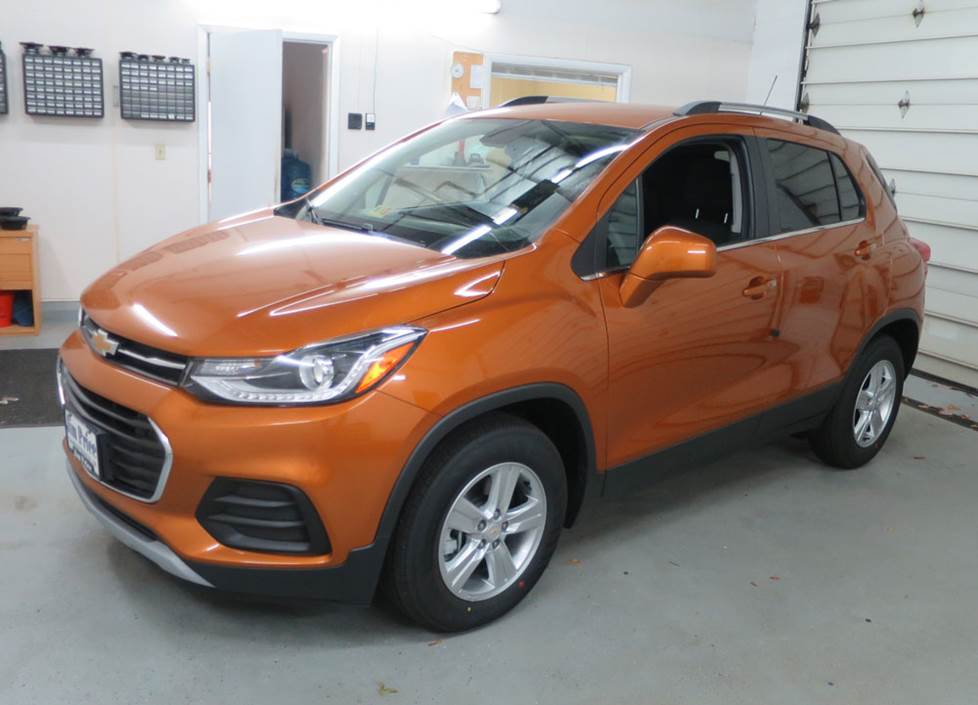
In brief: This Crutchfield Research Garage article gives you an overview of your Chevy's stock stereo system and your aftermarket upgrade options. Use our vehicle selector to find the gear that will fit your vehicle.
Overview of the Chevy Trax
Whether you think of it as a small SUV or a tall hatchback, the mission statement for the Chevy Trax remains the same: to ferry people and cargo around town efficiently and comfortably. It does those things quite well, and with plenty of glass and a lofty driving position, you’ll have a good view of everything that’s going on around you.
While the Trax is certainly not an off-road bruiser, it is rather sprightly on the pavement and you’ll appreciate the compact dimensions and easy maneuverability while navigating the wilds of suburbia. All in all, it’s a solid little package that holds its own in a very competitive segment.
The stock stereos range from okay to not bad, but if you love music, you’ll want to upgrade wherever you can. There are some nuances to replacing the various radios, but replacing the speakers is pretty simple in most cases. This article will show you what you can do and give you some tips on how to do it.
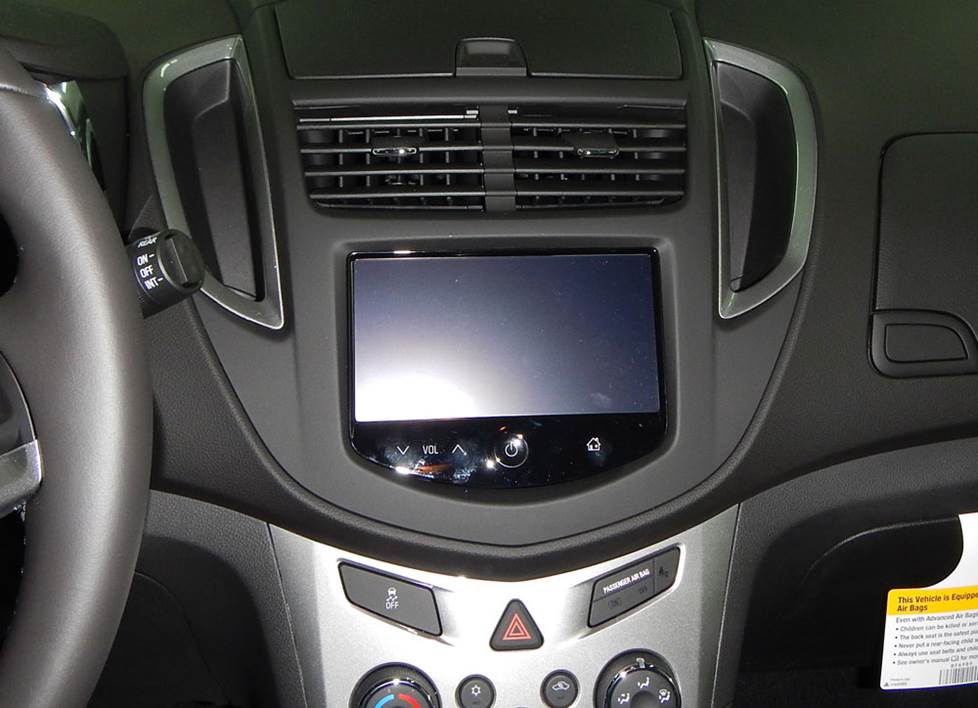
Here's a close-up look at one of the earlier Trax radios. This one's pretty easy to deal with. (Crutchfield Research Photo)
Factory stereo system
On the most basic level, the Trax will have one of two factory stereo systems — base or Bose® system. On a more granular level, these systems changed a bit over the years, so the exact disassembly processes changed right along with them.
When you enter your vehicle info, we’ll show you the aftermarket stereos that fit your Trax, and your order will include our vehicle-specific disassembly instructions. These illustrated, step-by-step instructions are included free with your order, and they’re an excellent guide to what you need to do to install your new stereo. We’ll also include the dash kit and wiring harnesses you’ll need to install the new piece, and those will come with their own instructions.
One consistent theme for upgrading the stock Trax stereo is that any wiring harness adapter Crutchfield recommends will retain the factory warning chimes. This is important, because the adapter maintains a warning system that is essential to your safety, and we can't offer technical support on an installation undertaken without it.
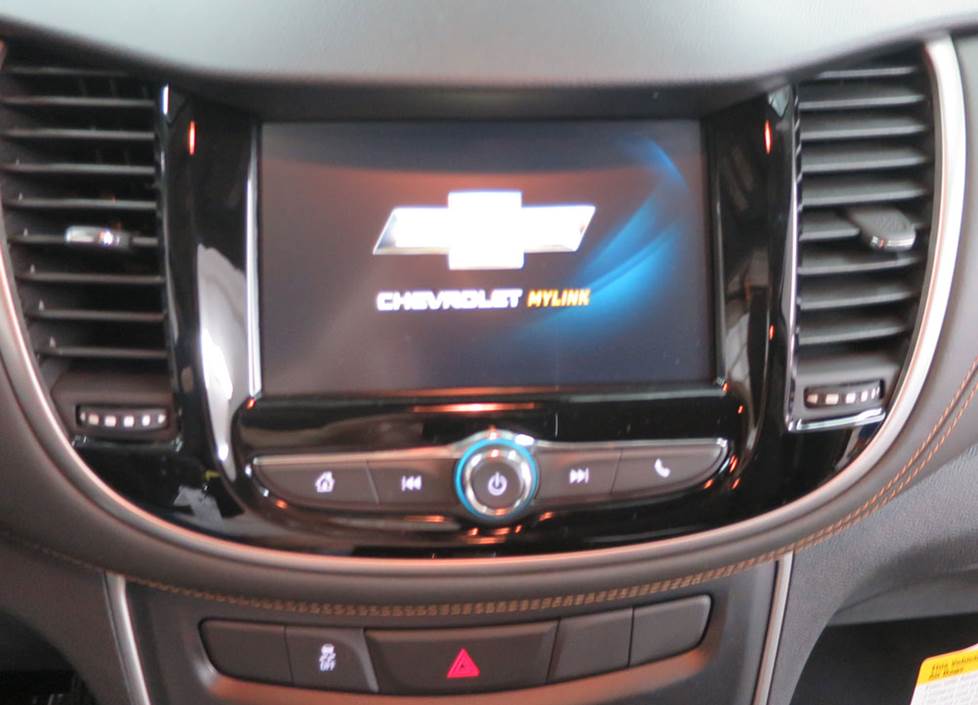
A revised dash design meant some changes to the center stack layout, so the removal/replacement process for this one is a bit different. (Crutchfield Research Photo)
Removing your factory radio
Replacing the stock receiver will, depending on your vehicle’s year and audio system, mean losing factory features like the factory USB input connection, OnStar® support, or factory satellite radio capability. This isn’t a huge deal, since those sorts of features can be regained by a wide variety of single-DIN (2" tall) and double-DIN (4" tall) aftermarket receivers that will work in most Trax models.
But not all of them. Due to dash configuration, safety issues, or electrical compatibility issues, you can't replace the radio in 2018-2022 vehicles that do not have the Bose system and the "IOA" RPO code.
In some newer models, you'll have to modify the vehicle's sub-dash to install a new car stereo. This isn’t as hard as it sounds (and we’ll help you through it) but work carefully and wear eye protection. Also note that once you’ve done this, the factory radio cannot be reinstalled.
Detailed stereo and speaker removal instructions
With some Bose equipped models, you'll need to bypass the factory amplifier, run new speaker wires from the new stereo to the amp location, and splice those wires into the factory speaker wires at the output side of the amp.
If you have questions about any of this (and you probably do), give us a call or chat. And if you have even more questions during your installation, remember that your order also includes free tech support for the life of your gear. Our experts are right here in Virginia and they’re available seven days a week if you need them.
Tools needed (2015-16): Panel tool, 7mm socket, ratchet and extension
Tools needed (2017-up): Panel tool, clean shop rag, 7mm socket, ratchet and extension, hacksaw or rotary cutting tool
Steering wheel audio controls
It's relatively easy to retain your Trax's steering wheel audio controls when you install a new stereo. When you enter your vehicle information, our database will choose the adapter you need to make your factory steering wheel controls work with your new receiver.
Shop for car stereos that fit your Chevrolet Trax
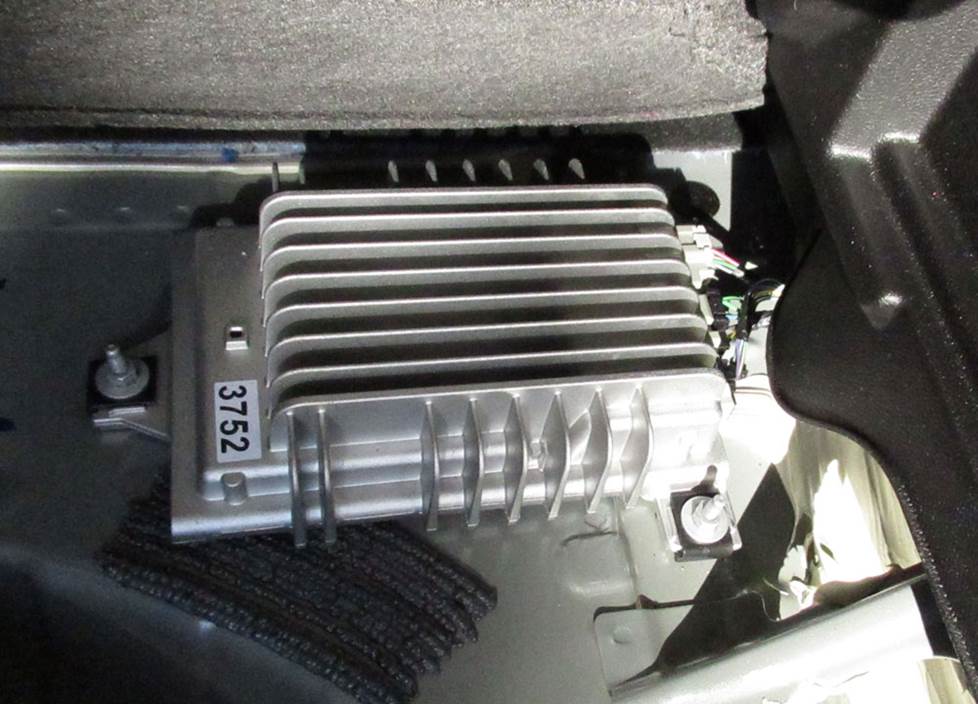
If you need to replace or bypass the factory Bose amplifier, it's at least easy to reach. (Crutchfield Research Photo)
Accessing the Bose® amplifier
The Bose amp is located under the cargo floor on the passenger's side front corner. To remove it, you’ll need to remove the cargo floor panel, then remove two Torx T40 plastic screws (one from each foam tray), then remove the trays.
Tools needed: Torx T40 driver
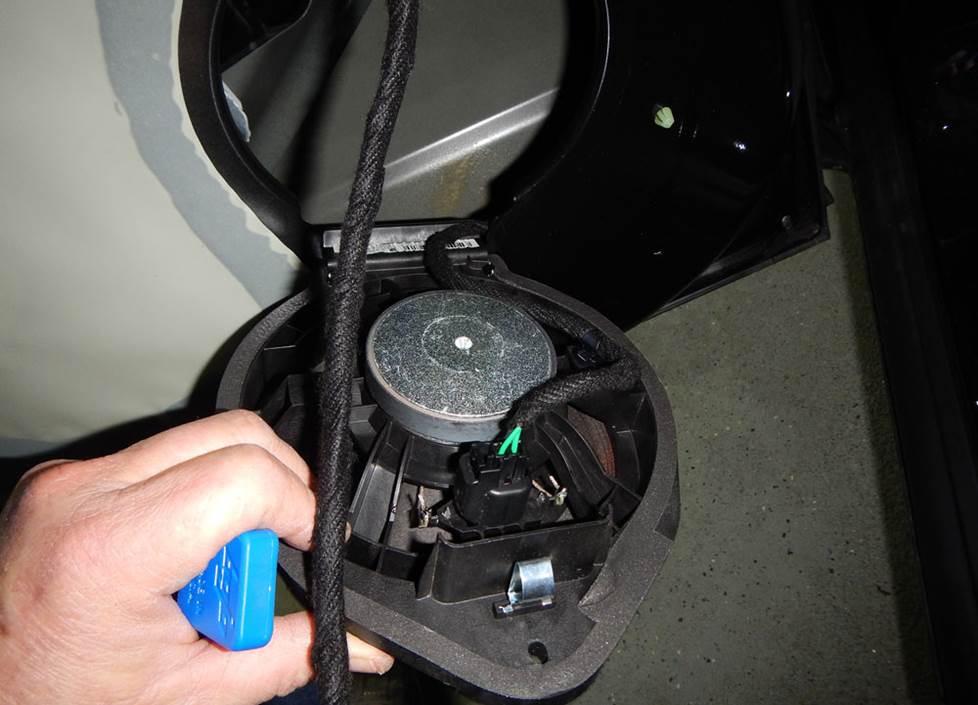
Removing and replacing the stock speakers is a thoroughly do-able DIY project. (Crutchfield Research Photo)
Removing your factory speakers
Upgrading the stock speakers will improve the sound in your Trax, even if you decide to stick with the factory radio. The removal and replacement process isn't all that hard in this vehicle, so it's an excellent project for the first-time car audio DIY-er.
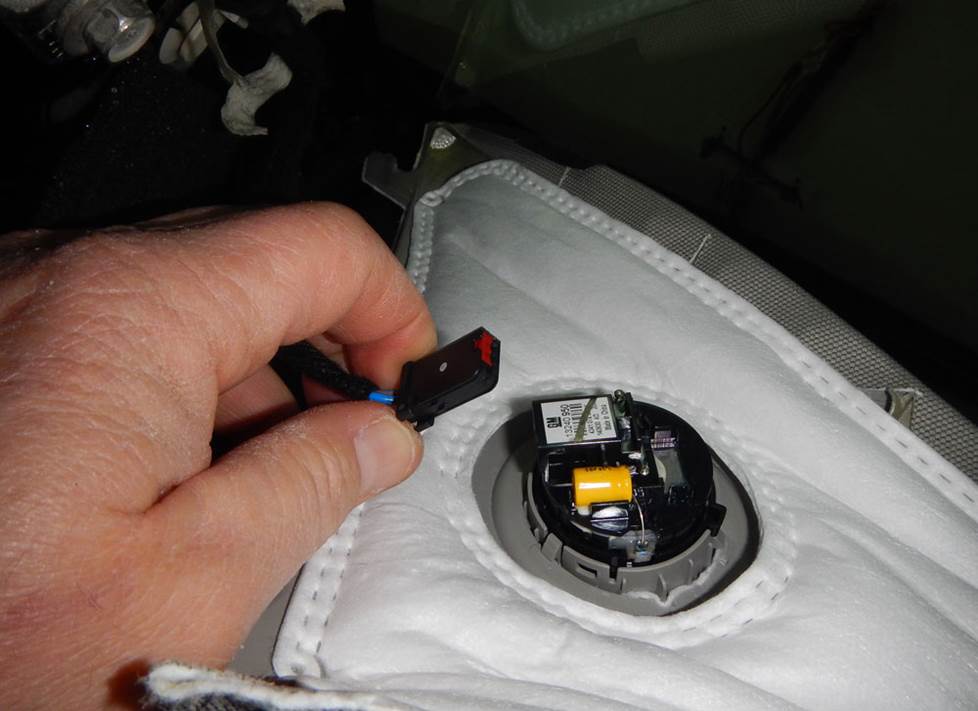
The front pillar tweeters are attached to the A-pillar trim. (Crutchfield Research Photo)
Removing the front pillar tweeters
The 1.6" diameter front pillar tweeters are reasonably easy to deal with, and there are plenty of quality aftermarket options available.
Starting at the top edge, use a panel tool to pry off the pillar trim panel to release two clips. Push down on the retainer strap to release it, then lift up the trim panel, disconnect the harness, and remove the trim panel. The tweeter is attached to the panel, so you’ll need to gently pry it off to remove it.
A wiring harness adapter is not available for this location, so you’ll need to splice, solder, or use Posi-Products speaker connectors to connect these speakers to the vehicle’s speaker wires. As for attaching the new speakers, you’ll need to use hot glue, silicone, or our universal backstraps.
Tools needed: Panel tool, small flat blade screwdriver
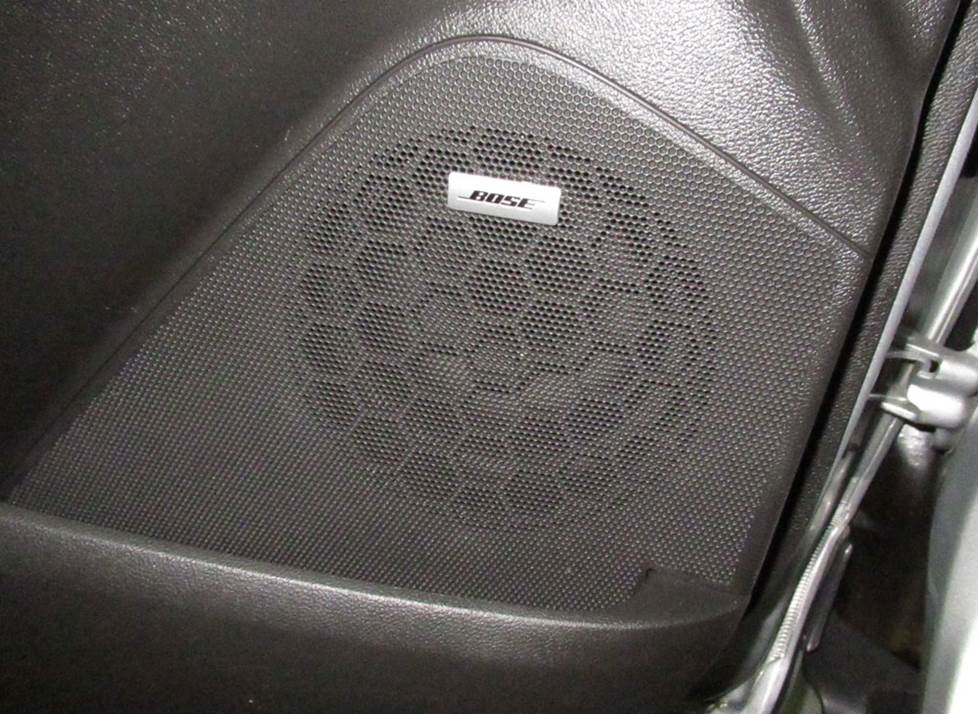
If your Trax is equipped with the Bose system, you'll see this handy emblem on the front doors. (Crutchfield Research Photo)
Removing the front door speakers
You’ll need to remove the door panels to get to the 6-3/4" front door speakers. Plenty of great-sounding aftermarket speakers are available for the Trax, so you’ll have some options to work with. You’ll need mounting brackets for some of those speakers, and we’ll include them with your Crutchfield speaker purchase.
First off, you’ll pry out the screw cover behind the door release handle, then remove one exposed 7mm screw. Pry open the screw cover inside the door pull cup and remove another exposed 7mm screw.
Next, pry out the sides and bottom of the door panel to release nine clips, then disconnect the harnesses and door release cable and remove door panel. Be sure to store it someplace safe and dry while you keep working.
With the panels out of the way, remove the 7mm screw securing the top of the speaker, then pry out the top of the speaker. Lift it up, pry off the harness clip, disconnect the harness, and remove the speaker.
To install aftermarket 6-3/4" speakers, you'll need to remove the inner tabs on the aftermarket speaker bracket. This isn’t hard to do but be patient and work carefully to avoid harming the bracket or yourself.
Tools needed: Panel tool, small flat blade screwdriver, 7mm socket, ratchet, and extension
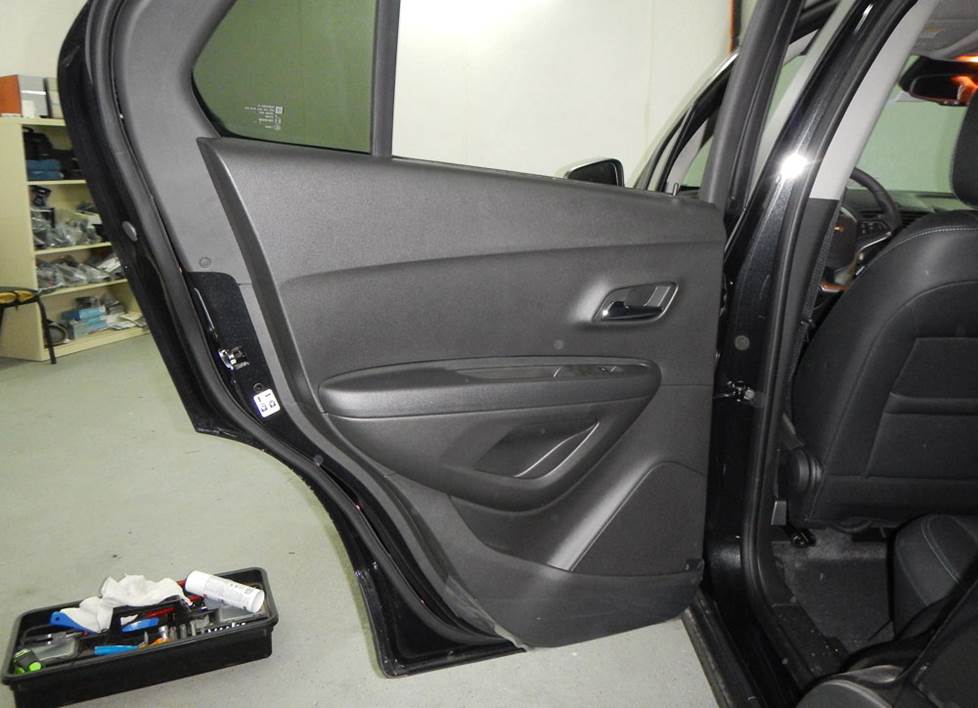
The rear door speakers are just as easy to remove and replace as the ones up front. (Crutchfield Research Photo)
Removing the rear door speakers
In terms of removal and replacement, the rear door process is pretty much the same as it is for the front doors. Same goes for the available speaker sizes, so once you’ve replaced the front door speakers, the rear doors will be a snap.
Complete instructions for the rear doors are included in the free disassembly instructions included with your Crutchfield stereo or speaker purchase. Remember that replacing the low-impedance factory Bose speaker with a 4-ohm aftermarket speaker will result in lower volume levels
Tools needed: Panel tool, small flat blade screwdriver, 7mm socket, ratchet, and extension
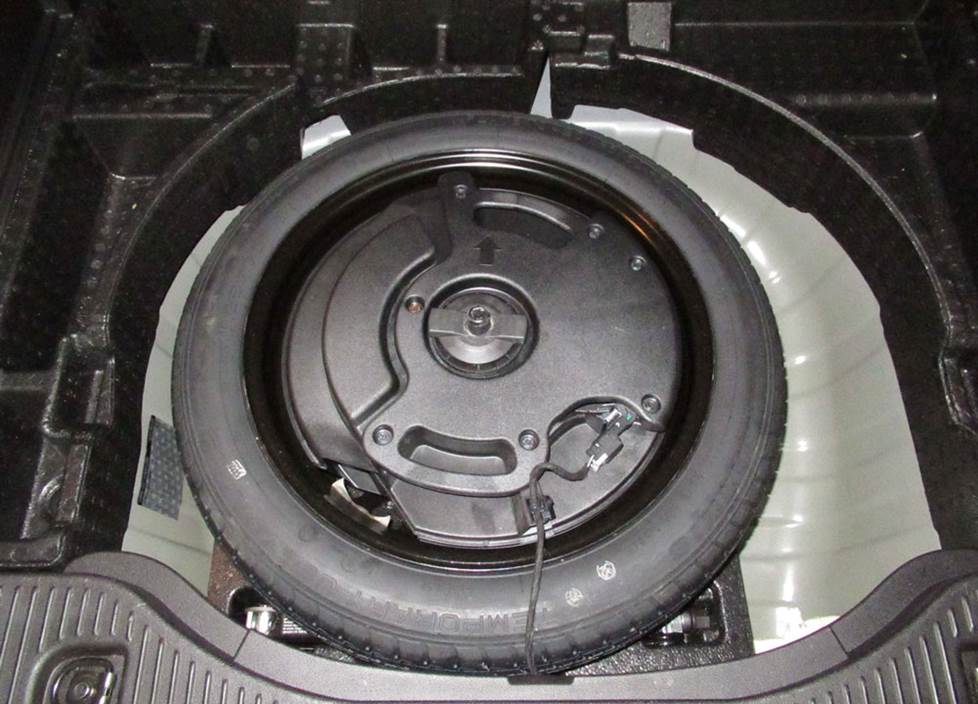
The Bose subwoofer is tucked neatly into this enclosure, which in turn tucks neatly into the spare tire rim. (Crutchfield Research Photo)
Removing the spare tire subwoofer
The Bose system includes a compact 5-1/4" subwoofer mounted in an enclosure that nests inside the rim of the spare tire. The removal process is pretty simple, but when you’re choosing your new sub for this location, you’ll need to remember that if the aftermarket 5-1/4" speaker does not have screw slots, you’ll need to cut out the holes yourself. That’s not terribly hard to do, of course, but be patient, work carefully, and wear eye protection.
To remove the stock sub, lift up the cargo floor and remove the panel, then unscrew the plastic spare tire nut. Pry out the enclosure harness, then disconnect it and lift up the enclosure to remove it.
With the enclosure out of the vehicle, you’ll next remove the seven 1/4" hex screws securing the enclosure’s top plate and remove it. Remove the four 1/4" hex screws securing the sub to the enclosure, then pry up the sub, disconnect the harness, and remove it.
You'll re-use the enclosure when you install your new sub, so treat it nicely while you’re working.
Tools needed: Panel tool, 1/4" hex driver, tin snips
Shop for speakers that fit your Chevrolet Trax
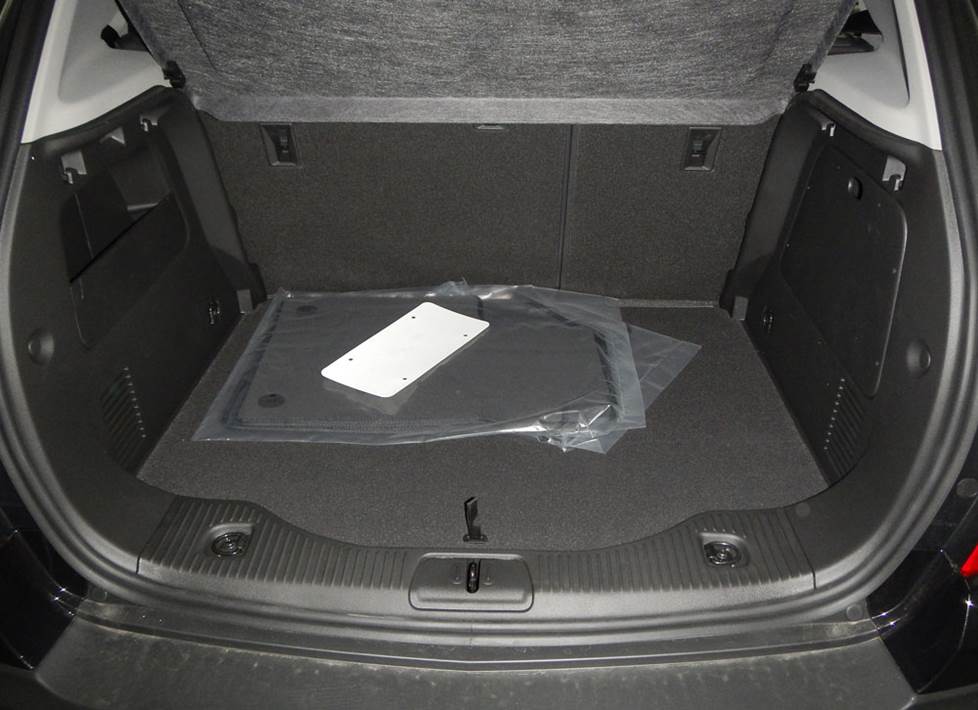
Want to add a reasonably large subwoofer box to your Trax? The cargo area offers some usable space for bass. (Crutchfield Research Photo)
More bass in your Trax
That small, 5-1/4" woofer in the spare tire area might not be enough for bass lovers. And even a small SUV like the Trax offers opportunities for big bass. The cargo area gives you a 39" W x 16" H x 24"/19" space for a subwoofer enclosure with the cargo cover secured. If you like bass, but also like to have some available cargo space, we’d suggest a more compact powered subwoofer.
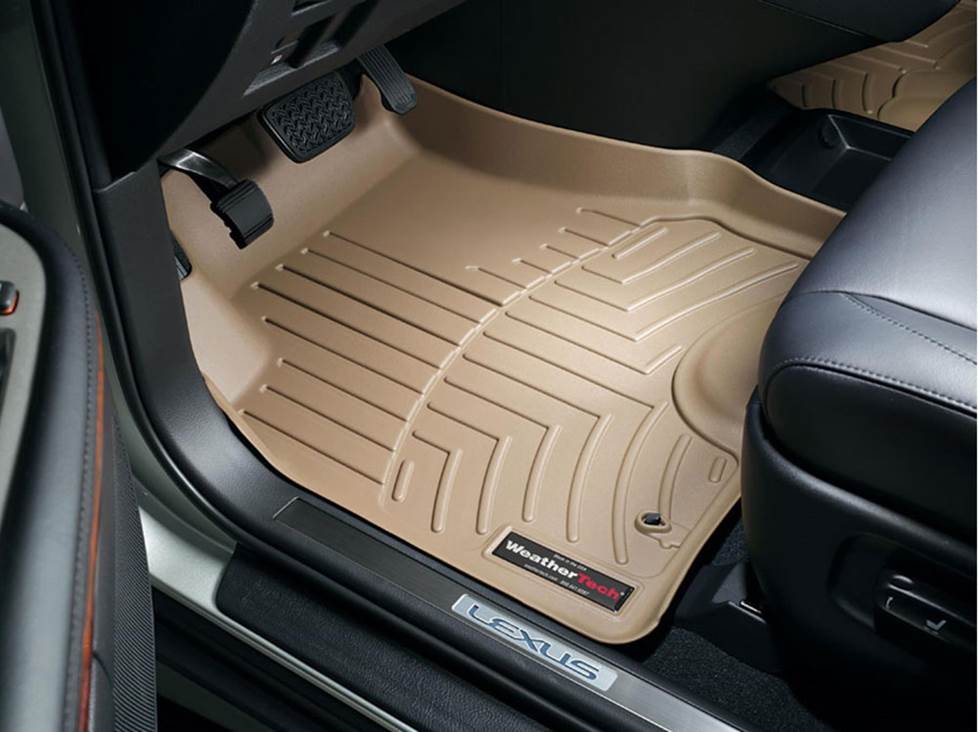
Keep those carpets looking their best with custom-fit WeatherTech floor liners.
Other options for your Chevy Trax
There are plenty of other ways to improve the sound, safety, and comfort of your Trax. Here are some of the ways Crutchfield can help.
Add an amp (or two)
A new 4-channel amplifier will help you get the most out of your new speakers. You'll get cleaner power (and a lot more of it), which will result in much, much better sound. A mono amp can provide the juice you need for a new subwoofer, too.
Seal in sound with Dynamat
The Trax isn't as boxy and beefy as some larger SUVs, but it still produces a fair amount of wind noise. The Dynamat Xtreme Door Kit is the perfect way to quiet the roar and enjoy your music. This heavy-duty, noise-damping material is easy to install, and it really makes a difference. One kit will take care of both front doors.
Protect the carpeting
Anyone with an SUV-type vehicle is eventually going to haul something somewhere. And even if you don't, the front floor mats will get a lot of abuse. Floor mats and cargo mats from WeatherTech will help protect your floors from dirt and damage.
Add remote start and security systems
Adding remote start capability to your vehicle lets you warm it up in the winter or cool it down in the summer. The iDatastart system is incredibly convenient and makes it easier than ever to install a remote start system, so we highly recommend it. The module requires a vehicle-specific T-harness (sold separately), which is designed to connect with your vehicle's computer, security, and ignition systems with minimal wire splicing.
You can also talk to your Crutchfield Advisor about a security system. They’re not as easy to install (we usually suggest letting a professional do the job), but we can help you choose a system that’ll work in your vehicle.
Let's get started!
Ready to shop? Use our vehicle selector to find the gear that will fit your car or truck. If you have questions, give us a shout via phone or chat.





Jesse from Woodstock
Posted on 1/27/2026
This sounds great but I don't want to replace my factory radio. I want to add an amp and subs to my factory non Bose radio in my 2021 Chevy trax