Podcast: Ep. 56 Headphones for your TV

In this episode:
We get a lot of people interested in using headphones with their TV. Some want to listen on just headphones, while others need the headphones to work at the same time as the TV sound is on for others. In this episode we dive in to how to use headphones with your TV the way that works for your household. This is also our season 4 finale, and we brought in a special guest. Eric and J.R. welcome Mullins, one of our excellent Training Managers, to the show.
If you want more info, check out our top recommendations for TV headphones or begin with our headphone buying guide. Our headphone glossary will help you understand all the headphone-specific terminology, so you can shop smarter.
Mullins
Yes, JR, I have used headphones while I was mowing before. And, you know, it's a pretty cool experience to be out, you know, on the lawnmower and not have to listen to those blades whirring around and, you know, all the noise that comes along with mowing.
JR
Hello, and welcome to Crutchfield, the podcast. I'm your host, JR, joined in studio today by Eric, who you've come to know and love in previous episodes of this podcast. How you doing, Eric?
Eric
Doing great. Hello, everyone. Welcome back.
JR
And we have an additional voice on the show today. His name is Mullins. Mullins and I are co-training managers here at Crutchfield.
He works in our Southwest Virginia call center. I work in our Charlottesville call center. And together, we train all of the sales advisors.
How you doing, Mullins?
Mullins
I'm doing fantastic at the moment of this recording.
JR
I'm glad to hear that.
And I'm glad to have you join us. Mullins and I and Eric spend a lot of time together throughout the year training our sales advisors to be able to help you with whatever questions you might have on any product we sell. So if you call in or chat with an advisor, you're going to be talking to somebody that we trained.
And that makes us pretty happy. And then right now, we're recording this in December when we don't have any trainings happening. They're all working on the phones right now.
And we've got a minute or two to record a podcast. So that's what we're doing.
Mullins
Almost exactly a minute or two. Yeah.
JR
That's right. And today's episode is pretty cool. It's kind of a double purpose.
It is the final episode of season four of Crutchfield the podcast. We've been doing this since 2020. And I'm pretty excited to say that we will be able to do this again in 2025.
We have our contract has been renewed. We've been re-upped a new another season is forthcoming in 2025. So we will be bringing you Crutchfield the podcast season five starting next year.
So stay tuned for what that looks and sounds like.
Eric
I think you should enter some some horns maybe, you know, like, I don't know, like what the cool kids do with it with the like celebratory.
Mullins
Yeah.
JR
That's that's what we need. Yeah. You're saying you want more sound effects on the show.
Hey, yeah.
JR
That might help.
Mullins
What about more cowbell? Maybe we have more cowbell if we're doing sound effects?
JR
I need more cowbell. Yeah.
Mullins
I mean, come on.
JR
So this is our season four finale. We thought it feels like a special occasion. So we bring in Mullins into the fold in for this episode.
Also, this is the last of four episodes dealing with how to make sure your TV sounds awesome. In the episode one of this series, we talked about soundbars, probably the most popular way of enhancing your TV sound. Episode two is all about stereo speakers, just a pair of speakers left and right.
Most of the time, those are powered speakers, and they are easily connectable to your TV just like a soundbar. So we figured we'd devote a whole episode to that. The third episode dropped last week, all about home theater, going all out, surround sound, home theater receivers, Dolby Atmos, all the fixings.
Mullins
The good stuff.
JR
The good stuff. Oh, yeah.
And today, in our last episode on this, it's going to be all about headphones, how to make your TV sound great using headphones, because this is a big topic. We get a lot of questions from people on our website. Speaking of questions, we'd love to hear from you.
You can follow Crutchfield and interact with us on Crutchfield the Podcast several different ways. You can email us, podcast at crutchfield.com. You can follow us on Facebook and Instagram, it's at crutchfield, heck, our YouTube channel.
Comment on stuff there. I'm heavily involved with making the videos here at Crutchfield. So if there's comments that we can address here on the podcast, find us on youtube.com slash crutchfield. Or if you're on Spotify, there's a place to put comments right there on the Spotify Podcast player. So we'd love to hear from you. We'd love to talk with you, about you, answer your questions on future episodes of the show.
Eric
That's right.
Mullins
Yeah. So guys, what do you think the over and under is on Meet Me and Back on the Show beginning in 2025?
JR
So we've done somewhere in the neighborhood of 54 episodes, two of which, including this one, you have been on. So it seems to me like about 25 more episodes, we'll have you back on again, unless you slay today, my friend, and then maybe you're back on sooner. I don't know.
Eric
So see you in 24 episodes,
Mullins
24 episodes, heard.
JR
One of the things we like to do on this show is take a look at the articles on crutchfield.com that have to do with the topic of the day. And again, the topic of today is TV headphones. And we have a whole article on wireless headphones for TV.
So I went through that and at the bottom of it is comments. People have been asking questions on that article, and I've got two of them picked out here and they sort of, I would say they're the epitome of the questions that we get on a daily basis regarding...
Mullins
What'd you call me?
You're an epitome, Mullins. So I'm going to read these two questions and throughout this show, both of these questions will be answered. And Eric Mullins, if you've got thoughts on these specific questions before we get into all of the details, that's great.
First off, Patricia Akonczak from Cheektowaga asks, I have a Sony Bravia LCD TV connected to a DirecTV box, which has a USB port. Will it work if I connect the wireless headphones right into the DirecTV box? I have trouble hearing and the speakers on the TV are in the back.
Mullins
That is such a good question that I'm going to give it to Eric.
Eric
Yeah, so I've definitely seen this question before, whether or not it's a DirecTV box or a cable box. The short answer is it depends, but to kind of give you an example of what it depends on there, we just want to double check the connectivity on the back of that box. Chances are probably yes.
You can hook up a pair of headphones, have the TV work, and still be able to play audio and get separate audio out of those headphones. You're just going to want to double check to make sure you have analog audio outs, which is usually the case on boxes like that. Cable boxes and DirecTV boxes for years have had those connections on the back.
Those connections run simultaneously, so the audio comes out of those connections along with the HDMI out. The other thing that this kind of brings up that I just would want you to make sure you're considering is just make sure that that takes care of all your sources. If all you do is watch broadcasts coming from that DirecTV box, you're golden.
But if you find yourself venturing into the world of Netflix, then we're going to probably have to find a different solution for you. So again, kind of to sum it up, yes, probably. It depends, but yeah.
JR
I picked up on a couple things in this question. We don't have to go too deep on it, but Patricia is pointing out, as if it should be obvious to everybody, that this TV sounds horrible because the speakers are on the back. It doesn't, I don't know, maybe seem obvious, but yeah, put the speakers on the back of the TV, and if they're right up against a wall, you might get some reflective sound.
It might not be too bad, but if they're not, chances are you're not going to feel like you're hearing clear dialogue or loud volume because the speakers are facing away from you. And yeah, it was obvious to Patricia, and it's a reason we have had four episodes of how to make your TV sound great, because most TVs just don't sound that great all on their own.
Eric
And to be fair to Sony, some of their newer TVs actually don't have the speakers on the back of them. They use, and of course it escapes me at the moment, but the acoustic surface, which basically turns the entire panel into a speaker, a conduit of sound.
Mullins
Wait, what? Speaker glass?
Eric
Yeah. Are you kidding me Eric?
Mullins
Yeah, you know that.
Eric
So yeah, a lot of manufacturers will put the speakers on the back because we don't want to see the speakers as consumers. We like that beautiful, almost frameless look where it's all panel, and you can't do that in six speakers on the front. But good news, all those manufacturers make sound bars and headphones as well.
JR
Yeah. One last thing on Patricia's question. There was a red herring in this question.
She mentioned that her TV has, or maybe it's the DirecTV box, has a USB port. That is not there for any kind of audio headphone integration of any kind. So it's easy to think, oh, USB?
Heck yeah. But no, that's there probably to provide power to an active USB or HDMI cable. If it's on the TV, you might be able to plug a thumb drive in it with some music or pictures or videos on it, but that's not there to make this possible.
Eric
Right.
Mullins
Yeah. It could be a service port too or something like that, which in that case, if you're messing with that port, then your headphones are going to be the last thing you're worried about.
JR
Good point. Next question is from Carlos from Winnemucca.
Mullins
What'd you call me?
JR
Carlos says, I would like to send TV audio to both the TV speakers and the wireless headphones simultaneously. I am open to whatever TV set, sound bar, or other hardware might be required. Suggestions?
I like the fact that he's open because there's lots of ways to do this, and it sounds like we need to consider not only the fact that somebody in his household needs to have headphones to hear the TV, but they also need it to play out loud as well for others, implying that there's people that want to hear it without wearing headphones and somebody needs headphones. I think this is extremely common and there are more and more solutions for this and different ways to get this job done, which is what we're going to talk about in the rest of this episode.
Eric
Can't wait.
So there's many ways to get headphones working with your TV and the ways kind of all depend on your application. Do you have just a TV? Do you have a sound bar involved or speakers involved?
Is there a home theater system involved? Which TV is it? Which sound bar?
Which home theater system? All of the details matter with how you're going to get this done. Chances are you can get a set of headphones connected to your TV, but will it behave the way you expect it to?
That's where the it depends really comes into play. We're going to start by talking about when you have a receiver hooked up to a TV. By receiver, I mean like a home theater receiver, something that powers a bunch of surround sound speakers because you look at the front of a home theater receiver, there's a quarter inch headphone jack right there.
And if you plug a set of headphones into that, your TV sound is now on headphones.
Eric
Simple as that.
Mullins
Oh, boo.
Tell me, tell me more.
Mullins
Well, what about everybody else in the room?
JR
Oh, they're not going to hear anything.
Mullins
Yeah, that's pretty selfish.
JR
As soon as you plug a jack into a headphone jack into that plug, every speaker is muted because the receiver assumes if you're plugging in headphones, you must not want sound to be out loud for everybody else.
So it's either, or we have yet to meet the receiver that will do the speakers plus wired headphones.
Mullins
Yes.
JR
Not going to happen.
So what about wirelessly? Many home theater receivers now have Bluetooth, not just for transmitting from your phone to the receiver where the Bluetooth in the home theater receiver is acting as a receiver of Bluetooth, but they also have transmitters in them.
Many of them do, which means they can send out the audio that the home theater receiver is processing to an outboard separate device like a Bluetooth speaker or a set of Bluetooth headphones. So in addition to that jack on the front, many of these home theater receivers can transmit to your Bluetooth headphones. All right, let me ask you fellows some questions, make sure we're all on the same page here.
If I have a home theater receiver that's connected to the Internet and it can play music from like Spotify and stuff like that, will I be able to listen to that stream from the Internet to my home theater receiver and then transmitted via Bluetooth to wireless headphones? Is that going to work?
Eric
So in this scenario, you're streaming audio from your receiver, your receivers, your source. So you have Spotify built in as an example, Spotify built into your home theater receiver. And now you'd like to get that audio from Spotify into a pair of headphones.
JR
Yeah
Eric
yeah, yeah, that that that should work. I might want to just do that right from your phone. But yeah, yeah, that could work.
Yes, you could do it from your phone, but it can happen. Yeah, absolutely.
JR
And OK, question two, what about AM and FM? Your home theater receiver has a tuner in it, local broadcast. You have an antenna on the back.
You're receiving, I don't know, maybe the local college football games broadcast and you want to hear that. But you want to hear it on headphones. So it's coming in to your home theater receiver.
The receiver transmits it via Bluetooth to your headphones. True or false?
Eric
I would say true.
Yeah, 100 percent. You can totally do that pretty much across the board.
Eric
I passed. That was an educated guess. I would say for any of these, we there might be a small disclaimer of, you know,
JR
there might be one out there that doesn't do it.
Eric
Yeah. And plus there's Bluetooth as a means to get audio from the receiver into a pair of headphones. That's not something that was a really around 10 years ago.
JR
Right.
Eric
It's kind of a newer feature. And so, you know, as we're talking about this, we're basically talking about the newer home theater receivers that are out there. And if you'd like for your for us to take a look at your home theater receiver, maybe have an older one, you want to compare headphones to it.
Give us a call. We'll take a look. We'll pull up your the exact model you have and double check that for you.
JR
If it's a model we carried, we have all of that info. If not, we'll Internet Google search it for you. Or you could try that yourself, too.
I mean, the info is out there. We'll get it for you and figure that out. All right.
Next question. This one's for Mullins, since Eric correctly answered that last question. All right, Mullins.
Give me a tricky one. Yeah, this can be tricky. All right, Mullins, you got a home theater receiver and plugged into that home theater receiver is a Blu-ray player and a cable box.
And then your home theater receiver connects to your TV with an HDMI cable. Right. And so we've already established you can listen to the sources that are coming from the receiver, like Internet radio, local radio.
But what about audio from a connected source like the cable box? Can I have the home theater receiver send the audio to some headphones?
Eric
I don't want to tell you the answer here, Chris, but I really feel like the answer is it depends. But you go. You go.
Mullins
I hear you. I hear you. Yeah.
I mean, at that point, it's really no different than what's built into the receiver because it's coming into the receiver first. So, yeah, anything basically that's playing on the receiver, from the receiver or before the receiver is going to play through the headphones.
JR
And I agree. That's the correct answer. That is I'm going to go with pretty much true all of the time.
If a home theater receiver has a Bluetooth transmitter mode, like if it has that functionality, that's what it's for is to send the audio wirelessly to your headphones. Next question. What about the audio?
Mullins
Before you go to the next question, can I just add something to that?
JR
Yeah.
Mullins
So going back even to what Eric was talking about with the built in Spotify, listen to the headphones, then you're talking about the Blu-ray player or whatever the external source is. And then we talked a minute ago about, you know, there might be one receiver out there that doesn't do this and that kind of thing. But this is sort of an example where something that didn't used to be there is now there.
And then what is the why? Why is it there? Because at the root of it here.
We're talking about a home theater receiver. If you buy a home theater receiver, are you buying it so that you can use it with headphones?
JR
I mean, probably not like that would be a secondary use, right? Like that's that's what you use once the kids are asleep and you can't go full blast with the home theater surround system.
Mullins
Yeah. So, you know, that's kind of what I'm saying is this, you know, the functionality this didn't used to exist at all. And because somebody somewhere started talking about it and thinking about, well, what if it worked this way?
Then all of a sudden it came to be. Right. So it's a convenience feature.
That's kind of a trend that we see in our industry. Wouldn't you all agree? Like something that kind of goes against what you'd buy the receiver for.
But in the end, you've got multiple people living in the house.
JR
But then and then one brand of home theater receiver says, you know what, let's put a Bluetooth transmitter and see if anybody cares about that. And all of a sudden people, somebody picks up on it, they buy it, they tell their neighbor, word spreads, word of mouth, somebody is like, oh, I need that. I need that because I need that for the nighttime when the kids are asleep.
And now every every home theater receiver brand basically has that. Not at every model, but every brand pretty much offers a Bluetooth transmitter mode. Right.
And yeah, we didn't need this 10 years ago, but we all need it now. All right. So, yes, we've determined you can send the audio from HDMI connected sources like your Blu-ray player, gaming console, cable box out to headphones instead of the speakers in your home theater system.
So, of course, once that feature was introduced, the first question we asked of our vendors that customers asked of us was, well, can it send audio out to my Bluetooth headphones and play on the speakers at the same time? So this one's up there for grabs, Eric, I think he wants it.
JR
Yeah. Yeah. Can you do that?
Eric
Yeah, it depends. All right. Your turn, Chris.
JR
So he took the it depends. Do you want to give the what it depends on?
Mullins
I hope it doesn't depend on me.
JR
There's so many things. Which brand is it? Does it have this capability or not?
And it's, frankly, a little deep kind of dive to get this information. Here's an example. It was just a couple of weeks ago as we record this, and I took a call from one of our advisors who had a customer that wanted this capability.
They wanted to be able to listen to the audio from their cable box or Blu-ray player connected to their receiver on Bluetooth headphones and on their home theater speakers at the same time so that the family could listen to it at one volume and one person in the household who needs a little bit more to be able to hear dialogue needed it to be louder with their own headphones. And we dug into a Yamaha RXV6A receiver and found a special little note that says sound cannot be transmitted to Bluetooth devices that do not support SCMST standard. And I was like,
Eric
that's some new letters.
JR
These are new. This was a new acronym for us. We hadn't dealt with this before.
Mullins, are you familiar with SCMST?
Mullins
Am I familiar with what?
JR
SCMST, come on.
Eric
What's that spell? It's in the notes of this podcast you're supposed to read before we came here. So you should have seen it there at least.
Mullins
Are you talking about that thing where you hook up an HDMI cable a certain way in one direction, put your change in your left pocket and then you get Bluetooth and TV audio at the same time?
JR
You forgot about the part where you got to hold your mouth just right. Yes, that's what my dad used to say about everything. Serial copy management system, SCMST. It's actually been around for quite a while and some headphones are SCMST compliant and some aren't. What is it? It's a thing that keeps the home theater receiver from sending out audio to a, maybe a recording device like a digital audio tape or a CD recorder. This is the same serial copyright management that was in place on CD recorders 15, 20 years ago when that was a big deal.
It's not much of a big deal anymore. Not many people are. I mean, they just don't want you to pirate movies, right?
So for it to send out audio to speakers and another device, it takes some of this copyright protection. And if you don't have headphones that are compatible with it, it may not work. Which headphones are compatible with it?
Here's all I can tell you at this point. Yamaha headphones, they're all compatible. Sony headphones.
And we're talking Bluetooth wireless headphones here. Audio Technica has a few. Denon has a few.
A brand called Creative, we don't sell it, but it's out there and they're compatible. Those are the only ones that I could find and I can tell you for sure are compatible. I can also tell you that Apple, like AirPods and AirPods Max, all of the Apple headphones and Beats headphones are not compatible with this.
That's the only information we have on it. There's no definitive list out there on the internet that says, here's all the headphones that are compatible and here's all the ones that aren't. And some of them, you can find this info in the owner's manual.
Some you can't. So it's a call, like talk to one of our advisors. They can do some of the research.
Just, I mean, that's what happened on Friday. It was, we went that deep. I even ended up calling Aaron Cochran, who has been on this show in previous seasons, our Yamaha representative, and we sort of hammered it out together.
So that's where all this information comes from. So if you have a home theater receiver and you want to do headphones and speakers at the same time, it may or may not be possible if you need help figuring it out, owner's manuals, crutchfield.com, product page for your product, your home theater receiver, or call us. We can help you with that.
If you need that, definitely call us because we can make sure you get that. Not everybody has a home theater receiver though. Some people just have a TV.
Eric Mullins, I don't know if you know this, but there's people out there that just have a TV. They don't have a sound bar. They don't have extra speakers.
They don't have surround sound, nothing. They just listen to TV on their TV speakers. Can you believe that?
Mullins
I mean, like me,
JR
Wait, what do you mean? Like I have?
JR
you're not supposed to admit that everybody's not like me. Explain yourself Mullins.
Why would you have a TV without some sort of sound system? You know, better.
Mullins
I do know better and I'm ashamed, but, uh, not really ashamed because just my home, you know, everybody's home is a little bit different. And, um, I do have a nice audio system in the room, but separate from the TV because the shape of the room, the where the TV sits, it's in a corner. So a pair of speakers, you know, one on a flanking each side wouldn't look really all that great.
It's a very small home. It's a two story log house with a very small footprint. Um, so it's, it's not the living room itself is a combo living room, dining room.
Um, so there's just not a lot of extra space for much. So I wanted a sound bar. I've got an LG TV that sits really low profile to the top of the cabinet.
So I can't put one in front of it. And the only place I have below it is a center channel opening and everything's either too big in width or it's really small and I know I'm not gonna be happy with it, you know what I mean? Because after all, we are kind of snobs when it comes to that kind of thing.
JR
And if you had a sound system and you turned it up, whoever's sleeping upstairs when you're watching late night TV is going to have a problem. Right?
Mullins
Yeah, because the, the, the ceiling and on the bottom floor is the floor on the top floor. There's no, there's no space there. Like there isn't a conventionally built home.
Like even the plumbing upstairs is built up on a platform because there's no, there's no space. Um, so, you know, I've got a lot of challenges and a lot of reasoning behind not having, uh, a sound bar or a sound system. And for that reason, if I need this type of listening experience, my headphones, then I just Bluetooth from my TV to my headphones and I can listen at my own volume, um, and just, you know, do my thing while everybody else is in the house and doesn't know I'm there.
JR
Oh, thank goodness. I thought you, uh, I was worried that we were never going to get to the point where you revealed to us that you don't, in fact, always just listen to the TV speakers. You do listen to something better than that, right?
Mullins
Yes, I do. Yes. All right.
That is factual.
JR
We'll let you continue being on the show.
Mullins
And you know what? I can listen to any headphones. I can listen to it in whatever experience I want to.
I think that's also a little bit of a missed, um, what we call it. Maybe a factoid or part of the minutia.
JR
Let me ask you some questions about your situation. Uh, what you said, it's an LG TV, right? How old is it?
Is it like current year, a couple of years old? What are we dealing with?
Mullins
Uh, it's a C8. So what, maybe four years old.
JR
Okay. So within the last five years, and what headphones are you using?
Mullins
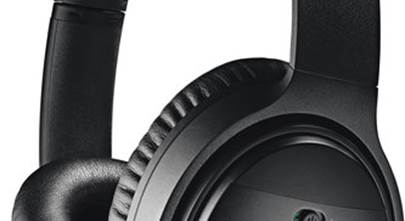
Well, it depends on the time of day and what I'm doing or, you know, what experience I'm looking for. And that's, you know, part of the beauty of doing it that way is I have a pair of Bose quiet comfort headphones. Um, and if I want to listen to those, then it sounds remarkably better than the TV, obviously.
I have noise cancellation, so there could be a party going on and I can be listening to some classical music from Spotify on the TV, it's kind of just like a really, um, convenient way to customize my experience. I've got a pair of earbuds that I wear that allow ambient noise in, um, ambient sound, so I can be listening to, uh, this is actually a real world case that I do every single night now is we're just kind of chilling out, we're empty nesters. And I want to listen to, or watch something on the TV, but she's reading or something like that, and we're just kind of hanging out in the living room and I can do whatever I want on the TV without bothering her.
And then I can switch right over. If I'm, if I'm doing scrolling and watching TV, then if I want to watch a few TikToks, then she doesn't even realize there was a change in what was going on in the room. I just go from tick tock to TV, tick tock to Spotify, Facebook to whatever.
And I've got the same audio in my ears and I can adjust the quality, go get the Bose, I could do whatever I want. Any headphones I want.
JR
How do you do the switching? Uh, is it in an app on the phone for the headphones? Is it just which Bluetooth device your headphones are connected to?
How do you make those switches happen?
Mullins
Well, because it's connected. Like if I'm watching the TV, then the TV audio is connected to my Bluetooth headphones, right?
JR
Yeah. How do you switch it to your phone audio?
Mullins
Well, when I start playing something on my phone, since my phone is also connected to those Bluetooth headphones, it pauses whatever's going on on the TV. And my tick tock starts playing through my headphones. And then when I pause the tick tock, it automatically switches back to the TV and back and forth and back and forth.
So I have really like a dynamic user experience and interface there without ever moving. I have the LG app downloaded on my phone. So, you know, if I want to change the volume on the TV, I can do it that way.
During this, if I change to the TV speakers and Michelle's got the remote or my wife has the remote, then, you know, I can do my own thing without having to bug her to hand me the remote control that she's not even using, but she used it last. Right. We all have that dynamic going on in our home.
JR
Yeah.
Mullins
So yeah, you know, I'll just, uh, I'll just do my thing on my phone, pull up the LG remote, listen to the TV speakers. If I want to mute the TV speakers, I just pair my Bluetooth back to Spotify, so on and so forth. It's just without ever moving out of my chair.
JR
I think you've just described a situation that applies to a lot of people where for one reason or another, they want to have the TV audio playing wirelessly on some Bluetooth headphones that they also use regularly with their phone, right?
Mullins
Yeah. And conversely, I think I probably described something that a lot of people didn't know was possible.
JR
I hope so. I hope we're educating people on how easy that can be.
Mullins
Yeah. Right. And it is very easy.
It doesn't really cost a lot of money to do it. And it's a great user experience. It takes a little setup, you know, time.
So that's frustrating for everybody, but you know, it's all about that. What you input is what you're going to get on the output side. So if you go through the trouble of actually setting it up and being thoughtful and mindful about what you're doing and deliberately make your changes to suit what you need, you go through that pain one time.
And then from there on, you've got a great user experience.
JR
And that's what works for you. Uh, we have absolutely gotten a lot of people requesting like Carlos from Winnemucca, uh, who wanted to be able to listen to the TV's audio on their TV speakers and headphones simultaneously. He used that word, like both of them playing at the same time, presumably for different volume levels, right?
For multiple people sitting on the couch and one person that needs it louder with headphones. I think this is common enough that people want it. We talked earlier about how to do it with a home theater receiver, but what if you don't have that?
What if you just have a TV? Here's the deal. You can do it with some TVs.
Eric
Are you saying it depends?
JR
Oh, here's Eric. You're back.
Yes, it totally depends. Uh, I'd said earlier, this will be a theme.
Eric
So you're not necessarily an industry standard for how that's going to be handled, at least not up to this point. So you think some brands do it and some don't? Yeah, I think some brands are going to do it.
It'd be nice if we could provide some consumer information as to maybe which brands, uh, did that and which ones, you know, just as far as what we carry. If only we had that information, how would we do that?
JR
Well, I got some thoughts on that. So, um, if only there were a way I'm going to give you the logic and then you can apply it to any brand of TV. We carry five brands of TVs.
Two of them are outdoor TVs, Furrion and Sunbright. Let's just make that one quick and simple. They don't do it.
I checked.
Eric
Fair enough.
JR
The other three brands of TVs are the big three, the Sonys, the Samsungs, and the LGs.
There's other brands of TV out there that we don't carry. Take the logic I'm about to share with you and apply it to those as well. Because it's not the case that all the TVs from any one of these brands do what we just described.
Some do, some don't. The TVs are, you know, there there's new TVs out just about every year. And right now we have a mix of last year's TVs and this year's TVs, which could be the case at any time of year.
And there's also TVs at different price points. This might be a premium feature. You pay a little bit more to get it.
The logic you need to apply is check for that feature specifically. And we do track that feature. You got to dive a little deep.
It's in the details page of a product page on crutchfield.com, but it is in there written out in a clear, easy to read paragraph that explains whether or not you can listen to the TV speakers or headphones or both.
Eric
It's mighty nice of us.
JR
It's pretty cool, right?
Yeah. There are some that do either or, and some that do both. It's really that simple.
And it's not across the board. It's true of Sony, Samsung, and LG. I would imagine, but I can't verify that it's true of Panasonic and Toshiba and Vizio and all those other brands of TV that are out there that we don't carry.
So let's take this one level deeper guys. Uh, so let's say you have your TV connected to some sort of sound system, whether it's a sound bar, stereo speakers, home theater system, you're using the audio output of the TV, probably like an HDMI audio return channel situation, right?
Mullins
Right, right.
JR
When you turn the Bluetooth transmitter on in your TV and you're sending audio from your TV to Bluetooth headphones. As I just mentioned on some TVs, you can do that and listen to the TV speakers at the same time. But across the board, every TV I have looked into disables all of the audio outputs, the optical output, the HDMI audio return channel, if it has an analog audio output that is also disabled, you cannot send audio to a separate audio system and a Bluetooth headphones from the TV at the same time.
That's just not possible. So then it becomes a, does your separate audio system do it? Which is what we talked about just a few minutes ago.
Eric
You're just going to have to buy a Dolby Atmos home theater system so that you can do that.
JR
And you get a Yamaha receiver and some SCMST compliant headphones.
Eric
Sure. I know of a place.
JR
Yes, we gotcha. Uh, let's talk about some of those separate sound systems. Uh, Bose sound bars, for example.
They have a specific feature that allows this to happen that they call it simple sync, uh, sound bar and headphones. If you have Bose headphones with a Bose sound bar, they will both play at the same time. You can have independent volume levels.
It's all pretty cool. And it's done through the Bose app. Pretty sweet.
With a Sony sound bars and Sony headphones, it's one or the other, not both. They're not the same across the board here. It is a very much an item specific thing.
Uh, it's case by case as is everything.
Eric
I imagine if you're listening this far into this episode at this point, you might be something that's really interested in hooking headphones to your TV. So since it is a case by case, uh, you know, situation that we're talking about here, um, you know, if, if you get tired of digging into it yourself, I'll just say one more time, give us a buzz. We'd be happy to dive into those weeds.
JR
Yeah, you can sit back, relax, and let us do all of the button pushing, searching to figure it out and help you get the thing that does the thing you need it to do. All right, let's move on to the last way to get headphones connected into your TV experience. And I say the last way it's also the first way
Eric
it's kind of the old way.
JR
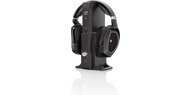
It's the old school way. That's still a way, right? Sennheiser has been making wireless headphones systems specifically to add to your music system or your TV or both for years, longer than I've been here.
And I've been at Crutchfield since 1996. And when I started, we had these things and we still have these things well before Bluetooth was a thing well before smart TVs and all of that it's, this is how it used to be done all the time. A wireless transmitter connects to your TV via some sort of audio output.
It used to be analog RCA jacks or a headphone jack on your TV. Yes. TVs used to have that pretty regularly.
Then it was optical. Sometimes it's HDMI, right? There's multiple ways to get your TV connected, but that's what you connect is a headphone transmitter.
It also is like a charging base for the rechargeable batteries in your headphones. So you grab your headphones off the base. When you do that, it activates.
And now the audio from your TV gets sent to your transmitter, which sends them to your headphones. And these were not Bluetooth. These were radio frequency.
The range on them was crazy good. Like you could be out mowing your grass, listening to headphones coming from inside the house. You ever done that Mullins?
Mullins
Yes, JR. I have used headphones while I was mowing before. And, you know, it's a pretty cool experience to be out, you know, on the lawnmower and not have to listen to those blades whirring around and, you know, all the noise that comes along with mowing. So, yeah, that's, that's a great use case for it.
And back when I took phone calls and helped customers pick this stuff out live, one of the things that I helped convey or one of the things I would say to help convey the use case for these is, you know, if you maybe clean your house or just do chores around the house and you want to have your headphones on, you know, you can freely roam throughout your home and not have to worry about connectivity issues.
You mentioned the RF. That's the big differentiator here that you might want to, that really kind of still makes these relevant and a Bluetooth world, you know what I mean? Is that range.
And the fact that you're not going to get any, any breaks in your signal as you move around your house. Even my home as small as it is and just being wood only, you know, not any kind of metal surfaces or anything like that. With Bluetooth, you know, Bluetooth is, it is a broadcast type of signal, but there is some line of sight technology in it and, you know, it's got its own range based on where it is in your house.
I know I'm talking.
JR
It doesn't do a great job of going through walls and all of that stuff. Right.
Mullins
Exactly.
JR
Whereas this RF technology will absolutely go through most walls in most homes, like you should have enough coverage to listen to it in any room of a normal sized house, if you've got to make a mansion, maybe this isn't the thing, right, that's going to cover you in the entire house, but yeah. If, and if you're walking around vacuuming, the last thing you want to hear is the vacuum, right? You'd much rather hear what's on TV or your podcast or your book or whatever.
And you have all of those options with these headphones.
Mullins
Yeah. The reason I use that with other customers is I had a lady tell me one night, that's why she was buying those headphones and I could picture her in her house, you know, having her headphones on and enjoying her music. Um, and you know, that kind of stuck to me.
I was like, wow, yeah, that's pretty cool. Um, but let me just see if I can succinctly round up what I was trying to say and talk around a while ago. If you, if you compare Bluetooth to RF, if Bluetooth will go through, um, let's say it's got a 30 foot range, well, that's in wide open, you know, 30 foot, 30 feet of space, if you put a wall in there, then that may cut it down to 20 feet, if you put two walls that may cut it down to 10 feet with RF, you might be able to put 12 walls in there before it gets down to 20 feet, you know what I mean?
So, you know, that's kind of the difference is just keeping that signal.
JR
And this is the technology that Sennheiser has been using for many, many, many years, uh, and they've updated their transmitters to connect to modern TVs with the outputs that you'll find on them now. And they have kind of like three main form factors for their wireless headphones. The ones that they had, as long as I can remember are, you know, large over the ear headphones.
Uh, you know, they completely encircle your ear, cover them, uh, there's buttons on them for volume and tuning it a little bit and, and all of that. They're big, they're comfy. They're made to be worn for hours.
Um, and, uh, and so that has been around forever. Uh, and, uh, Eric, you want to talk about, there's two other sort of form factors here.
Eric
Uh, yeah, sure. So they have, uh, the two other form factors, uh, kind of an in the ear style. Um, one of the most popular models kind of looks like a stethoscope if I had to describe it.
And then, uh, the other, uh, form factor is really, it's just like a little wireless headphone amp. Um, now it comes with some earbuds, but the best part about that product is you can actually use any wired headphones you already have in love, uh, with it. So, um, so really if you use that as a jumping off point, you could have any, any form factor of a wired headphone that exists.
Pretty cool.
JR
Yeah. And they call these wireless TV listening systems. They're specifically not just normal headphones.
They're made to be your TV sound solution. The stethoscope one is kind of cool because it literally hangs, you know, it goes in your ears and hangs down below your neck. That's where your controls are for the headphones for volume and stuff like that.
So you don't have to reach around to headphones that you can't see the buttons and stuff on. Some people might find that tactile in front of you sort of control, very helpful. Uh, and the other one is the same, except you might already have some wired headphones, so you don't need to buy those two.
So there's the stethoscope kind and the kind with an output to use any headphones you want. It's kind of great. They give you that flexibility.
All right. We've got two more sort of honorable mentioned quick hitters here to finish this episode out. Uh, there are, uh, the, the new version of hearing aids, uh, basically combined the idea of Bluetooth headphones with something a little bit more medical, right.
That actually serve as hearing aids. Most of those now have just Bluetooth built in and hearing aids can double as your, uh, uh, your Bluetooth headphones from your phone for listening to music for hands-free calls, as well as to help you hear the world around you. Uh, and because of that, many hearing aids can now also be your TV, Bluetooth headphone solution.
Uh, so that just wanted to put that out there that that's a thing and that's pretty cool. Uh, and lastly, Sonos this year, 2024 came out with the Sonos Ace, uh, their pair of over ear wireless Bluetooth noise canceling headphones. Uh, and they also have sound bars and surround sound systems that you can connect to TVs.
So you might be wondering how does Sonos fit into the world of TV audio over headphones? And, uh, here's how you can listen to whatever your Sonos sound bar, uh, is playing from your TV on your sound bar or your headphones, you can go in the app and sync them up and then listen on headphones or the sound bar. So it's a pretty easy way.
If you already have a Sonos system connected to your TV to get that TV audio to play on headphones again, late at night, kids are sleeping. You can't play it loud anyway, go to your new Sonos headphones. However, you cannot do both at the same time, at least at the time of this recording, you can't do both.
And now that's a thing. Sonos is a software company, right? They could update their app and make that possible at some point, but it's not possible as of today.
Eric
Yes.
JR
All right, fellas. That's a wrap on season four of Crutchfield the podcast.
Thank you for joining me to talk about TV sound and headphones today. Did you have fun Mullins on the show?
Mullins
No.
JR
Cool. Well then chances are now zero that you'll be back, but that's fine.
Mullins
Well, it depends. I mean, it kind of depends on what you define great as being on this podcast, being able to make jokes and throw little quips in, I love it. And I'll be back if you'll have me, but you know, jury's out.
JR
Did you like it when we provided lots of really helpful consumer information that people could use to get the products they need to solve the problems in their life? Did you enjoy that aspect of the show?
Mullins
That was my favorite part, actually.
JR
There you go. Ding, ding, ding. That's the right answer.
Eric
There you go. That doesn't depend.
JR
Eric, you're going to come back for season five?
Eric
Yeah, probably. Yeah.
JR
Yeah.
Eric
Maybe it depends.
JR
Yeah. Crutchfield the podcast will be back for season five in 2025. So stay tuned, stay subscribed, follow us, rate us, like us on your podcast player so that you'll know when we put out a new episode, so that's a wrap on season four.
It's also a wrap on 50 years of Crutchfield. 2024 was the year we celebrated 50 years of Crutchfield. Born in 1974.
That was a pretty great year. I was also born that year. Uh, and here's to another 50 years.
Uh, we're not going anywhere and, uh, we're happy to take you along the journey with us. Uh, so thank you. Those of you that have been listening, uh, for your support, please share it out with others.
Let others know that we're doing some fun stuff here.
Eric
Like comment and subscribe.
JR
Crutchfield the podcast is hosted by Eric Mullins and myself, JR. Uh, I also engineer and edit the show. Crutchfield the podcast is recorded, mixed and mastered here at Crutchfield headquarters in beautiful Charlottesville, Virginia. And lastly, I'd just like to say thank you to Bill Crutchfield for paying us to talk about the coolest stuff on the planet.
Eric
Okay. I can get behind that. Thanks Bill.
JR
Thanks Mullins.
Mullins
Thank you guys. Thank you, John boy.



Comments (0)