Legendary Service. Since 1974.SM

Choosing the right TVs for your business
Need to install TVs in your restaurant, offices, meeting rooms, or sanctuary? Then you probably have lots of questions. How many screens do you need? What kind? How do you mount and connect them? How do you incorporate TV sound into your audio system? Your system designer will help you figure it all out.
Make sure you have enough screens to offer a good view from every part of the room. This may mean one central screen or several sets strategically placed around the room. To get the planning process started, share your floorplans and room photos with your system designer.
Crutchfield offers a variety of displays that are designed for commercial use. Commercial-grade panels last longer than comparable consumer TVs, and offer a more robust warranty. Many offer additional features and control functions that simplify programming for a multi-screen setup.
Screen size decisions involve a lot of factors, not the least of which is the space available in the most desirable mounting locations. In general, the bigger the better. You can get LED-LCD screens measuring 85" or more. Beyond that point, consider a projector system.
LCD TV is easier to mount and use, requires less maintenance, and has better connectivity than a projector, unless you want a really big picture.
Dallas — Crutchfield system designer
Projectors are perfect for presentations in a large conference room or for watching sports in a bar. Crutchfield's selection of projection screens starts around 92" and goes up to 159". In a brightly lit room, you'll need a special type of screen and a projector with a high (ANSI lumens) brightness rating. Your system designer can help you choose the right projector/screen combination for your room.
Do not install a standard TV in an outdoor setting. Moisture will destroy it, and the sun's glare will make it impossible to see. Sun Brite makes weatherproof sets that can stand up to rain, dust, insects, humidity, and salt air. They also use extra-bright LED panels to make the screen easier to see on bright days.
Let your system designer know what type of wall material you're working with - is it brick, drywall, stone? Our experts will have suggestions how to best secure your TV in each of these situations.
Wall-mount types
TV wall-mounts range from basic fixed-mount designs to those with nearly unlimited flexibility for positioning your TV. Think about what you want your bracket to be able to do. Do you want to be able to adjust the TV to get a better view from different seats? Would you like to be able to angle the TV for optimum viewing, yet also have it hug the wall when not in use? There are a variety of options to choose from.
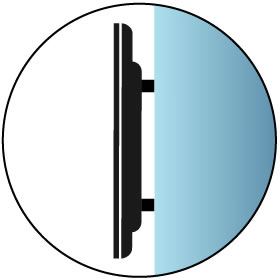
Flat mount
This is the simplest, lowest-cost type of mount. It places the TV closer to the wall than other mount types — as little as 1" away. A flat wall mount has no angle adjustments — the TV screen's position is parallel to the wall. This type of mount is a good choice for plasma TVs, which have the widest horizontal and vertical viewing angles.

Tilt mount
By providing vertical angle adjustment, this wall mount type makes it easy to compensate for a TV positioned above the optimum viewing level. The tilt mechanism causes the TV to be spaced a bit further out from the wall — typically at least 2-1/2". Common applications include TVs mounted above a fireplace or high on a bedroom wall. The angle adjustment can also help to counteract screen reflections from windows or room lights — an issue for many plasma TVs and some LCDs.

Tilt/swivel mount
By adding side-to-side swivel adjustment, this wall mount is a smart solution when a TV needs to be angled to provide the best viewing. It's also great for rooms with more than one usual viewing spot.

Articulating mount
The most sophisticated, versatile type of mount. It provides the greatest tilt/swivel flexibility. The arm folds back so the TV can be close to the wall when not in use. Because this type can move the TV several inches out from the wall, it allows a wider range of side-to-side swivel.

Ceiling mount
Lets you place your flat-panel TV in locations where wall-mounting isn't practical.
Talk to your system designer about the hardware you intend to connect to your TVs and how you plan to use them. You'll get some great advice on how to connect everything and how to easily change channels or signal sources. Your designer will also help you determine the best way to amplify the TV sound.
At home, you probably use HDMI or coaxial cables to connect your TVs to signal sources such as cable boxes, game consoles, and Blu-ray players. There are better ways to distribute TV pictures and sound over long distances in commercial buildings.
Your designer may recommend HDMI baluns or fiber optic HDMI hardware. These widgets make it possible for you to use lighter, less expensive network or optical cables to connect your TVs to signal sources. A variety of splitters and switchers may also come into play for your system design.
Do you think you might expand TV coverage into another room or mounting location in the future? If so, it's a good idea to go ahead and run wiring to that location during initial construction.
DIY and save — with our help
We help businesses across the country install their own commercial A/V systems without involving costly third-party installers. Ordering is easy, and you get FREE lifetime support.