Samsung SmartThings Home Automation
Turn your home into a smart home

Samsung SmartThings let you monitor, control and secure your home from anywhere using their free mobile app. Once you install the SmartThings Hub, you can add any number of things that'll integrate with the app and give you fingertip control over connected items right from your smartphone or tablet.
Read video transcript
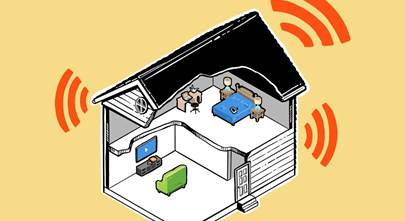
Samsung SmartThings helps turn your home into a smart home. With SmartThings connected to your home network, you can monitor, control, and secure your home from anywhere. You can add as many compatible devices and sensors as you want, and control them all using the SmartThings Mobile app.
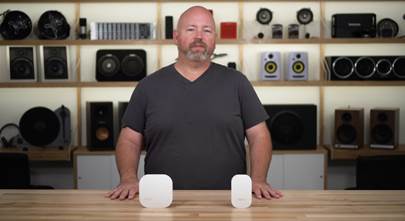
We gave Eric, one of our copywriters, a SmartThings Home Monitoring Kit to try. The Home Monitoring Kit contains a Hub, two multipurpose sensors, an outlet, and a motion sensor.
Everything starts with the SmartThings Hub. This Hub connects to your home network and becomes the heart of your home automation system.
You can install the multipurpose sensors anywhere using an adhesive strip. They can detect movement, vibration, and changes in orientation and temperature. When a sensor is tripped, you'll get a notification on the app. You can then assign other tasks to these notifications, like Eric did with his living room lamp.
The motion sensor detects movement. Like the other sensors, you'll get a notification when movement is detected, and you can also assign tasks, like having lights turn on when you enter a room. Eric ended up putting the motion sensor in his garage so he'd know when a neighbor's cat was hiding out in there.
The smart outlet turns any device you plug into it into part of your connected home. It's how Eric was able to make his lamp turn on when he opened the front door. Once you plug something into the outlet, you can turn it on and off using the app.
You can add a lot of cool and useful things to your system. One thing we could see being really useful is the water leak sensor. You can place it anywhere you'd like to monitor moisture, like near a washing machine, under a sink cabinet, or next to your hot water heater. When it detects water, it'll send you a notification. And the sensor also monitors temperature and can alert you if it detects a sudden change.
The Arrival Sensor is a versatile add-on. For instance, you could clip it to your dog's collar and get an alert when she leaves the yard. Or put the sensor in a child's backpack so you know when he gets home from school. It can clip to your key ring and you'll know when different cars arrive, and plus you can even activate a beeping noise on the sensor to help you find your keys.
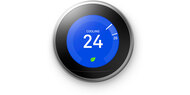
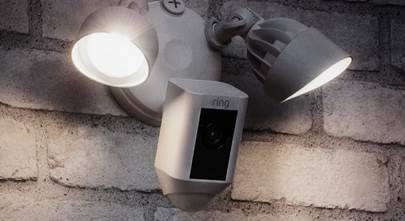
Samsung has opened their SmartThings ecosystem so you can add a bunch of other gear to your smart home. Eric connected a Sonos Play 1 music player, and even configured it to start playing when he opened the front door. It's just one of a growing list of products that'll work with SmartThings. You can add connected door locks, thermostats, alarms, cameras, and a lot of other things that fit your lifestyle.
Samsung SmartThings is a great way to get started in home automation, and since it works with a wide variety of products it's easy to add on when you want to. If you have any questions about turning your home into a smart home, just give us a call.








Comments (0)