How to choose the best Wi-Fi router
Optimize your home network for streaming, remote work, gaming, and more

In this article: We’ll help you choose the best router for your situation, with answers to common questions, including...
- Do you need a new router?
- What type of router should you get?
- Extending your Wi-Fi coverage
- Other features to look for
...and we'll also share some tips for securing your home network.
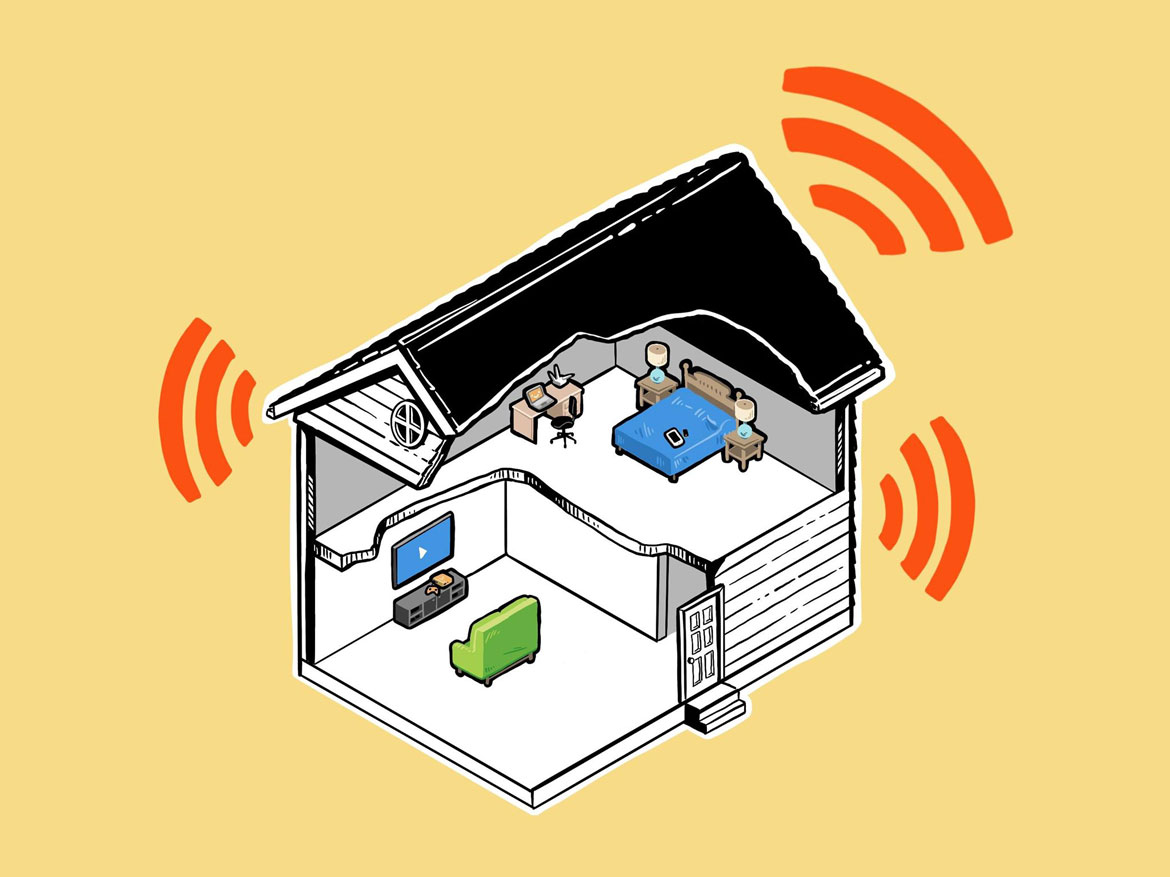
If you depend on fast, stable Wi-Fi for work, business, education, and entertainment, routers are the gateway to your network. They take your internet and broadcast it throughout your space wirelessly.
There are plenty of reasons to think about upgrading your router, but most people do so when they experience the frustration of unreliable Wi-Fi. While your fastest Wi-Fi speeds will be determined by your internet service provider (ISP), the right router can help you get the most out of the internet you pay for.
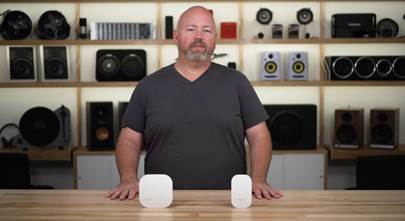
Check out this helpful video that shows you how Wi-Fi gets to your home, and how routers, range extenders, and mesh networks help distribute it evenly and effectively. Then read on to learn how to choose the best Wi-Fi router for your home or office.
Do you need a new router?
Most internet providers offer routers for rent or purchase, but you can usually get better coverage and features if you buy your own.
If you aren’t getting the speeds you’re paying for or your router drops connections and you’ve tried troubleshooting but things still haven’t improved — or if your router is overheating or making noise — you might need a new router.
Sluggish or intermittent Wi-Fi can be especially noticeable if you have an older router and try to connect newer, cutting-edge wireless products. If you use smart lights, thermostats, voice assistants, and other high-tech Wi-Fi devices, a robust router can help keep things working smoothly.
How to choose the right router for your needs
First and foremost, the best router for you should be compatible with your ISP and support the speeds you pay for.

A more powerful new router can help you get fast, stable Wi-Fi even with multiple devices connected.
Then take a close look at how many people and devices you have connected to your Wi-Fi network. Streaming video, gaming, and music all take up bandwidth — especially when several people are doing so independently. You'll want to make sure your router can handle your needs.
There are also space considerations. How big is your house? Your router needs to be able to reach all the places in your home or office where you need Wi-Fi. Larger spaces will need a router with external range extenders, called nodes or satellites in a mesh system (which I'll talk about further down).
How fast should your router be?
In terms of what sort of content you're streaming, we recommend at least 10Mbps for HD/1080p video and high-res music. For 4K video content, we recommend at least 25Mbps. That's for one device at a time. You'll need more as the number of household members or guests tapping into your network grows.
At our house, we limp along with 40Mbps, but parts of the country can get up to 8Gbps. Whatever your situation, you need a router that can handle your maximum available speed.
How do I find my internet speed?
A lot of router control apps, like the one for the eero system we use in our home, show internet speeds, connected, devices, and more.

Router apps like Orbi's show you internet speeds and more.
You can also find free third-party apps that can measure your internet speeds.
What if I can’t get high-speed internet?
Some people in rural areas can’t get high-speed internet because providers don’t have the infrastructure to deliver it yet.
All major cellular providers offer hotspot data, but using it with your phone or the provider's bare-bones external hotspots can be frustrating. Consider an LTE router — it's basically a souped-up hotspot with Ethernet connections and a management app.
Ease of router setup and management
If your older router doesn't have an easy-to-use control app, that's a great reason to consider upgrading. Most modern routers have control apps that walk you through setup and let you manage your Wi-Fi network.

You may find a suprisingly long list of devices connected to your Wi-Fi network in your router app.
Some even allow voice control, so you can do things like turn on guest network access with a spoken command.
Wi-Fi coverage and range
Maybe your current router doesn't have enough range. You can find your router’s expected coverage given in square footage in its specs.
Keep in mind that the shape and floorplan of your house, including the construction materials your wireless signal has to pass through, can affect actual coverage.
Types of routers
The earliest Wi-Fi routers broadcasted on the 2.4Ghz spectrum. Dual-band routers use both the 2.4Ghz and 5GHz bands. This approach gives you a slow lane and a fast lane, both handling wireless traffic at the same time. For example, your smart lights might use the slow 2.4Ghz lane and won’t get in the way of your streaming TV that uses the faster 5GHz band.

Quad-band routers like the Orbi 970 have a dedicated router-to-satellite channel for the clearest Wi-Fi signal.
And we are now well into the era of the tri-band router. They add another fast lane — the relatively newly opened and less-crowded 6GHz band. That makes a metaphorical "traffic jam" even less likely.
You can even get a quad-band mesh router that uses two separate 5GHz bands, one of which is a dedicated "backhaul" channel, with the sole purpose of keeping a rock-solid connection between the router and mesh satellite.
Wi-Fi 7
Wi-Fi protocols continue to evolve. The latest version is Wi-Fi 7. It uses the 6GHz band, as well as the legacy 2.5GHz and 5GHz bands. Wi-Fi 7 routers can support up to 200 connected devices with lightning-fast transfer speeds.

Wi-Fi standards improve every few years. The latest standard — Wi-Fi 7 — is faster and more efficient for households with multiple devices.
With Wi-Fi 5, Wi-Fi 6, and Wi-Fi 6E routers still available, should you go with Wi-Fi 7 off the bat? If you're getting super-fast internet from your provider and/or you have a lot of people — and/or smart devices — using your wireless network simultaneously, it's definitely worth considering.
Expanding your Wi-Fi coverage
A single Wi-Fi router might not give you the coverage your house needs. If you need more , you should get one or more wireless range extenders. They come in a few different shapes and sizes.
If you already have a traditional router that fulfills most of your needs but you have dead spots, a “traditional” range extender is more economical, but you might also consider upgrading to a mesh system.
Is a mesh system right for you?
Mesh systems offer seamless coverage throughout a larger home by using multiple devices called nodes or satellites that work together as a single network that can use a single Wi-Fi name (SSID). That way, you experience continuous connectivity as you roam throughout the house.
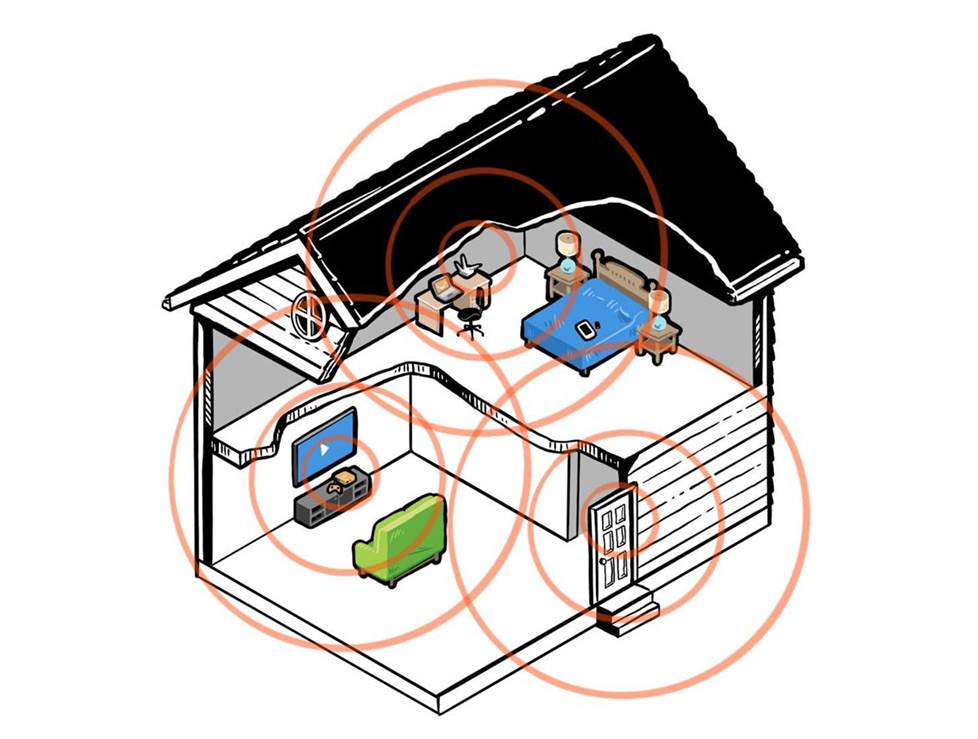
A mesh router system offers seamless coverage throughout a larger home by using multiple nodes that work together.
Mesh systems can also conform to your home's unique layout. When we moved into our current house, our square footage didn’t change much. But our old house had an open floor plan and wood-frame construction, while the current house has a more elongated shape and is built with glass, metal, and concrete.
Our old router and range extenders weren’t working well for us, so we looked into a mesh system. We ended up with an eero system that changed everything for the better. And we never have to switch networks manually on our devices when we move to a different part of the house anymore.
Other router features to look for
Modern routers offer performance-enhancing features that make your wireless experience better. We mentioned management apps earlier — they make setup easier, let you see all the devices connected to your network, control access for specific users, see your download and upload speeds, and more.
Performance-boosting features like beamforming technology, MU-MIMO (Multi-User, Multiple-Input, Multiple-Output), and Orthogonal Frequency-Division Multiple Access (OFDMA) bolster network capacity and efficiency through smarter traffic scheduling. Routers with Quality of Service (QoS) control let you prioritize bandwidth for specific uses.
Parental control features
To help manage online content that's not appropriate for kids, router apps have flexible options. A family-safe browsing mode tags and blocks sites that contain violent, illegal, or adult content. You can schedule kids' online access and restrict access for specific devices, with age-appropriate category blockers you can customize for each child.
Some of these features may be part of a subscription-based plan, so make sure you budget for the features you want when choosing a router.
Wired connections on routers
Wi-Fi keeps getting better with technological advances driven by strong consumer demand. But plenty of people will tell you that it’s better to used wired Ethernet connections for bandwidth-hungry devices like streaming TVs and gaming consoles.

The eero max 7 has a pair of 10-Gigabit Ethernet ports to connect bandwidth-hungry components like smart TVs or gaming consoles.
Most routers have LAN Ethernet ports, some of which support multi-gigabit download speeds. And some routers have USB ports for connecting storage drives. That's great if you store digital music files on a flash drive that you want to access with a wireless multi-room music system.
Ethernet switches are helpful if your TV isn’t close to your router but you want a solid connection for streaming, or your router didn’t come with enough Ethernet ports. They use wired connections to distribute internet from your modem throughout your house. Some of them even support power over Ethernet (PoE), so you can get a PoE Wi-Fi access point that gets power and internet with a single cable.
Securing your home network
A lot of us send sensitive information over Wi-Fi multiple times a week, sometimes multiple times a day. How can you keep that valuable info secure and private? Router software offers several different layers of protection to help keep your data secure.
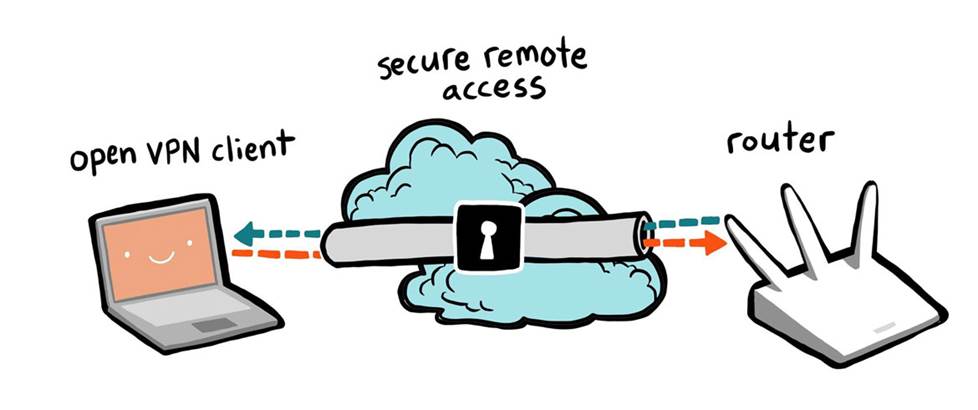
Your office may use a secure VPN connection to protect your work from malicious hacking, but you can also use one to protect your personal communications.
A secure virtual private network (VPN) connection can help keep confidential work communications safe. And employees might be able to coordinate their home network security with their employers'. If you like the way it works at your office, it might be worth asking your IT department about it.
Wi-Fi Protected Access (WPA) is the current protocol for securing wireless networks. Look for ultra-secure WPA2/WPA3 capability in a new router. Most routers also offer customizable firewall protection, which helps keep out spyware, malware, and viruses.
Separate guest network access lets visitors use your Wi-Fi without knowing your password or seeing your personal files. Ad-blockers minimize intrusive pop-ups, and active threat scanning can preemptively identify dangerous sites.
Some routers provide additional protection against malicious denial-of-service (DoS) attacks, which can slow or even terminate your network connection.
Need help choosing?
Want a little guidance from an experienced professional? That's why we're here. Contact us for help zeroing in on the best router for your current situation. And better yet, free lifetime tech support — including live advice on setup and installation — is included with your Crutchfield purchase.







Jimmy
Posted on 11/13/2025
Thanks
Elix
Posted on 10/29/2025
W
quinton
Posted on 7/20/2025
nice
nonejoianuoshdh
Posted on 2/2/2025
bruh
Eric from Augusta, GA
Posted on 7/29/2022
I'm considering upgrading to a mesh system from my current model & router (two separate units that I own). My smart TVs, iPhones and iPads are a few years old. Will they be able to use the third frequency that WiFi 6 or 6E offer?
Eric A. from Crutchfield
on 8/1/2022
Phil from Green Valley
Posted on 7/25/2022
I need to know of my old SAmsung 55" set purchased in 2010 is compatible for wireless streaming.
Eric A. from Crutchfield
on 7/26/2022
Kevin Hagner from Pasadena
Posted on 12/1/2021
I would also love to know the answer to Scott Schwartz' question as I am sure many would. Could you post it?
Eric Angevine from Crutchfield
on 12/2/2021
Fred Robinson from Northridge
Posted on 10/14/2021
Well Done
Gary B from Palo Alto
Posted on 2/11/2021
In our retirement facility all apartments are connected to Comcast cabling and that is our obligatory connection for a modem for wired and wireless connections, and for a TV box with internal record and playback (TIVO) but not for the telephone system being entirely separate. Both boxes are rented from Comcast. Can a higher-end modem replace both rented units? If so, how could I retain the TIVO function? Would I still have access to the TV channels that we currently have?
Eric Angevine from Crutchfield
on 2/11/2021
Mike from Gilbert
Posted on 12/17/2020
I have a netgear nighthawk r7800 router which seems to fit all of our needs but 1. I don't see a way to track data usage by application or device and lately we have been exceeding the data limit set by our provider. Are there other similar routers that can track data usage by application or device?
Eric Angevine from Crutchfield
on 12/18/2020