What is Apple CarPlay®?
iPhone® app control through your car stereo

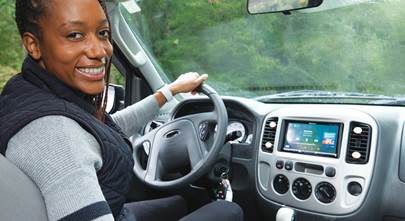
Apple CarPlay technology is a convenient way to access your iPhone® through your car stereo. You can use certain phone functions as you drive, but in a manner that'll let you stay focused on the road.
Apple iOS 26 CarPlay update: With the release of iOS 26 in late 2025, a few more enticing new features were added to go with the big changes from the much less recent iOS 13 and iOS 17 updates. Read more about them below and check this space for any major CarPlay updates in the future.
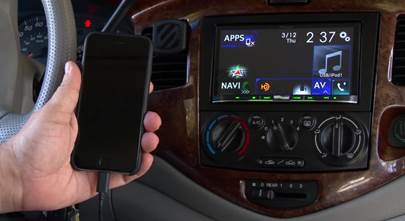
A CarPlay stereo gives you access to your iPhone's calling, music, mapping, and message applications with a simple one-cord connection to your iPhone using the phone's Lightning-to-USB cable (or the USB-C cable for newer iPhones), or – in some cases – wirelessly.
How does Apple CarPlay work?
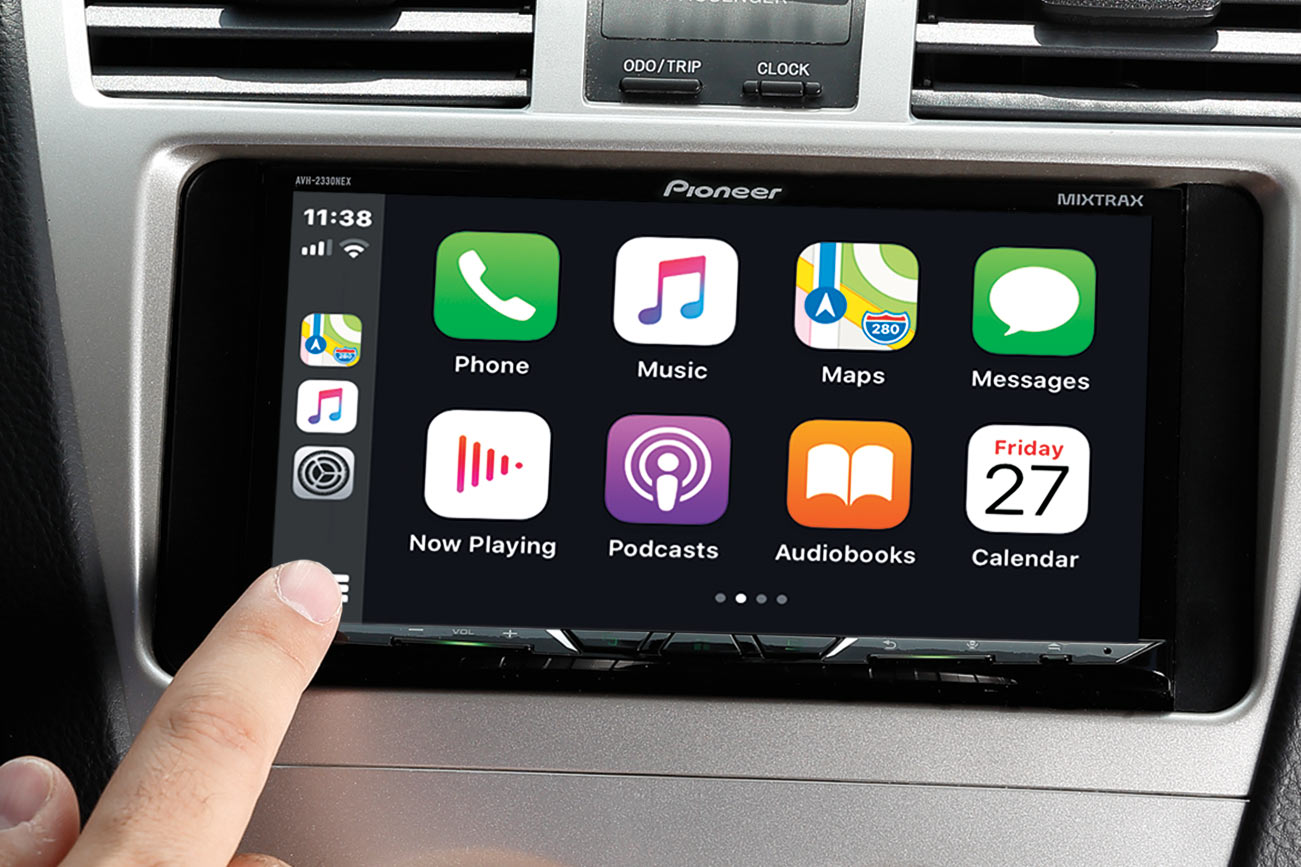
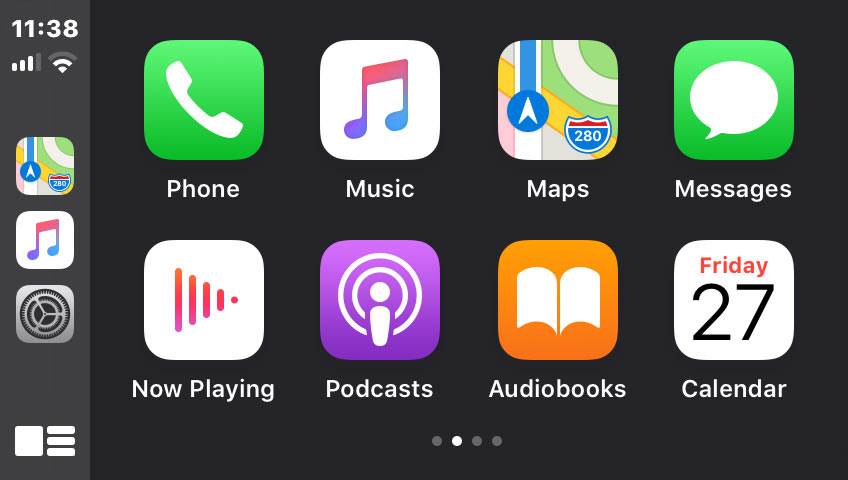
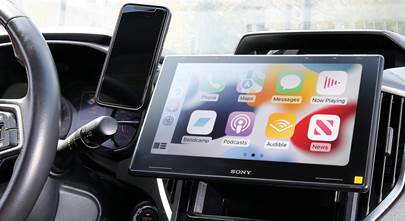
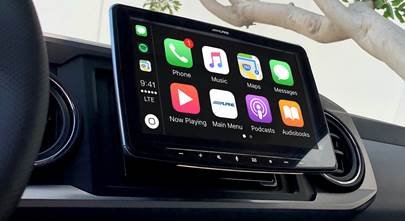
When you connect your iPhone to an Apple CarPlay radio (any car stereo that’s compatible with Apple CarPlay), large, familiar iOS app icons appear on the stereo's touchscreen, along with the time and a Dashboard button you can press to activate the Siri voice assistant. You'll be able to operate some apps with fingertip touches, while many functions can be initiated via Siri using the "Hey Siri" voice command. You won't even have to take your hands off the wheel once you've started.
See CarPlay in action
Watch this video demonstration for a real-world glimpse at an Apple CarPlay stereo in action.
How can I get Apple CarPlay in my car?
CarPlay requires a diagonal screen size of at least 6" to work. You can find Apple CarPlay compatiblilty as a factory option in select 2014 and newer vehicles, and in many aftermarket stereos.
Check out our full selection of Apple CarPlay stereos. There are an impressive number of stereos with wireless Apple CarPlay, too. Most of the stereos we offer are also compatible with Android Auto™ making them ideal for shared vehicles driven by owners of different types of phones.
Updates and improvements from Apple
We're getting right to the updates, but if you're new to Apple CarPlay, make sure you read the rest of the article, too. First, the good news: Apple CarPlay lives on your iPhone, so you don't need to update any car stereo with existing CarPlay compatibility, just your iPhone. Keeping your iPhone software current should allow you to take advantage of these features from iOS 26, iOS 17, and iOS 13, as long as your iPhone is new enough to work with these updates. Most people aren't holding on to their iPhones for several years, but if you are some of these features might not work for you.
Widgets and Live Activities come to your radio
With the iOS 26 update in September 2025, Apple streamlined the look of CarPlay even further, incorporating widgets (for functions like Calendar and Weather) into the layout, for better use of your stereo's limited real estate. Another big change is the introduction of Live Activities, which let you see live sports scores, food delivery progress, flight progress, and other dynamic events on your CarPlay Dashboard screen.
Further tweaks to the design of CarPlay also offer improvements to the text sizing, so you can get the optimum amount of information without having to squint or worry about missing important details. Apple also reduced the amount of screen taken up by incoming calls, so you can still keep up with other functions (like mapping or music) while talking on the phone.
SharePlay for collaborative music control
With the iOS 17 update in September 2023, Apple brought a popular feature from its Music streaming service to the automotive environment. It's called SharePlay, and it allows the driver to invite other iPhone users in the car to join in control over the stereo's musical output.
There are two criteria for using SharePlay with CarPlay: the driver's iPhone must have iOS 17 or higher, and it must have an active Apple Music subscription. The other phones must be iPhones to participate in SharePlay, but a Music subscription is optional.
Add your friends to the mix
Once the driver has CarPlay up and music playing, they can begin a SharePlay session and invite passengers using iPhones. When one passenger has joined the session, they can invite other passengers so the driver can concentrate on the road. SharePlay participants can control the music using commands like stop, pause, and skip, and they can also add (or remove) songs, albums, and playlists to the Up Next queue. SharePlay participants can also exit the session at any time.
Driver-friendly upgrades
The iOS 13 update from September 2019 offered a litany of big changes to CarPlay. We cover some of the highlights here.
Tiled Dashboard
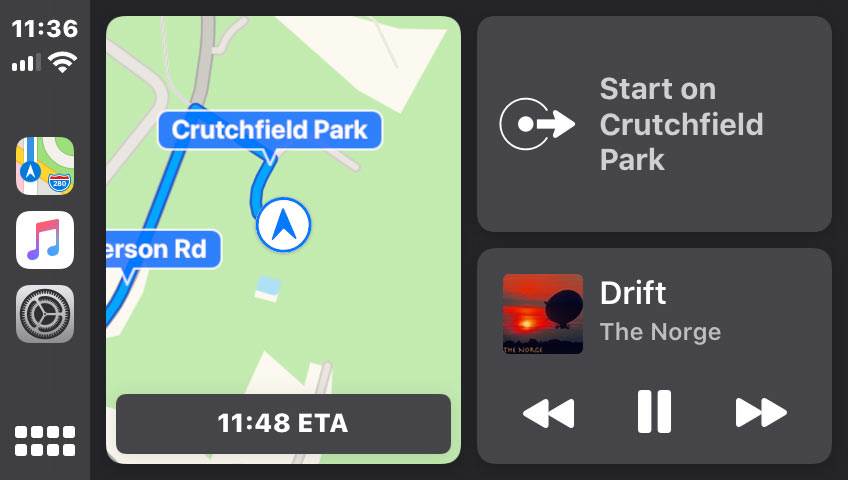
The Dashboard screen offers a split-screen view with the map on the left and multiple tiles on the right. You'll see the audio you're playing, smart Siri® suggestions, info about incoming texts and calls, and other common tasks. This drastically improves CarPlay's functionality as you don't have to flip between different app screens to get all the key info while you're driving.
Siri to the rescue
Siri's a lot easier to use, too. When you trigger it with your voice or a button, the newer CarPlay shows a mic icon in the lower corner of the display rather than taking over the whole screen. Ever since the iOS 13 update, non-Apple app developers can add direct Siri functionality, giving you voice control over CarPlay-compatible apps like Spotify, Audible, and Waze.
A new Calendar app
Want to plan your day ahead as soon as you get into your car? Now you can pull up the Calendar app in CarPlay and see every reminder and appointment that's in your iPhone.
Dark and Light Modes
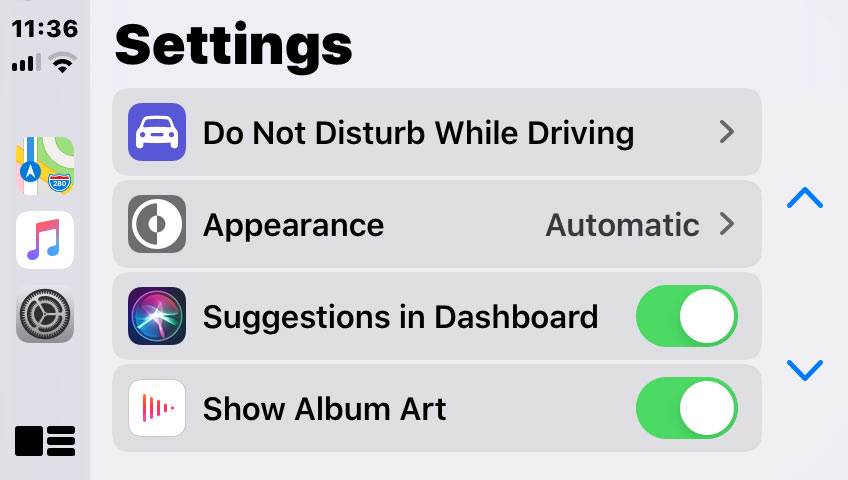
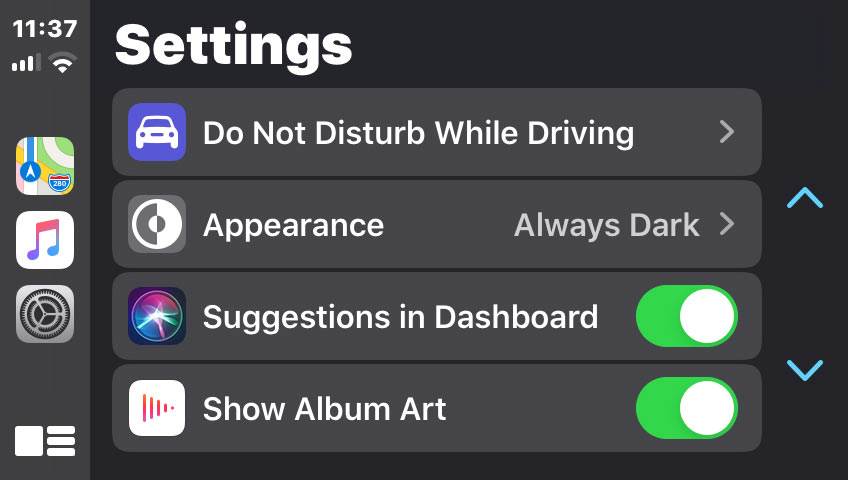
CarPlay has always featured a sort of Dark Mode that shows white text against black backgrounds. Now you can add Light Mode, which exhibits black text against white backgrounds that should be easier to decipher in direct sunlight. Users can choose Dark Mode all the time or have CarPlay automatically shift from Light to Dark when the ambient light in the car changes.
Light Mode
Dark Mode
Album artwork: yay or nay? You can choose!
There are a couple of changes for album artwork, too. The Now Playing and Apple Music app interfaces now put an even bigger emphasis on album artwork. But you can also select to have album artwork never displayed on the stereo's screen in Now Playing.
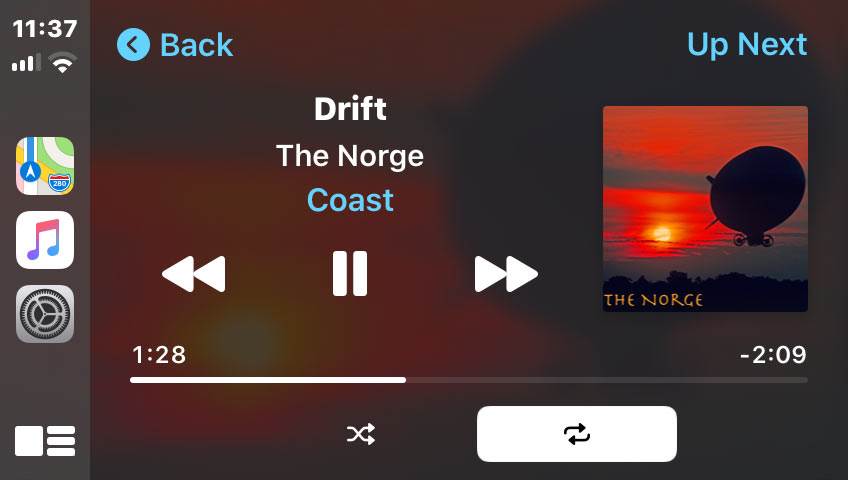
Don't want to be disturbed? CarPlay lets you drive without notifications
You can now turn on your phone's "Do Not Disturb While Driving" feature through CarPlay's Settings app, so you won't see phone or text notifications on your car stereo. Those trying to get in touch with you will get a text back letting them know you're driving.
Keep using your iPhone
Finally, one key change is that your iPhone is now able to retain its functionality while connected to your stereo in CarPlay. In the past, your iPhone would be basically locked while in CarPlay mode, but this is no longer the case. Your passengers can check out your iPhone to choose new tunes, see your latest photos, fire off a text with plenty of emojis, or whatever — your iPhone works normally even while your stereo's running CarPlay.
So those were the major changes to Apple CarPlay in the iOS 13, 17, and 26 updates. Continue reading to learn more about CarPlay basics and how you can more safely use your favorite iPhone functions from the driver's seat.
iOS apps that work with CarPlay include:
- Phone — Make calls, return calls you missed, and check your voicemail, all with Siri's help. You'll be able to see your caller information right on the receiver's screen.
- Music — Pull up your iPhone's artists, songs, playlists, and more through your stereo's controls, or tell Siri what you want to hear. The display will mirror your iPhone's Music screen, so you'll be able to see what's playing and choose tracks easily, whether you’re streaming from your Apple Music account or playing downloaded files from iTunes.
- Maps— View your Apple Maps screen on the receiver's display, complete with turn-by-turn directions, traffic conditions, and estimated travel time. Use Siri and your voice to enter a destination or search for nearby points of interest.
- Messages — You already know that texting and driving is a bad idea. With Apple CarPlay, you can have Siri send, read, and reply to your text messages for you, so you won't have to look at or touch your phone while you're behind the wheel.
- Podcasts — Pull up your favorite podcast to help pass the time…
- Audiobooks — …or listen to a story without touching your phone.
- Now Playing — One touch will show you instantly what's providing the soundtrack to your travels.
- Calendar — See all of your upcoming appointments and reminders in one place.
Navigation apps that work with CarPlay
CarPlay already includes Apple Maps. But users like to have options, so Apple listened and added two other popular navigation apps.
- Waze — The popular navigation app is available on Apple CarPlay. Not only does Waze provide turn-by-turn directions, but its users count on crowd-sourced info for up-to-the minute details about congestion, accidents, speed traps, and more.
- Google Maps — Apple listened to their customers who wanted more navigation options and joined forces with their smartphone competitors to bring Google Maps to the CarPlay platform. You can use your voice to enter a destination or search for a nearby stopping point.
There are a handful of other navigation apps that work with CarPlay, but most of them are used mainly outside of the United States.
Audio apps that work in CarPlay
Naturally, since we're talking about a car stereo, there are plenty of listening options for music, podcasts, and audiobooks. Here is a sampling of the most popular apps that are available in CarPlay – but these aren't all of them!
- Spotify
- Tidal
- Pandora
- Amazon Music
- YouTube Music (formerly Google Play Music)
- Qobuz
- iHeartRadio
- NPR One
- Stitcher
- SiriusXM Radio (subscription required)
- Audible
- LiveOne Music/LiveXLive (formerly Slacker Radio)
- MLB
- Radio Disney
- Overcast
- Nugs.net
- VOX lossless media player
Most other non-audio and non-navigation apps will not be accessible through Apple CarPlay, but we've listed a few standouts of those available below.
Other apps that work in CarPlay
- News+
- Chevron
- ChargePoint
- PlugShare
- SpotHero
- Domino's Pizza
- Dunkin'
- Panera Bread
Apple may approve more apps for CarPlay in the future, but they'll likely only be apps that can be used safely while driving and with Siri.
What about wireless Apple CarPlay?
Wireless Apple CarPlay first made it into the dashes of some high-end factory stereos but now it has moved into the aftermarket realm. Compatible stereos employ a built-in Wi-Fi network in combination with Bluetooth to communicate with your iPhone. After the initial setup and pairing with your phone, you'll be able to launch CarPlay on the stereo without touching your phone as soon as you get into your vehicle.
Not only does wireless CarPlay save you the hassle of having to plug in your phone whenever you get into the vehicle, it also works great for fans of wireless charging in the vehicle, as they can set their phone down and leave it alone to charge as they travel.
Check out our full selection of car stereos with wireless Apple CarPlay.
Can I make my wired CarPlay radio wireless?
If you already have a wired-only CarPlay unit in your dash, it used to be nearly impossible to make the switch without buying and installing a new radio.
The CRUX ACP-WLZ Wireless Apple CarPlay Interface works with nearly every factory and aftermarket radio with wired CarPlay capability to turn it into a wireless unit. Adding this interface is as simple as plugging the included cable into your radio's dedicated CarPlay USB port, then pairing your iPhone via Bluetooth. After that, you're ready to enjoy CarPlay as you drive without needing to connect your iPhone again.
Do you have questions about Apple CarPlay?
If you're ready to shop, see our full selection of car stereos with Apple CarPlay.
If you have any questions about CarPlay, we can help. Check in with a knowledgeable Crutchfield Advisor via phone or chat. There’s likely a solution that fits your ride and we’ll help you get on the road with CarPlay bringing your favorite phone functionality within reach.



bruce from philly
Posted on 6/3/2024
Can I install Apple car play on a system that did not come with carplay? Or do I need to replacee the unit?
Dominic DeVito from Crutchfield
on 6/4/2024
Bob Pope from Lake Mary fl. 32746
Posted on 11/26/2023
Will this work on my 2018 Lexus 350 rx
Dominic DeVito from Crutchfield
on 11/27/2023
Charlie
Posted on 11/8/2023
It works with Nugs.net too. That's a music app.
Dominic DeVito from Crutchfield
on 11/8/2023
Jay from Charlotte
Posted on 10/12/2023
How do you access the carplay menu on your phone. Like dark mode light mode? Also how to change between album artwork and no artwork. Is it done by your phone or car settings in Carplay?
Dominic DeVito from Crutchfield
on 10/13/2023
Steve
Posted on 9/15/2023
I use GOOGLE MAPS. How can I get the APPLE MAPS to cease being the only map that work?
Dominic DeVito from Crutchfield
on 9/15/2023
Darlene from Siler City
Posted on 8/6/2023
My touchscreen on my 2017 Passat is not working. My radio works but I can't use the touchscreen. Is this a huge fix?
Dominic DeVito from Crutchfield
on 8/7/2023
Phlip Bohlken from Knoxville
Posted on 7/29/2023
My 2022 Hyundai Santa Cruz SEL came with wireless CarPlay. It works most of the time. Periodically, it fails to connect with my phone. I even tried making a new WiFi connection on the screen in the car, but that was no help. It would be really great if wireless CarPlay always worked. It usually fails when I really need it.
Dominic DeVito from Crutchfield
on 7/31/2023
Aaron Burgess
Posted on 7/23/2023
I can connect Apple Car Play to my 2020 Harley Davidson Streetglide, but how do I connect to my CARDO Packtalk Bold as well?
Dominic DeVito from Crutchfield
on 7/25/2023
https://www.africatwinforum.com/threads/apple-carplay-with-cardo-packtalk-working-combinations.41383/
Keep in mind that the iPhone Bluetooth protocols may have changed some since this thread was posted, so it may not necessarily work now. Best of luck!
Sharon
Posted on 7/22/2023
My iPhone is connected via Bluetooth to my hearing aids. I am getting a car with Apple CarPlay. How will this work?
Dominic DeVito from Crutchfield
on 7/25/2023
https://product-support.phonak.com/s/article/Switching-from-Phonak-hearing-aids-to-the-car-speaker
Willie from Columbia
Posted on 7/21/2023
Can I get car play for my 2014 Chevy Cruise
Dominic DeVito from Crutchfield
on 7/21/2023