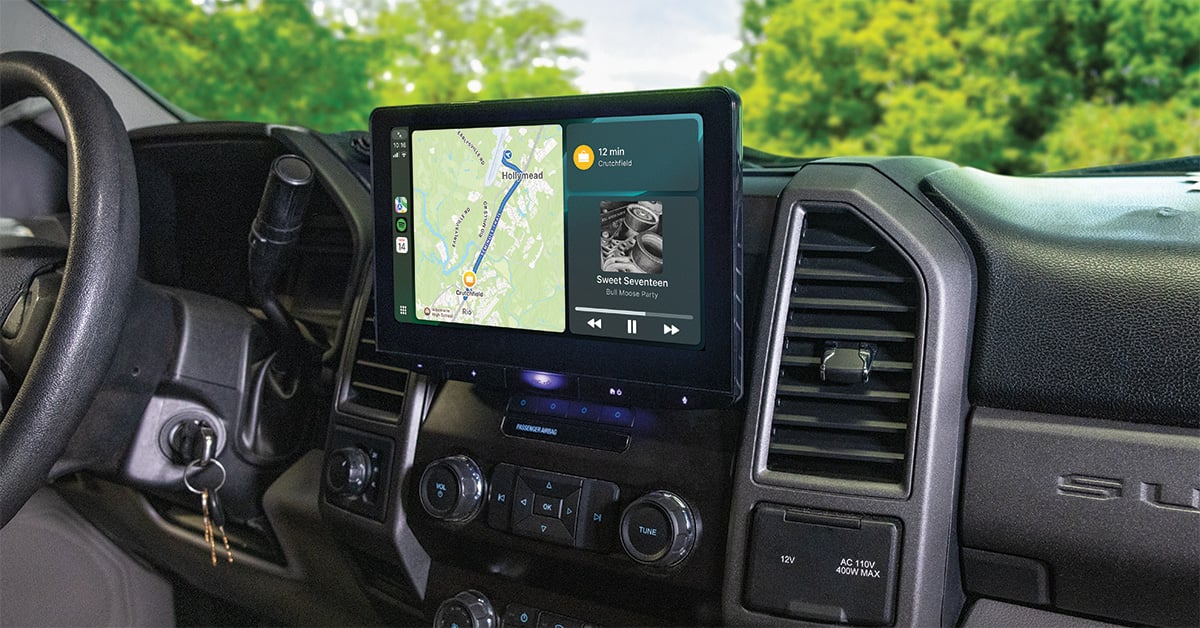
JVC Direct Replacement installation in a 2019 Ford F-250 XLT
Upgrading a stereo system can be smoother than ever with Direct Replacement from JVC and ADS iDatalink

Talking up the benefits of iDatalink and JVC Direct Replacement packages is one thing, but we wanted to see if these cutting-edge car stereos could really make installation more convenient — without any cutting or dash modifications. Read on to see how we upgraded a 2019 Ford F-250 XLT truck's boring factory radio to a multimedia marvel.
We got excited when we first heard about JVC’s Direct Replacement car stereos. Partnering with ADS (makers of the iDatalink Maestro), JVC has created a new opportunity to outfit cars with stereos in a way that wasn’t possible before for many vehicles — keeping the dash fully intact while directly replacing their factory screens. Recently, we asked Crutchfield Technical Support Specialist Jason and Crutchfield Advisor Mulligan to put a Direct Replacement package through its paces in a 2019 Ford F-250 XLT with a 4.2" radio. We wanted to explore the ins and outs of this innovative way of adding a 10.1" floating-screen JVC radio to this workhorse truck.
JVC’s revolutionary approach to upgrading a dash
The Direct Replacement approach to stereo installation involves three sets of gear:
- A compatible Direct Replacement stereo - like the JVC KW-Z1000AW in this case
- An iDatalink Maestro interface module and connecting harnesses
- Vehicle-specific iDatalink Maestro APX installation brackets
The stereo: A massive performance upgrade
The JVC KW-Z1000AW is a fantastic stereo. Its 10.1" touchscreen mounts in the same spot as the factory 4.2" screen, and provides a massive jump in screen surface area. It also offers HD screen resolution, wireless phone integration, four camera inputs, a 13-band EQ and time alignment, plus much more. It’s a 2-piece system, with a “black box” chassis that mounts out of sight inside the dash.
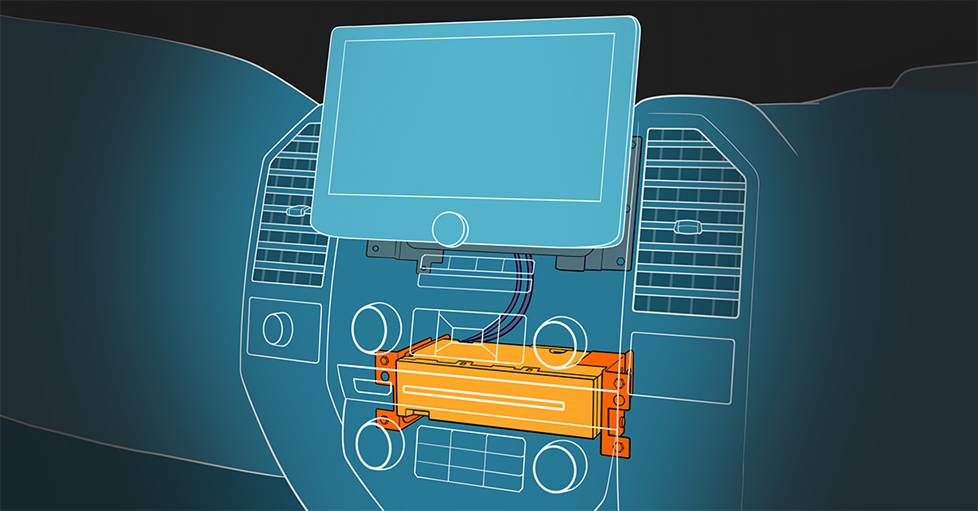
One example of how a Direct Replacement "black box" chassis can mount in the dash behind where the factory radio once was.
Taking the factory radio out was straightforward, thanks to Crutchfield’s vehicle-specific MasterSheet™. While Jason worked on radio removal, Mulligan got the iDatalink Maestro RR2 adapter and harnesses wired up for installation.
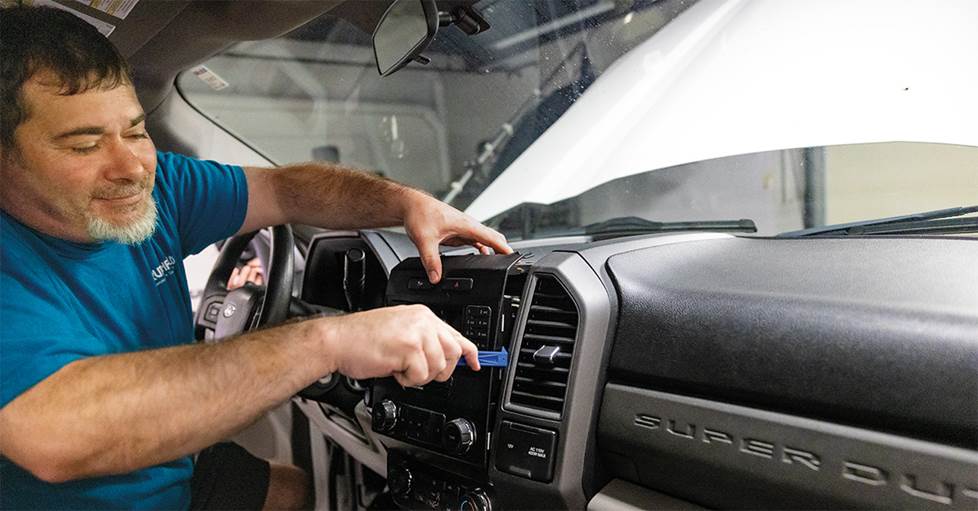
Jason removes the factory radio from the Ford F-250 XLT.
Wiring: A no-splice system
The iDatalink Maestro APX-FL-FO1 kit comes with a vehicle-specific harness that plugs into the truck’s factory wiring for power, ground, signal, and other essential connections — no splicing or cutting wires of any kind is necessary. A separate harness — known as the iDatalink ACC-HU-KEN1 — connects the stereo to the APX harness. The system also uses an iDatalink Maestro RR2 module to allow the stereo and the truck to talk to each other and retain factory features like the stock backup camera.
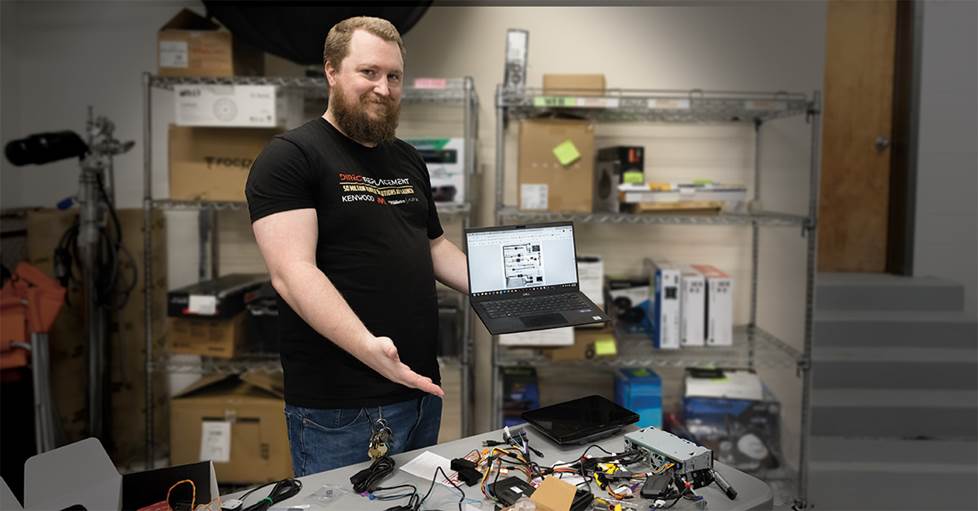
Mulligan prepares the iDatalink Maestro RR2 interface for "flashing" through a Bluetooth connection to his laptop. Also on the table are the JVC radio's chassis and required wiring harnesses.
On the bench, Mulligan made all the necessary connections to the APX harness: the Maestro, the iDatalink receiver harness, and an iDatalink ACC-VID-1 camera noise filter module to improve the camera video signal quality. He then “flashed” the Maestro by connecting it to a laptop via Bluetooth® connection and programming it for both the stereo and the vehicle.
iDatalink Maestro APX brackets: Stainless-steel gear for a rock-solid install
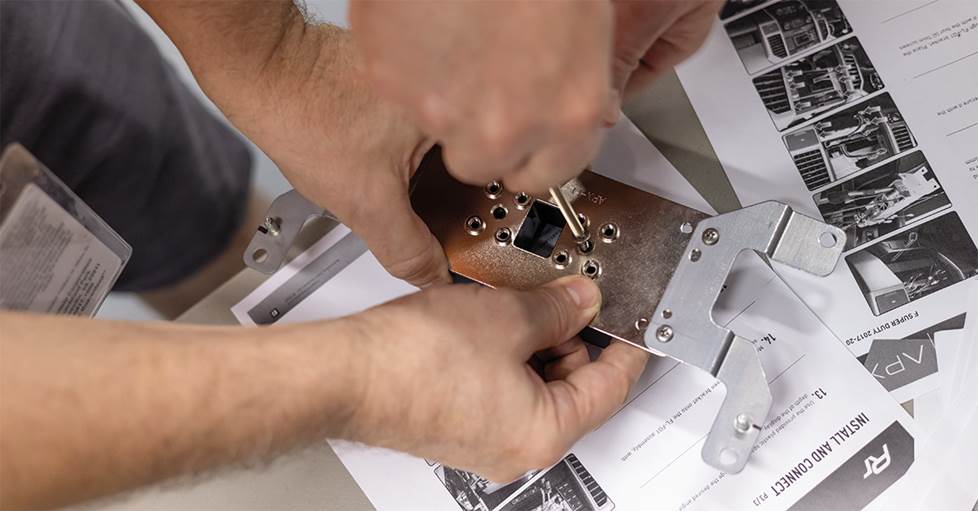
The APX plate from ADS adapts the Ford brackets to mount the 10.1" JVC screen where the factory 4.2" display had been.
The APX kit also comes with two sets of brackets. One set allows the stereo’s “black box” chassis to mount inside the dash cavity. The other mounts to the factory screen bracket and allows the JVC 10.1" screen to sit in the same space.
With the dash disassembled and the factory radio removed, Jason secured the JVC radio’s chassis to the APX brackets. Next, he plugged the APX harness into the corresponding factory harnesses, and tucked the Maestro RR2 and the rest of the wiring into the dash opening. This required a bit of finesse, but eventually everything fit. Then he made all necessary connections to the back of the JVC stereo chassis, and mounted it where the factory radio had been. Before reassembling the dash around the now-full opening, our installers temporarily connected the JVC radio’s screen to make sure the connections were solid.
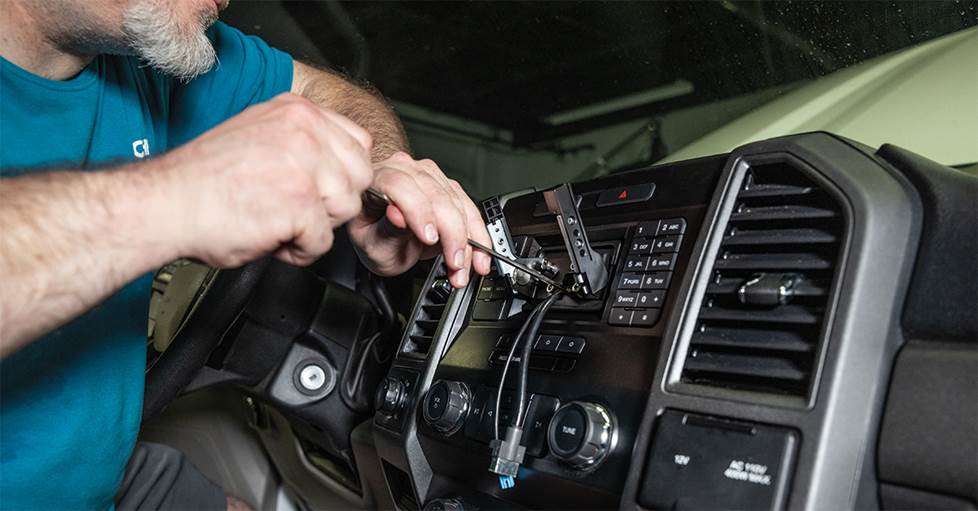
Jason prepares the APX mounting bracket to receive the JVC screen.
With stereo functionality confirmed, Jason mounted the APX screen bracket in the factory location, then put the dash back together. What remained was the new screen bracket in the former home of the 4.2" screen. Our installers attached the JVC’s 10.1" display to it, and adjusted it for the best viewing angle.
Upgraded, with a factory feel
The JVC stereo looks right at home in the dash. Plus, it looks better, sounds better, and offers more options. On the process, Mulligan notes: “We got a wireless Apple CarPlay® radio fully integrated into a Ford F-250 in about 4 hours! There’s a lot of clever tech and smart engineering baked into Direct Replacement, making it the way to go for compatible vehicles."
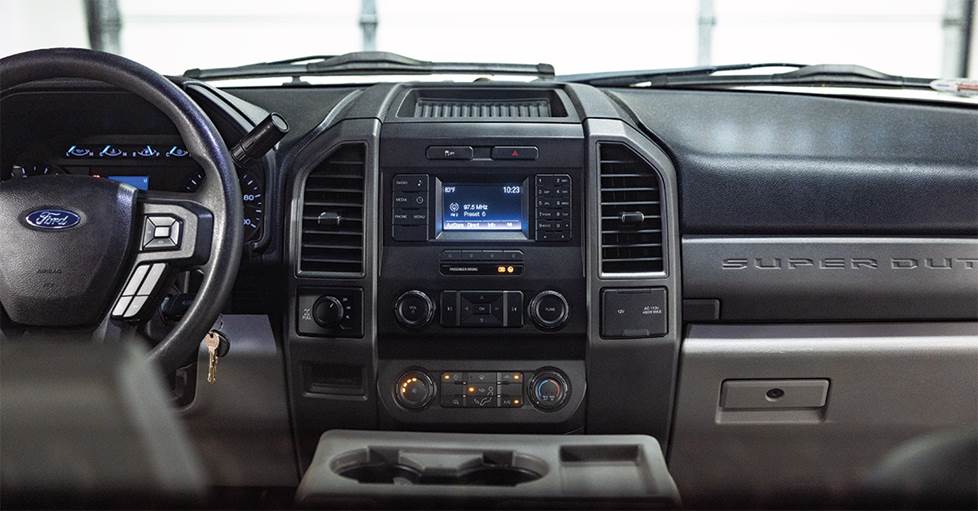
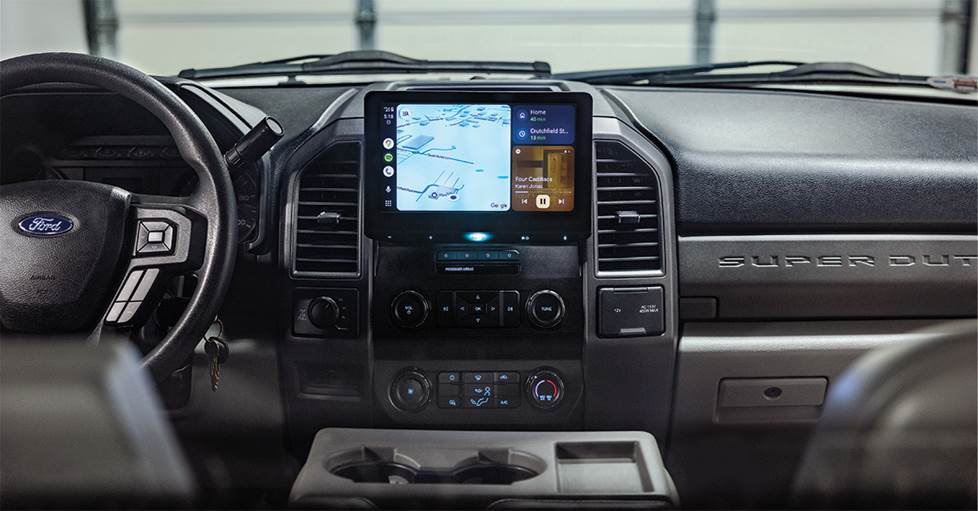
Upgrade complete: The Ford's 4.2" screen has now been replaced by a 10.1" JVC display in the exact same location without modifying the dash.
Is there a Direct Replacement solution for your car?
Direct Replacement is an exciting new technology that's just getting started. ADS and their partners (just JVC & Kenwood for now) plan on covering as many cars from the past 15 years or so as they can, but it's a process. For now, there are plenty of options available, including Dodge/RAM, Ford, GM, Jeep, and Nissan/Infiniti models, with more on the way. Enter your vehicle information or contact us via phone or chat to find out if Direct Replacement is possible in your vehicle.



Comments (0)