Q&A: JL Audio MBT-RXv2 marine-rated Bluetooth® adapter
Answers to common questions about adding Bluetooth streaming to your vehicle
This content was created with the help of AI to summarize our data, then edited and revised by a Crutchfield writer.
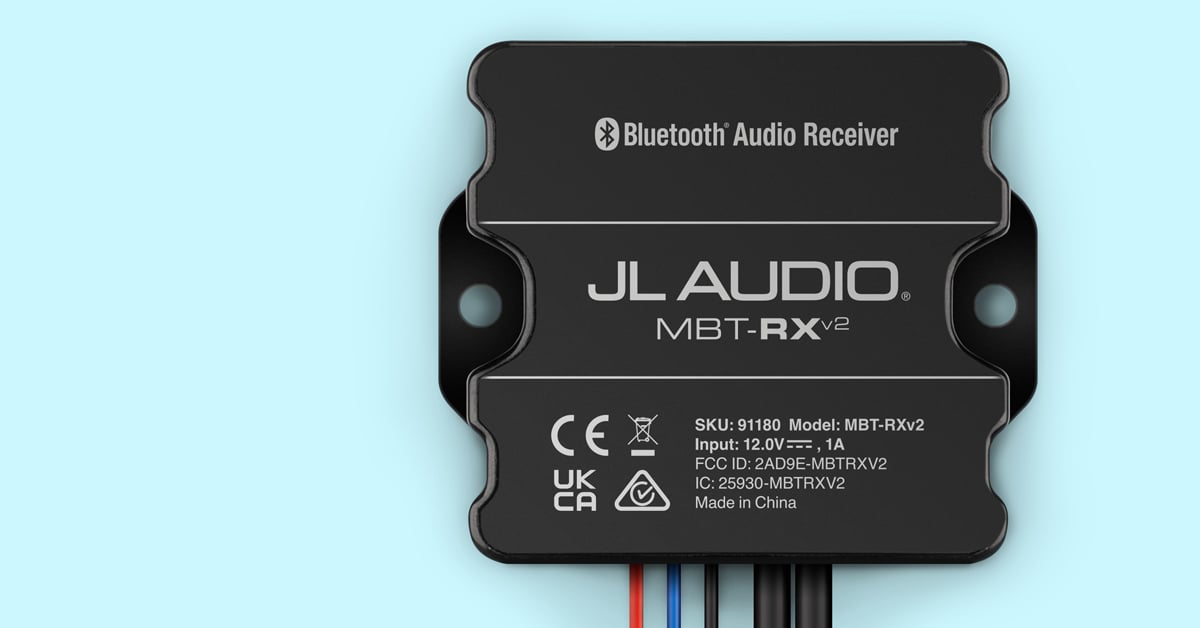
The JL Audio MBT-RXv2 adds wireless Bluetooth audio streaming to a boat, powersports vehicle, classic car, or other audio system with a line-level input. Its compact design, hardwired power connections, and stereo RCA outputs let you install it with an existing source unit or connect it directly to an amplifier.
What do I need to install the JL Audio MBT-RXv2?
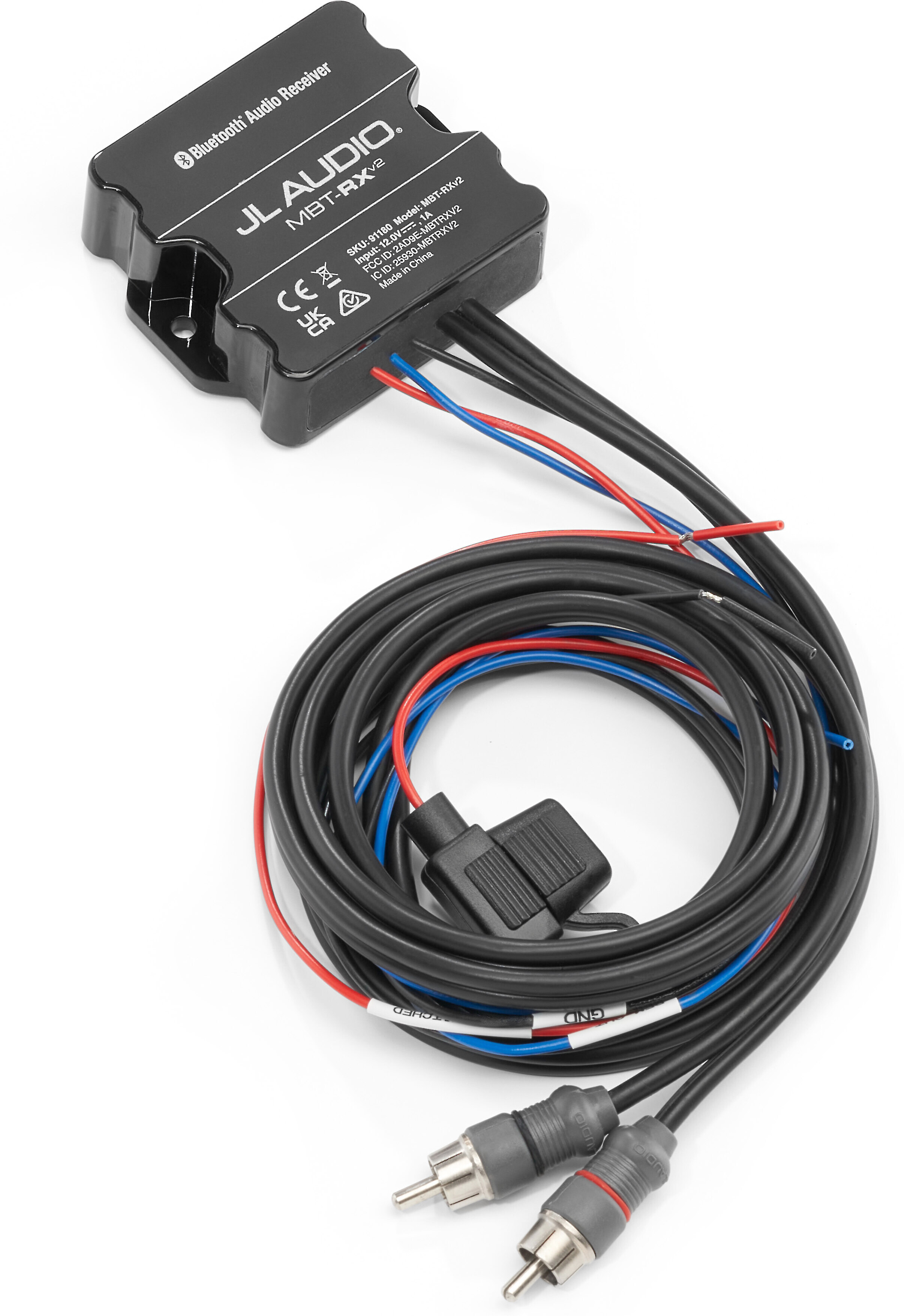
The MBT-RXv2 requires a 10-16-volt DC power source, ground connection, and audio connection to your system. Its red power wire should connect to switched 12-volt power, while the black wire connects to ground. A built-in 2-amp fuse protects the power connection.
The attached stereo RCA plugs connect to a source unit’s auxiliary input or an amplifier’s line-level inputs. If your equipment uses a 3.5mm auxiliary input instead of RCA jacks, you’ll need a stereo RCA-to-minijack adapter, sold separately.
Quick take
- requires switched 12-volt power and ground
- connects through stereo RCA line-level outputs
- includes an inline 2-amp fuse
Can I connect the MBT-RXv2 directly to an amplifier?
Yes. You can connect the MBT-RXv2’s stereo RCA outputs directly to an amplifier’s line-level inputs, allowing your phone or tablet to serve as the system’s audio source. The blue remote output can supply up to 1 amp to turn on a connected amplifier.
This configuration can be useful when you want a compact system without a conventional radio. All playback and volume controls remain on the connected Bluetooth device.
Quick take
- works directly with an amplifier’s RCA inputs
- provides a 1-amp remote output
- does not require a separate source unit
Can I use it with an existing stereo?
Yes. The MBT-RXv2 can add Bluetooth streaming to a source unit equipped with stereo auxiliary or line-level inputs. Connect its RCA plugs to the appropriate input, select that input on the stereo, and then control playback from your paired phone or tablet.
Quick take
- adds Bluetooth to compatible existing stereos
- requires an auxiliary or line-level input
- may need an RCA-to-3.5mm adapter
Where and how can I mount the MBT-RXv2?
The compact receiver measures 2-11/16" wide, 7/8" high, and 2-5/16" deep, giving you flexibility to conceal it near your source unit or amplifier. It has self-adhesive backing, or you can secure it with two screws, which are not included.
Choose a secure location away from extreme heat, moving parts, and sharp edges. Before drilling, check for obstacles behind the mounting surface, and protect wiring with grommets or loom where needed.
Quick take
- adhesive and screw-mounting options
- compact enough for concealed installations
- keep it away from extreme heat and potential wiring hazards
How do I pair a phone or tablet with the MBT-RXv2?
Turn on the MBT-RXv2 and enable Bluetooth on your phone or tablet. A flashing internal LED shows that the receiver is in pairing mode. Select “JLA MBT-RX” in your device’s Bluetooth menu. The LED will remain steadily illuminated once the connection is complete.
Quick take
- appears as “JLA MBT-RX”
- flashing LED indicates pairing mode
- solid LED confirms a successful connection
Can more than one device be paired with it?
You can pair multiple Bluetooth devices with the MBT-RXv2, although only one can be connected for playback at a time. It remembers the most recently connected device and attempts to reconnect to it automatically when powered on.
If that device is inactive, you can manually connect another previously paired device or pair a new one. If the connected device remains out of range for more than one minute, the receiver returns to pairing mode; you’ll need to reconnect the device manually when it comes back into range.
Quick take
- stores multiple paired devices
- plays from one connected device at a time
- automatically recalls the last connected device
What Bluetooth technology does the MBT-RXv2 support?
The MBT-RXv2 uses Bluetooth 5.0 and the A2DP profile for stereo audio streaming. In addition to the standard SBC codec, it supports Qualcomm aptX HD for 24-bit streaming from compatible Android phones and tablets. Apple iPhones® and iPads® do not support aptX HD. This article about Bluetooth codecs and protocols can provide some insight into this technology.
Its specifications include a 20 Hz-20 kHz frequency response, a 100 dB signal-to-noise ratio, and a 4-volt RMS output.
Quick take
- Bluetooth 5.0 with A2DP
- supports SBC and Qualcomm aptX HD
- delivers a 4-volt RMS stereo output
Can I make phone calls through the MBT-RXv2?
No. The MBT-RXv2 is designed for wireless audio streaming and does not support hands-free calling. Music selection, playback, and other controls are handled through the connected phone or tablet.
Quick take
- streams music and other audio content
- does not provide hands-free calling
- playback controls remain on your device
What is the Bluetooth range?
The MBT-RXv2 has a specified connection range of up to 35 feet. Actual placement can affect the connection, so consider keeping the receiver reasonably close to where you’ll normally use your phone or tablet.
Quick take
- up to 35 feet of specified range
- designed for control from a nearby device
- mounting location should be considered during installation
What our customers say about this product
Customers consistently describe the MBT-RXv2 as easy to install, pair, and use, with many praising its clear sound, dependable connection, compact size, and ability to reconnect automatically. Reviewers have successfully used it in boats, motorcycles, side-by-sides, classic cars, and systems with an amplifier but no radio.
Recurring setup considerations include finding switched power, adding an on/off switch in some installations, and occasionally needing an RCA adapter or additional wire length. A smaller group reports static, engine-related noise, connection problems, or durability concerns, suggesting that careful power, grounding, and mounting choices can be important.
Additional features at a glance
- attached 5-foot stereo RCA output cable
- attached 2-foot power, ground, and remote-output wires
- 2-amp inline fuse installed on the power wire
- warranty: 2 years
Ready to add Bluetooth to your vehicle?
If you have questions about connecting the JL Audio MBT-RXv2 to your stereo or amplifier, contact us via web chat or phone. Our Advisors can help you determine what your system requires.