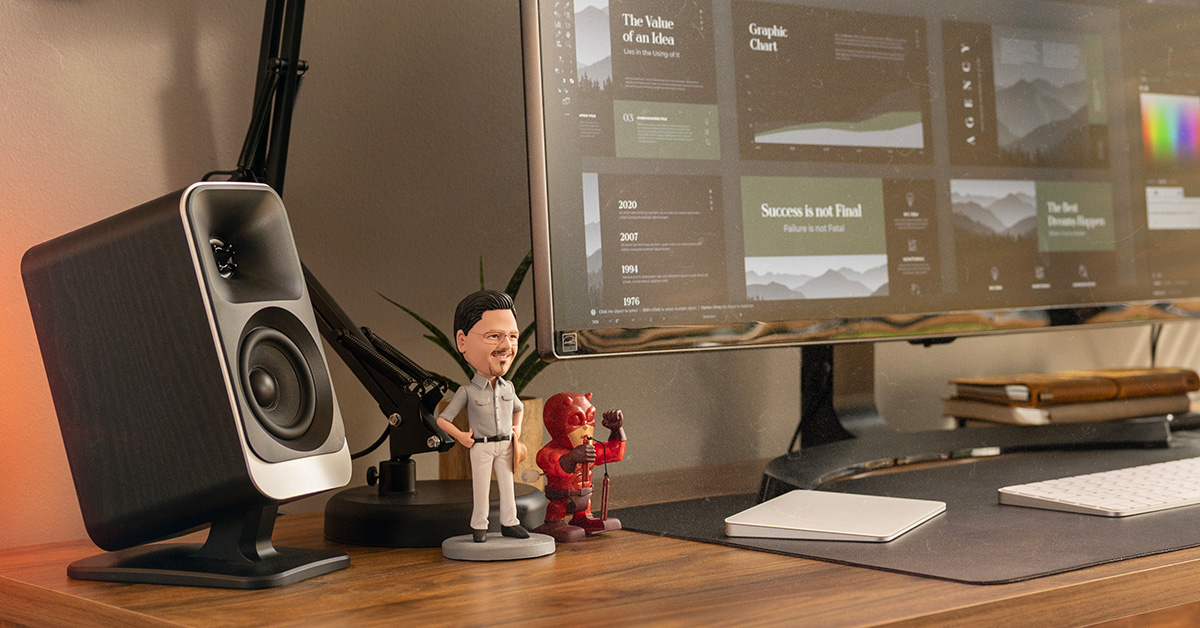
Klipsch ProMedia Lumina system review
Hands on with a new desktop speaker system from Klipsch

I have been a fan of Klipsch's classic sound for years — we made frequent use of one of their tabletop speakers back when I was a trainer in our call center. So I was excited to snag a sample of the Klipsch ProMedia Lumina system and "test-drive" it before its release.
I came away seriously impressed with what this compact 2.1 desktop system could do. Read on for my firsthand impressions.
A quick overview
Klipsch introduced their original ProMedia speaker system back in the late '90s and it made a huge splash — it was one of the best-selling and best-rated desktop speaker systems ever. Klipsch is back at it again with the ProMedia Lumina: a modern revision with the high-quality sound you'd expect, plus some cool new twists like integrated LEDs to light up your work (or play) space.
A sub/sat design that saves room on your desktop
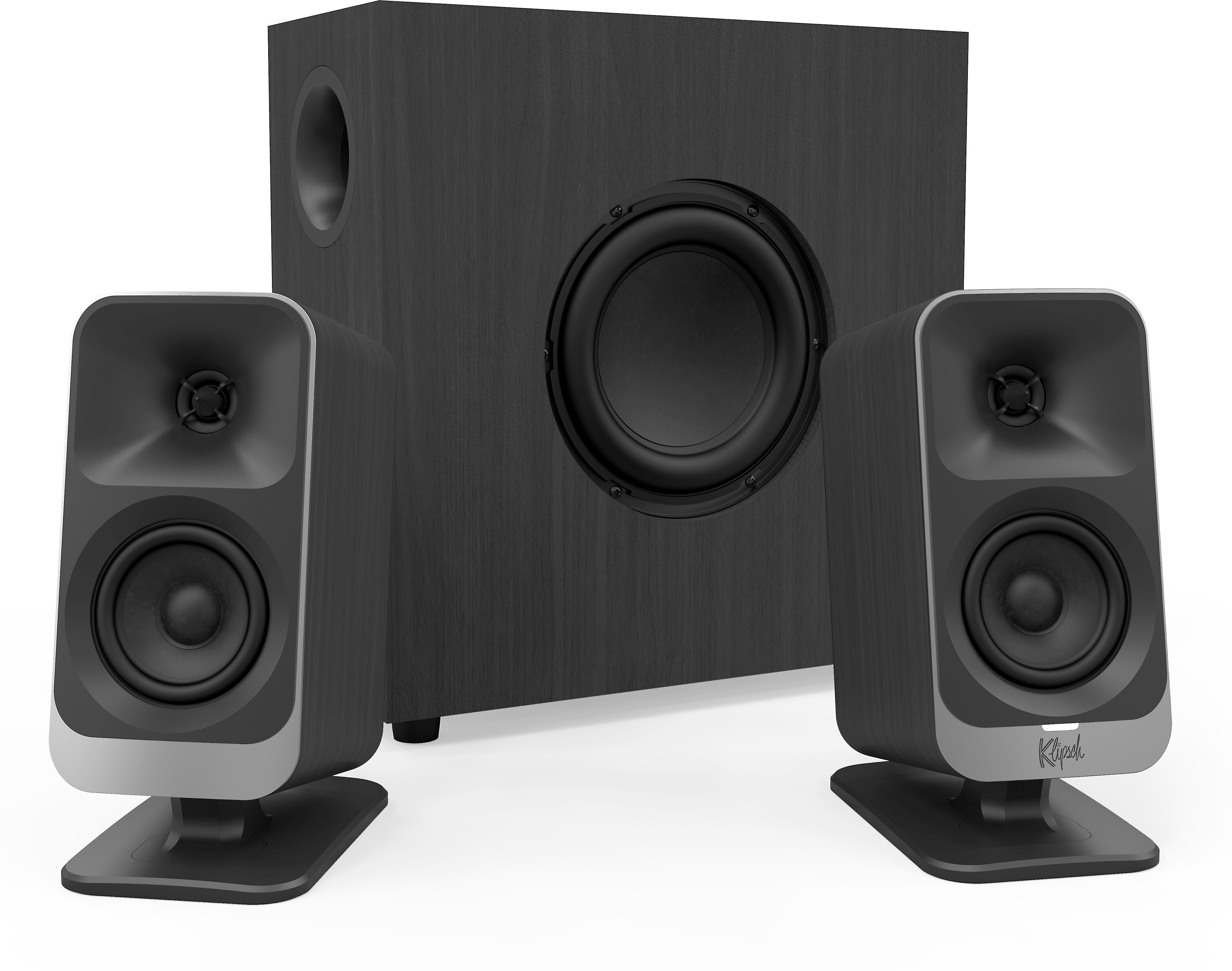
Each of this system's two compact satellite speakers features a 3" woofer and a horn-loaded 1" tweeter for that classic Klipsch sound profile. And there's a slim, ported 6-1/2" subwoofer in the box, too. It gives the system deep bass impact without taking up space precious room on your desktop.
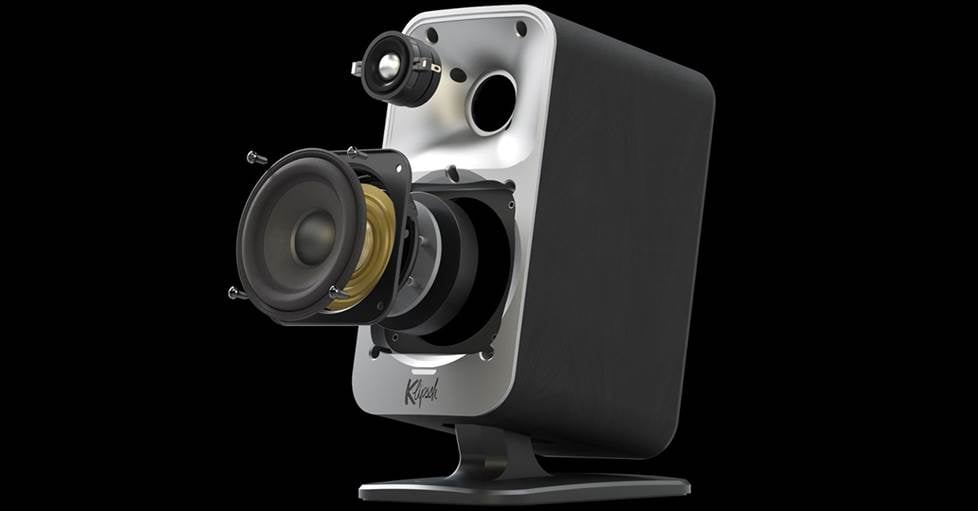
Each satellite speaker features a 3" midrange driver and 1" horn-loaded tweeter.
Brighten the mood
The LEDs built into the back of the satellite speakers offer a soft, diffused glow that can be customized to match your mood. You can adjust the color of the lights and choose from several different lighting modes using the multi-select button located on one of the satellite speakers. You can also control the lights using the Klipsch Connect mobile app or Klipsch Control desktop app.
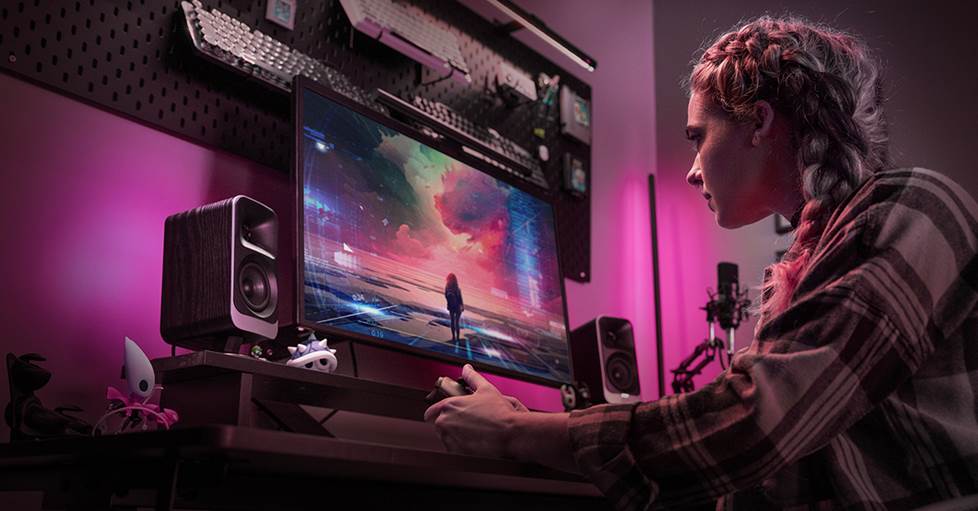
The Lumina's integrated LEDs help you match the lighting to your mood.
The desktop app offers some additional functionality, like "Screen React." This mode programs the LEDs to match what's on your screen. This is an especially cool trick for gamers looking to boost their immersion even further.
Simple setup
To get started, just plug the sub into AC power. Each satellite speaker then connects to the sub with its own dedicated power + signal cable. A set of cable clips on the sub help keep these nice and tidy.
Connect to your PC using the included USB-C cable. You can also play music by popping in a flash drive loaded with music files, stream from your phone with Bluetooth, or connect an external device via the aux 3.5mm input.
Firsthand listening impressions
As a writer, I spend a ton of time at my desk while music plays in the background to keep me energized. I had the ProMedia Lumina rocking tunes while I worked and played for a solid week. It produced crisp, full-range sound with excellent near-field stereo imaging that made listening while I worked a joy. Plus, the integrated LEDs are just plain cool and a lot of fun to play around with.
Dial it in with an app
To get the most out of my time with this system, I downloaded the Klipsch Control desktop app, which gave me access to all the sound and light adjustments. The app was super-simple to use, making it all too easy for me and my office neighbors to get absorbed in the lighting modes. My favorite was "Music React," and I kept that running during most of my music testing. I really enjoyed watching the lights dance and flash to a drumbeat or shifting melody. I even cut the room lights off a couple times to double down on the effect.
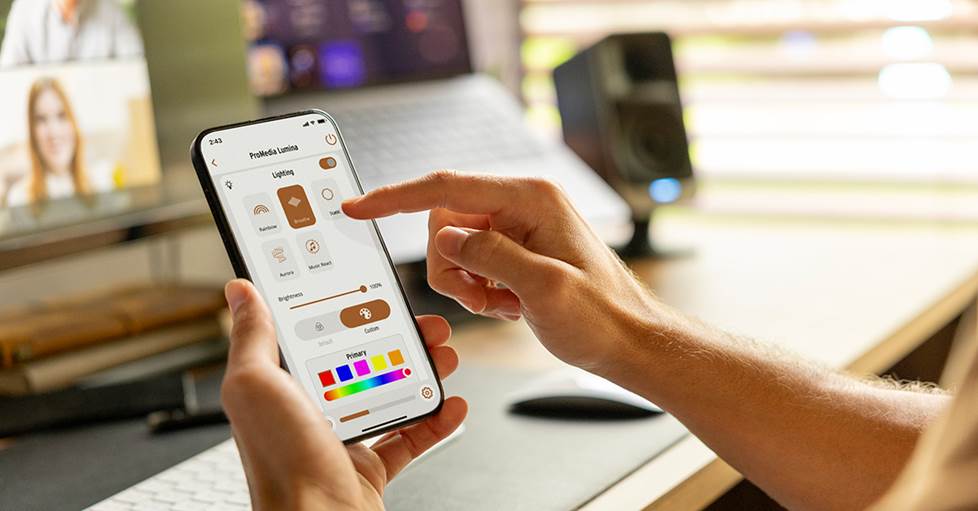
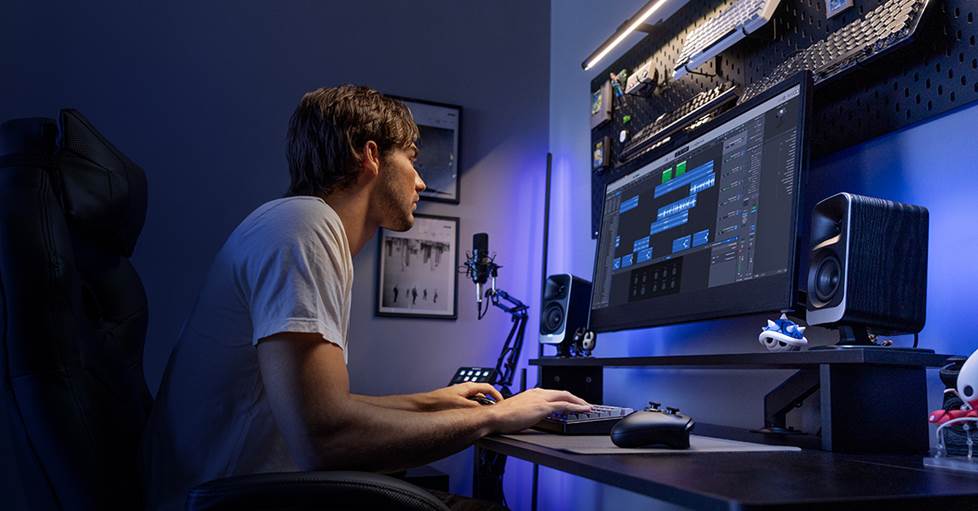
Control the system using the Klipsch Connect mobile app or on your PC with the Klipsch Control desktop app.
Strings, strangers, and circles
I used Qobuz's high-res streaming catalog for my test drive, starting with one of my favorite modern instrumental tracks: "Alarms," composed by Bryce Dessner and performed by the Australian String Quartet. I found that the Lumina elegantly delivered the deep resonating hum of the cello and the sharp detail of the violin sparking to an energetic, breathless rhythm.
Dessner also performs with the indie rock band The National, so I thought it only natural to flip over to their classic, "Mistaken for Strangers." The Lumina's sub smoothly delivered the punchy drumbeat that drives that song. As I was bobbing my head, I was able to pick out little details in Matt Beringer's gloomy yet somehow energetic vocal style. It was here that I first fully appreciated the Lumina's imaging — I discovered that I could consistently place the vocals directly in the middle of my screen.
I was still in the mood for something dark, so the last track on my list was A Perfect Circle's "The Doomed." I've always loved Maynard James Keenan's strange, lilting vocals and the dynamic, shifting rhythms of APC's music. The Lumina did a splendid job capturing those and had me lost in the moment, following along and singing to myself. The bridge stuck with me especially. The quiet, somber lyrics slowly build until the song practically explodes into heavy guitars and pounding drums when the chorus kicks back in. It didn't hurt that the Lumina's LEDs flashed to the beat, adding to the experience.
Techno + vampires
Back in my college days, we used to regularly sit crowded around a laptop to watch movies. I was feeling a pinch nostalgic, and Halloween wasn't that far in the rear-view mirror, so I decided to cue up one of my favorite scenes for some "desktop theater": the iconic intro from "Blade." At the start of this '90s horror-action flick, an oblivious partygoer is lured into a club full of thirsty vampires. As the club doors opened and the soundtrack swelled, I was surprised at how much impact the Lumina's sub was able to give the heavy electronic hits of New Order.
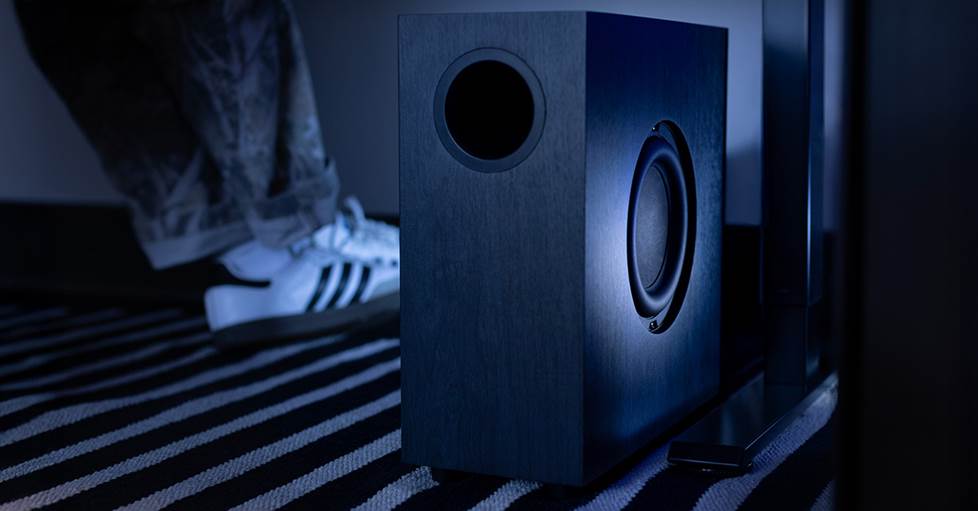
The included 6-1/2" side-firing subwoofer has an ultra-slim design with a minimal footprint.
The music faded out, and subtle environmental details came through clear as a bell, like the sprinklers still trickling after being cut off or the vampires hissing and whispering upon Blade's arrival. When the fighting started, the Lumina's clarity did wonders for the action's sound effects, from the boom of silver slugs and the schling of a razor-sharp sword to the sizzle and clatter of rapidly disintegrating vampire bones.
A little D&D online
Most of us are bound to spend some time in video calls these days, whether it's a work meeting or catching up with family, so I figured I'd test out the Lumina during my weekly Dungeons & Dragons session over Discord. Unsurprisingly, I was able to hear my friends loud and clear — and in much better quality than the tiny speakers in my computer could ever manage.
I was a little worried that the audio of their voices would bleed over into the mic and cause an echo, but fortunately, that wasn't a problem. Discord, like many other VoIP (voice over internet) services, has some limited noise cancellation built in, so that probably helped.
Explosions and eldritch horror
I wanted to take the Lumina through an evening dedicated to video gaming. Few things push your sound like a competitive shooter. So, I booted up Battlefield™ 6 REDSEC and hopped into the multiplayer. This battle royale oscillates between tense, quiet moments and a cacophony of gunfire. The Lumina handled both of these dynamic extremes equally well.
I could hear the crunch of my boots on dirt and the crack of glass across the map clearly. And when the shooting started, the ping-ping-pa-ping of bullets raking the walls of my feeble cover made me sweat. As an airstrike was called in, I was forced to flee and dive into another building. The ka-thoom of the explosion behind me felt way too close for comfort. When I returned fire with a chug-chug-chug using my light machine gun, I could feel each shot. The Lumina's virtual surround sound, bass impact, and excellent detail didn't let me down.
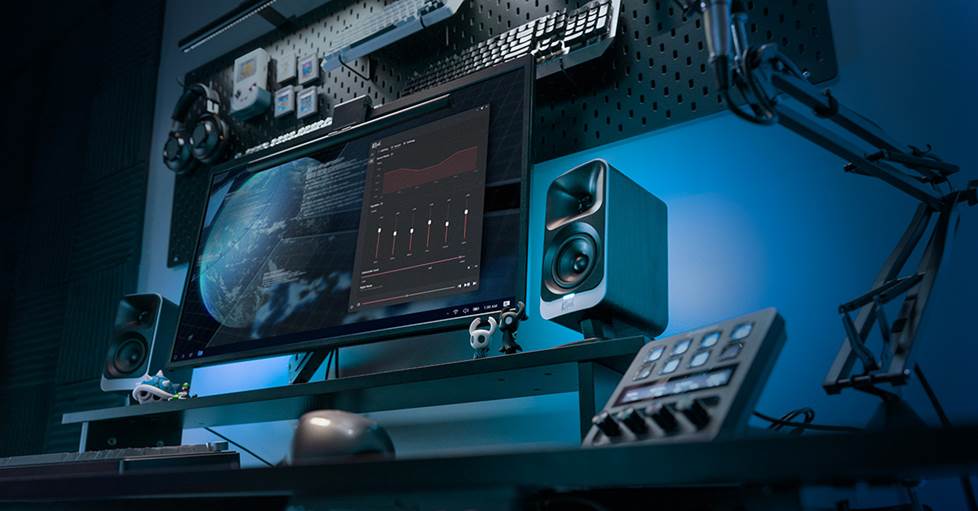
The desktop app lets you take advantage of the "Screen React" mode, which dynamically adjusts your lighting to match what's on your monitor.
For my final foray, I switched over to Skald: Against the Black Priory. This indie darling combines classic roleplaying with cosmic terrors beyond mortal comprehension, looming just out of sight. It builds a dark, moody atmosphere with its retro-styled synthwave soundtrack. Despite its simplicity, I think this might've been my favorite time spent with the Lumina, precisely because of how much work the soundtrack does for the overall experience. There were also little sounds, like the scritch-scratch of quill on parchment whenever you're reading dialogue, that helped pull me even deeper into the game. I had the lights off and the "Screen React" mode running to boot, which let the LEDs reinforce the ominous vibes.
System Details
- two satellite speakers and a slim sub for rich, powerful 2.1-channel computer audio
- Virtual Surround mode for immersive spatial sound effects
- integrated RGB lighting lets you personalize your workspace or gaming rig
- powered by a built-in 100-watt RMS amplifier
- system frequency response: 40-20,000 Hz (-6 dB)
- includes remote
- AC power required, connects to sub (satellite speakers attach to sub)
- warranty: 1 year
Satellite speakers (x2):
- 3" midrange driver
- 1" Mylar soft dome tweeter with Microtractrix® horn
- angled stand adjustable tilt (0-18°)
- dimensions: 4"W x 9.74"H x 6.49"D
- weight: 2.09 lbs.
Subwoofer:
- 6-1/2" side-firing woofer
- front-firing ported (bass-reflex) design
- ultra-slim design with minimal footprint
- dimensions: 13.94"W x 6"H x 14"D
- weight: 11 lbs.
Questions? Contact us!
Still have a few lingering questions about the Klipsch ProMedia Lumina system? Or wanna know how they stack up to our other computer speaker systems? Don’t hesitate to get in touch with one of our friendly Advisors. They'll make sure to point you in the right direction.
Free lifetime tech support is included with your Crutchfield purchase.




Willy B Stanfield from Denver
Posted on 3/10/2026
I had purchased a Focal 4 channel amp , and i don't remember the wattage size,.. but hook it up to a Cheap Kenwood car stereo, and i think the were 6 xx 9 JBL's about 100 years old and i thought they were blown as well,.. Wholey SHI ! !!! My neighbors Hated me,.. even complaints from the next block over ,... Changed my life forever,... Thank you Focal !
matt
Posted on 2/16/2026
Does it have a power button to manually turn the unit on & off?
Colin M. from Crutchfield
on 2/16/2026
bud
Posted on 2/15/2026
not THX certified anymore? is that a thing in today's age?
Colin M. from Crutchfield
on 2/16/2026