HDTV antenna guide
Plus tips on how to find the TV signals in your area

In this article: We'll break down everything you need to know about HDTV antennas into three key points...
You might be tempted to ask: are digital TV antennas still a thing? In short, yes, and it's a surprisingly cost-effective way to supplement your TV viewing.
When folks talk about "cutting the cord," they tend to be thinking about online streaming. But an HDTV antenna catching free over-the-air (OTA) broadcasts can be a great option with a little research. We're here to help with that last bit.
Let's dig in.
Why add a TV antenna?
The easiest answer is that TV stations broadcast shows, local sports, and more over the air for free — and an HDTV antenna helps you pick those up. These over-the-air broadcasts don't require a monthly bill or subscription, just the cost of your hardware and the time to set it up.
Over-the-air TV broadcasts are also actually quite pervasive. The closer you are to a metropolitan area, the wider your selection of channels will be. But over 99% of households with a TV in the U.S. can get at least one local station. And a whopping 89% can get five or more stations. Those are pretty good odds.
The picture quality of over-the-air TV is also surprisingly sharp. There's some variability based on what your local stations are broadcasting, but for the most part, these broadcasts tend to have a higher bitrate and lower compression than many cable or satellite channels. That means you're not seeing a drop in quality as long as you're getting good reception. (More on that below.)
Let's recap:
- Over-the-air signals are free. Receiving the signal is free, you just need to pay for your HD antenna and install it.
- Local TV broadcasts are really common. Big cities will have the most options, but the vast majority of U.S. households can get five or more stations.
- Over-the-air TV signals provide solid picture quality. Over-the-air broadcasts can offer similar (or better) quality than many cable and satellite channels.
Finding over-the-air signals
The most important thing to understand about TV signal transmission is that it's "line of sight." That means that you effectively need a straight line between you and the tower transmitting your TV broadcasts. Because we live on a globe, the curvature of the earth plays a role. It'll be difficult to get good reception beyond approximately 70 miles or so. Terrain plays a part, too. Mountains or tall buildings can obscure your signal.
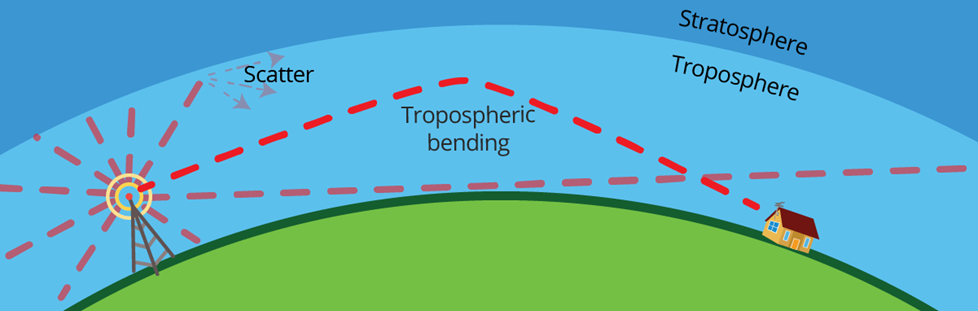
The reception range of TV signals can be extended beyond their usual limit by refracting and "bending" back down from the lower atmosphere.
Your first step is always going to be locating the transmitters used by your local stations. It's a good idea to do this well before you pull the trigger on a TV antenna. You'll want a gauge of how close the transmitter is and whether the signal path is relatively clear. The farther you are from a transmitter or the more cluttered your surrounding terrain is, the harder it will be to get usable signal strength.
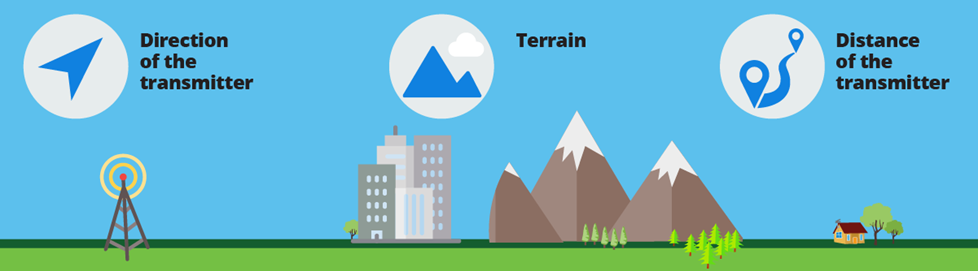
Reception is about more than distance and direction — tall buildings, mountains, and other obstacles can get in the way, too.
You can find information specific to your address with the FCC's DTV Reception Map tool. This will let you pop in your address for a list of local stations and their relative signal strength. You can also figure out where the transmitters are located with the TV Fool website.
Don't hesitate to chat with your neighbors if you know they're using an HD antenna. This can give you an idea of what you'll end up experiencing, but keep in mind that signal strength can vary even within a single neighborhood. You can also get useful information by calling your local TV stations. You can even get helpful tips from online communities like AVS Forum's local HDTV message boards.
What about ATSC 3.0?
Most current TV broadcasts are in a standard called ATSC 1.0. But you may have heard about the transition to a "NextGen TV" standard for over-the-air broadcasts. That's ATSC 3.0 and it's designed to support up to 4K resolution, High Dynamic Range (HDR), and more.

TV stations sometimes use multiple transmitters to improve signal coverage in their service area, a strategy commonly used for ASTC 3.0 broadcasts.
Widespread adoption of this technology is taking time. But over the last few years we've seen increased access to ASTC 3.0 broadcasts. Roughly 75% of U.S. households could receive these signals. You can use the same antennas to access ATSC 3.0, so that part remains effectively the same. But there are other considerations.
You need a tuner or converter box that supports ATSC 3.0 to take advantage of the signal. Fortunately, many there are plenty of TVs with built-in ATSC 3.0 tuners on the market these days.
To learn more about ATSC 3.0 check out our NextGen TV FAQ.
How to pick the right TV antenna
Digital TV antennas can vary a lot. They can be designed to pick up different types of signals or signals from a single (or more than one) direction. They're also installed in different locations and might feature built-in amplification (or not). We'll break down some of the most important ways to distinguish TV antennas below.
VHF vs. UHF channels
Digital TV signals are broadcast over two different frequency ranges: VHF (Very High Frequency) and UHF (Ultra High Frequency). Accordingly, TV antennas are designed to capture either VHF or UHF signals.
So, what's the difference between VHF and UHF antennas? Mostly size. Antennas are differently sized based on the length of the waves their designed to receive. VHF signals are lower and longer than UHF. This means VHF antennas have to be bigger than antennas made to only pick up UHF signals.
VHF frequencies are between 30 and 299 MHz, while UHF frequencies are above 300 MHz. This roughly corresponds to what channels TV signals are carried on.
- VHF signals are usually carried on channels 2-13
- UHF signals are usually carried on channels 14-83
This means in most cases you can gauge which type of antenna you need based on what channels your local TV stations use. Not sure what those are? Check out TV Guide's online listings and just input a few details like your zip code.
Directional vs. multidirectional vs. omnidirectional TV antennas
A directional antenna can receive signals from one direction. Multidirectional antennas receive signals from more than one direction, while omnidirectional antennas receive signals from all angles. So, a multi- or omnidirectional antenna is clearly the way to go, right? Well, it's not quite that simple.
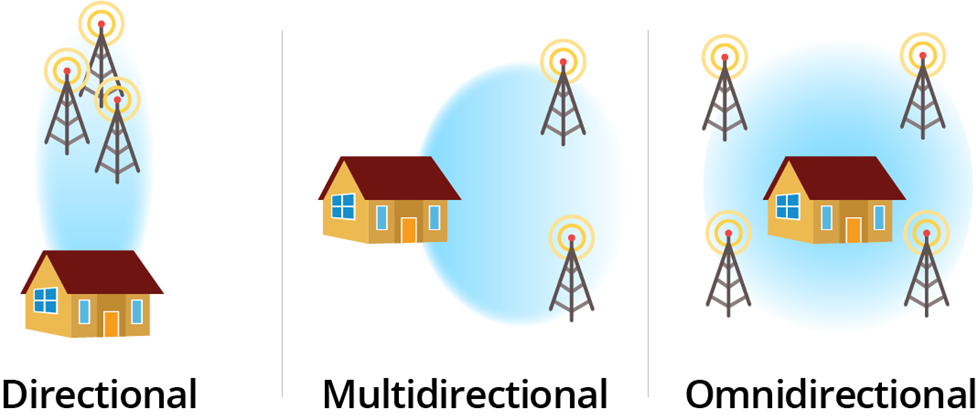
Directional antennas can pull in signals from farther away and are more resistant to noise. Multidirectional and omnidirectional antennas cast a wider next but are therefore more vulnerable to noise and interference. In particular, they're subject to what's called "multipath distortion." This is where TV signals bounce and reflect off objects in the environment, and all those competing signals end up being picked up by your antenna.
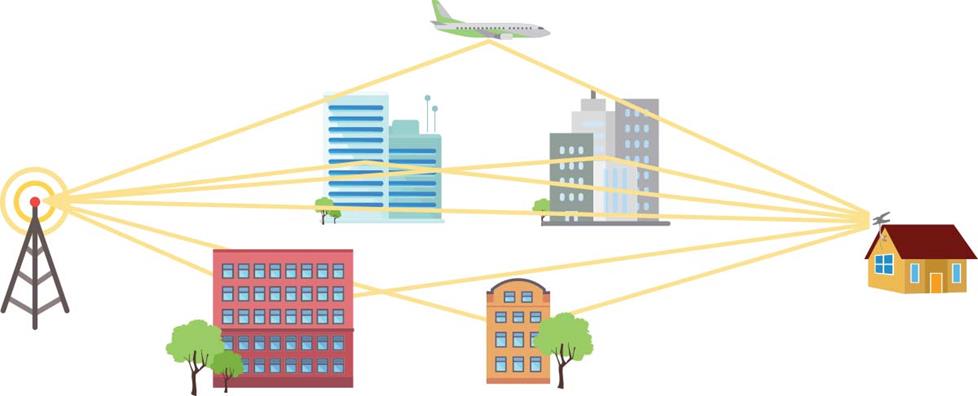
TV signals can bounce off objects and create reflections before they reach your antenna, causing "multipath distortion."
After you've figured out where your local stations are, you can sort out what direction they are in relationship to your home. If those stations are transmitting more than 20° apart, you might benefit from a multidirectional antenna. If you've got stations all around you, then an omnidirectional antenna might be the right choice.
Alternatively, you can go with a directional antenna with a rotor. A rotor will allow you to remotely rotate your antenna to better pick up stations in different directions. You'll have to make adjustments here and there, but you might get a stronger signal in the process.
Outdoor vs. indoor TV antennas
There are two types of TV antennas based on where you install them: indoors or outdoors. Indoor antennas are usually smaller, fairly lightweight, and easy to connect to your TV. Outdoor antennas are often larger and built to withstand the elements. They also generally get better reception.
- Indoor antennas — smaller size, mounted high on a wall or near a window, convenient.
- Outdoor antennas — larger size, mounted on your roof or attic, stronger reception.
The higher an antenna is placed and the bigger an antenna is, the stronger the reception. Objects and the environment can also obstruct signals, so the clearer an antenna's signal path, the stronger the reception as well. This means that outdoor antennas usually have much stronger reception than their indoor counterparts.
These factors make outdoor TV antennas a great pick for situations where you're farther away from your local stations. Indoor TV antennas are a great option if you're in an area that gets solid reception, and their installation is generally much simpler.
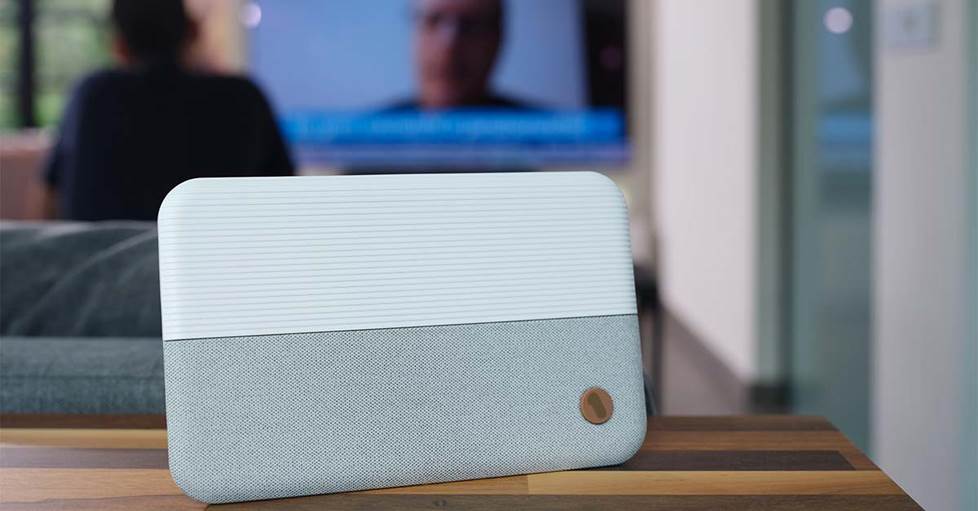
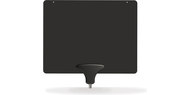
Indoor antennas are simple to install and easily blend in with your decor.
Amplified vs. non-amplified TV antennas
You can gauge the relative signal strength an antenna provides to a tuner by its "gain," which is measured in decibels (dB). The higher the dB, the higher the gain. The larger an HDTV antenna is, the higher its gain tends to be. But there are ways to boost signal strength.
TV antennas sometimes feature built-in amplification or have it provided by a separate device. Many indoor antennas feature amplification as a way to improve their reception. However, amplifying TV signals also amplifies the noise an antenna picks up with them. Antennas can also be overdriven, which causes distortion and can even cause your tuner to reject some signals.
As with most things, you'll want to find the right balance for the strength of your area's available TV signals. And that can sometimes require a little experimentation.
We can help!
If you need a little guidance, don’t hesitate to get in touch with one of our friendly Advisors. They can help point you towards the right antenna for your needs.
And if you're looking for a little help installing your antenna or troubleshooting your reception, don't forget that free lifetime tech support is included with your Crutchfield purchase.