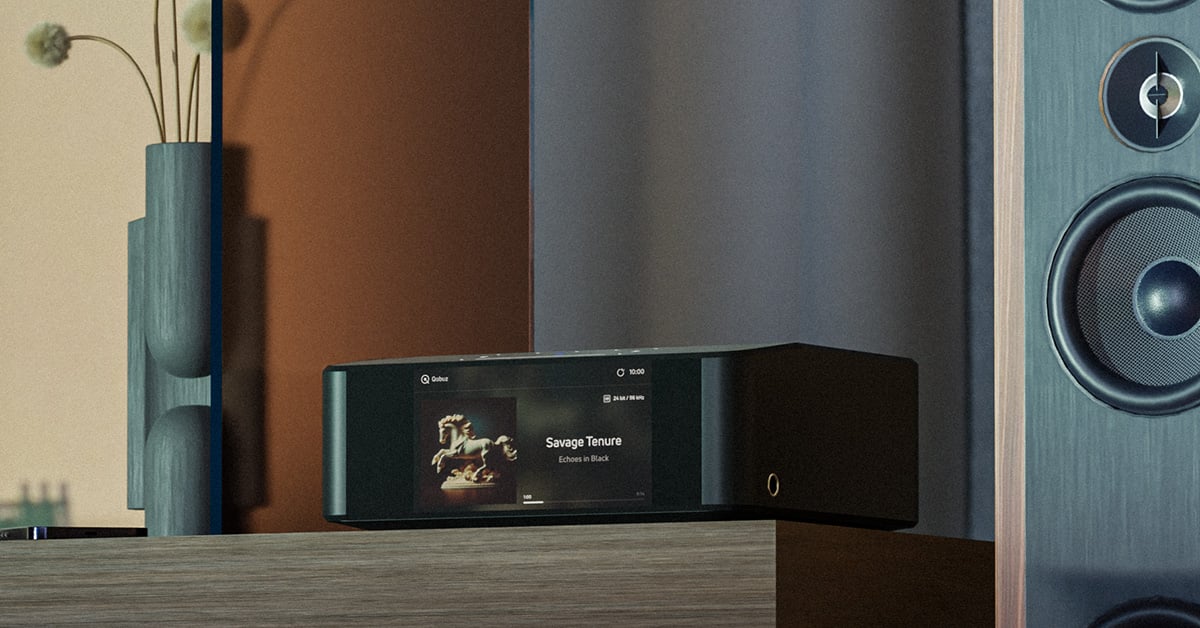
Bluesound NODE ICON Review
Hands-on with Bluesound's flagship music streamer

B
luesound has been around since 2013, and in the years since, some top-notch products have been introduced. Bluesound components are equipped with the BluOS operating system, which is an easy way to add high-resolution music streaming to any system.
The latest generation of Bluesound products includes the NODE ICON, a reference-level music streamer with Wi-Fi, Apple AirPlay® 2, and Bluetooth®.

The NODE ICON supports up to 24-bit/192kHz resolution, thanks to the dual mono DAC design with two ESS SABRE ES9039Q2M DAC chipsets. And, if you have media that physically connects, it’s got the connections — RCA, XLR, optical digital, coaxial digital, USB-C and USB-A, and Ethernet. It’s even got an HDMI eARC port with Dolby decoding for TVs. It’s a slick bit of technology worthy of the flagship position in the NODE series of music streamers.
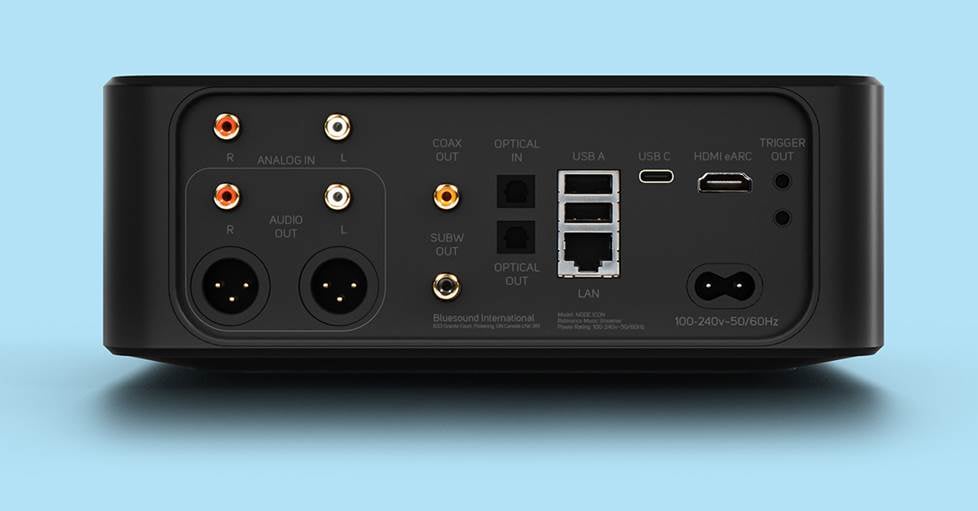
The NODE ICON has plenty of connections, including HDMI eARC, analog and digital audio outputs, and a subwoofer output.
First impressions
Like any Crutchfield customer, I love it when boxes of audio gear show up at my doorstep. I was sent the Bluesound NODE ICON to review its performance and capabilities.
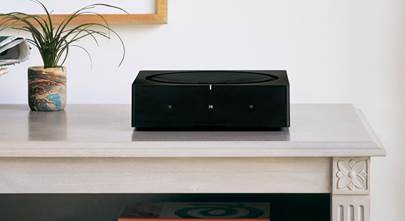
I’ve used BluOS before, because my previous NAD home theater receiver streamed audio with BluOS. Also, I have an earlier iteration of the NODE connected to an integrated amplifier. I unpacked the box and admired the glossy black finish. It’s taller, but not as wide as my older NODE 2i. The NODE ICON is still compact, so it fits nicely in my entertainment center.
Listening Tests
I connected the NODE ICON to a stereo RCA input on a Marantz SR6015 home theater receiver with PSB Image tower speakers, then updated the firmware. First, I listened to music streamed from TIDAL through the BluOS app with the Marantz’s Audyssey room correction enabled.
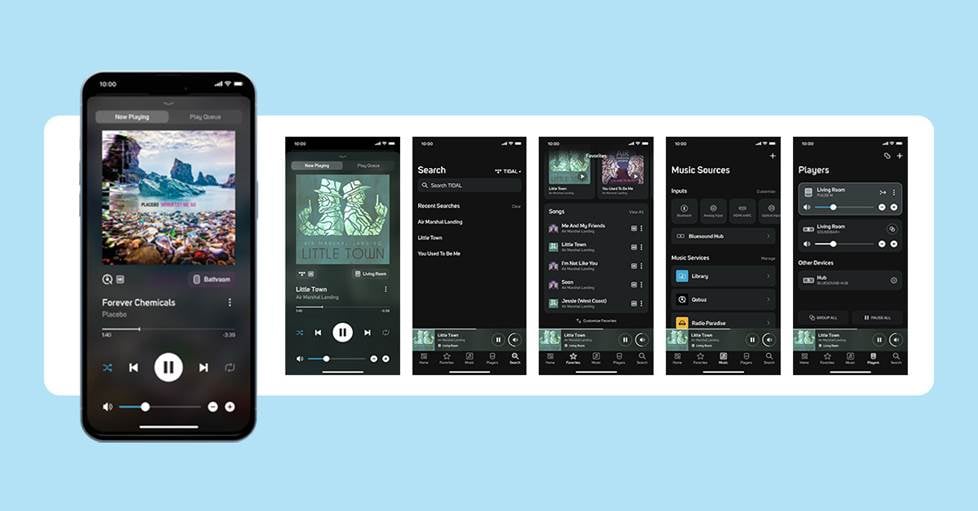
The BluOS app gives you control over music playback, EQ, and grouping for multiple Bluesound components.
I tried out 2-channel mode and multi-channel mode and really enjoyed the sound. But then I decided I had to hear the music straight from the NODE ICON, with no audio processing from the Marantz. Those ESS SABRE DAC chips really delivered, and the sound lived up to the hype. It was just as clear, detailed, and beautiful as you would expect from a Bluesound product, almost like being in the studio with the musicians.
For my second round of testing, I connected the NODE ICON to a Marantz PM7005 integrated amplifier with an analog stereo RCA input for listening to the processing from the NODE ICON’s DAC with the Marantz’s amplification. The Toslink optical digital input on the Marantz was also connected to the NODE ICON. This allowed the NODE ICON to send an unprocessed digital signal directly to the Marantz for both processing and amplification.
I connected a set of Thiel SCS4 bookshelf speakers to the Marantz and a Definitive Technology ProSub 800 subwoofer to the sub output of the NODE ICON. I switched back and forth between the analog connection and the digital connection, and surprisingly, I found that I preferred the sound of Marantz DAC over the NODE ICON DAC. It was very close, both modes sounded wonderful, but I felt that there was a touch more detail and fullness from the Marantz DAC. Interesting, since I had preferred the NODE ICON’s processing over the Marantz SR6015’s processing.
I also connected a Sony OLED TV to the HDMI ARC port of the NODE ICON. I watched “Stranger Things” to listen to music and special effects. I then watched excerpts from “Springsteen on Broadway” and “Los Tigres del Norte at Folsom Prison” for music and dialogue. The 2.1 system was definitely superior to the built-in TV sound, and the music was full and detailed.
Room correction with Dirac Live
The NODE ICON is Dirac Live ready, meaning it has the capability of using the room correction software once a license is purchased from the Dirac Live website. You can run Dirac Live from a mobile app, available from the App Store or Google Play. Or, you can use a Windows® or Mac® computer.
You can get a license from Dirac for limited bandwidth room correction, up to 500 Hz, and then later you can upgrade to the full-bandwidth room correction. Or, you can get both at the same time, and it will end up costing a little less that way. I acquired the full-bandwidth license from Dirac, so I could get a better idea of how it worked with the entire bandwidth corrected.
You’ll also need to purchase a microphone, either the Bluesound Room Calibration Kit or a Dirac recommended mic. And, if you use the Bluesound microphone, there is an EQ curve that needs to be loaded to your computer from the Bluesound website. It’s used with the Dirac Live program. The fine folks at Bluesound were kind enough to send me the Room Calibration Kit with the NODE ICON.
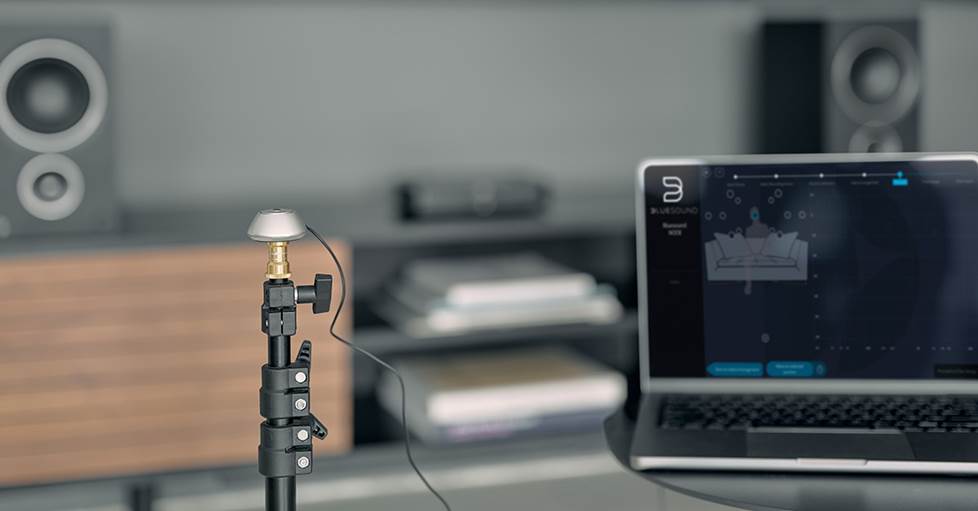
The Bluesound Room Correction Kit includes an omnidirectional microphone for Dirac Live measurements.
Finally, a tripod is recommended for keeping the microphone steady as you move it around to take measurements. Many home theater receivers come with a cardboard tripod for their own brand of calibration microphones, but you can use a camera tripod, or even a boom mic stand.
The Dirac Live program will find the NODE ICON on the network and connect wirelessly. Once all elements are in place, the steps are laid out at the top of the screen in the order that they will be performed. Arrows at the bottom of the page direct either to the next step or to the previous step.
Let’s stop here for a few tips:
- The computer and the NODE ICON need to be on the same network.
- The connected receiver or integrated amplifier needs to be in “Pure Direct” audio mode. The NODE ICON audio setting “Dirac Live” should be toggled to “off” in the BluOS app. Otherwise, you’re going to room correct on top of Audyssey or YPAO or whatever room correction you’ve been using.
- The NODE ICON audio setting “output level fixed” should be toggled on in the BluOS app. Volume will be controlled by your receiver or integrated amp.
- The seating arrangement measurement points don’t have to be measured in the order that Dirac Live presents them. If it’s more convenient to measure in a different order, you can click on the next position you want to measure.
My Dirac test
This isn’t my first experience using Dirac Live. I used Dirac Live to enhance my 7.1-channel surround sound setup on my NAD home theater receiver. I also observed and wrote about the Dirac Live setup of a Crutchfield employee’s home theater receiver, and covered the different flavors of Dirac. I was pleased with the sound in both cases, and felt the surround sound was definitely enhanced.
However, I ran the measurements on my system three times, and I wasn’t happy with the results. It might be that I don’t like the Dirac EQ curve. I really like using the Marantz in Pure Direct mode or in Audyssey mode, so maybe I just like those sound profiles better. Or maybe my room and my system are already optimized the way I like them.
The first two times I measured all 17 positions for a wide “sweet spot”. The last time I decided the focused listening position for just one person would be worth trying. Besides, with only nine positions to measure, it was less tedious.
This is a time-consuming process, and if you decide to tweak the final EQ curve, that’s even more time. I didn’t feel like I had the knowledge to adjust the EQ curve. Plus, I had pretty much lost patience with the process at that point.
Final thoughts
I love the Bluesound NODE ICON. It looks beautiful with the glossy finish and 5” color display. It sounded wonderful using Pure Direct mode to the Marantz SR6015, less so to my ear with Dirac Live. And connected to my Marantz PM7005, it sounded great regardless of whether the amp was doing the processing or the NODE ICON. Plus, having an audiophile 2.1 system on a bedroom TV? Winning!
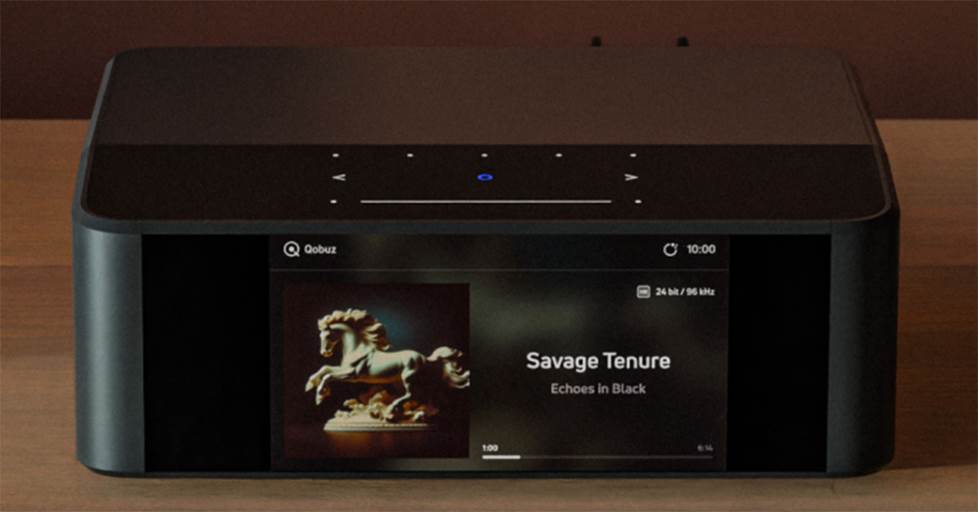
The NODE ICON boasts a beautiful 5" full-color front display, along with touch controls on top.
If you love your music, or just want to add some pizzazz to your TV sound, I recommend the Bluesound NODE ICON enough to sing high praises from the mountaintops of Virginia. However, you may want to check out someone else’s Dirac Live setup to decide if you like their sound. Also, you’ll need plenty of patience for the Dirac process. Hydrate accordingly, but not around the electronics.
Product highlights:
- Featured in our article: Best hi-fi streamers for 2025
- dual mono DAC design with two ESS SABRE ES9039Q2M DAC chipsets
- built-in THX AAA headphone amplifier with dual 1/4" outputs
- supports up to 24-bit/192kHz resolution
- supports DSD256 playback
- supports Spotify Connect, TIDAL Connect, Qobuz, Pandora®, and other streaming services (subscription may be required)
- supports internet radio stations from TuneIn, iHeartRadio, and SiriusXM
- works as a Roon player (requires subscription and Roon Core running on your network)
Need more help? Contact us!
Have questions about the Bluesound NODE ICON or Dirac Live? Contact us today.
Our expert Advisors know audio inside and out. Your Advisor can send specific Crutchfield pages to your screen, saving you a lot of browsing time. You'll get a shopping cart loaded up with everything you need.
Free lifetime tech support is included with your Crutchfield purchase.

mobilee.jpg)

Comments (0)