
Review of the JVC KW-Z1000W floating screen stereo
An Advisor and I get hands-on with this touchscreen receiver

Editor's note: The JVC KW-Z1000W is no longer available. JVC has replaced it with the KW-Z1001W digital multimedia receiver, which is a completely modernized version of the stereo. Everything our folks say below about the old model would also apply to the new one. Read on for more info.
N
atalie, one of our newest Advisors, installed this JVC stereo in her 2016 Nissan Murano. I also set up a sample of this receiver at our headquarters, so the rest of our Advisors could get firsthand experience with this incredible "floating" 10" touchscreen receiver.
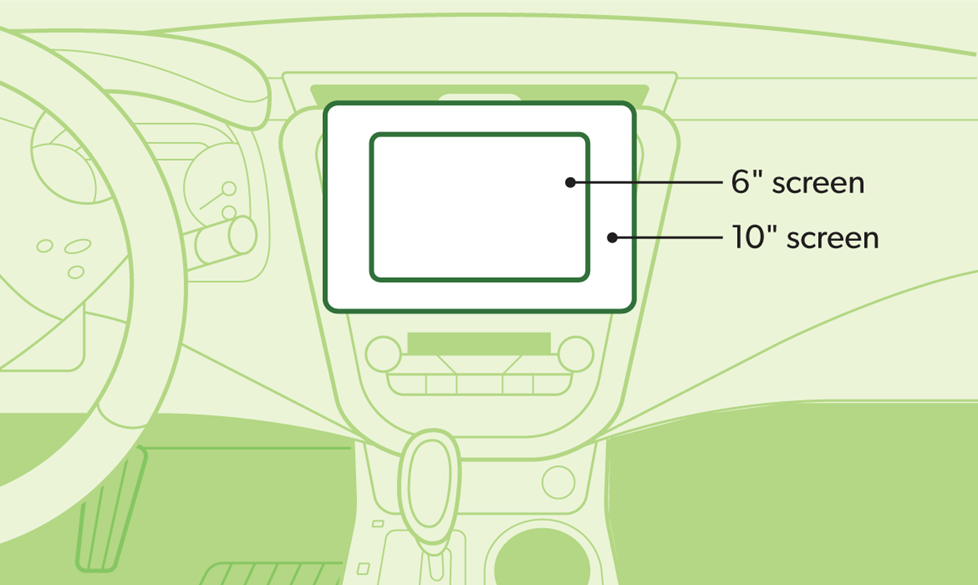
This receiver's display is considerably larger than most conventional in-dash touchscreen displays, which fall within the 6"- 8" range.
The display's "wow" factor
The JVC receiver's 10.1" display is quite obviously the first thing you notice. It's not only larger than most touchscreen receivers, but its "floating" design seems to hover over the dash, bringing it closer to the user(s). The screen is also customizable, which brings that "pop" that not only grabs attention, but also makes it more useful when navigating, setting up its powerful tone controls, and showing off hands-free calling and media information. Nate, another one of our Charlottesville Advisors, mentioned that he loved the fact he could customize the wallpaper so it was in constant motion.
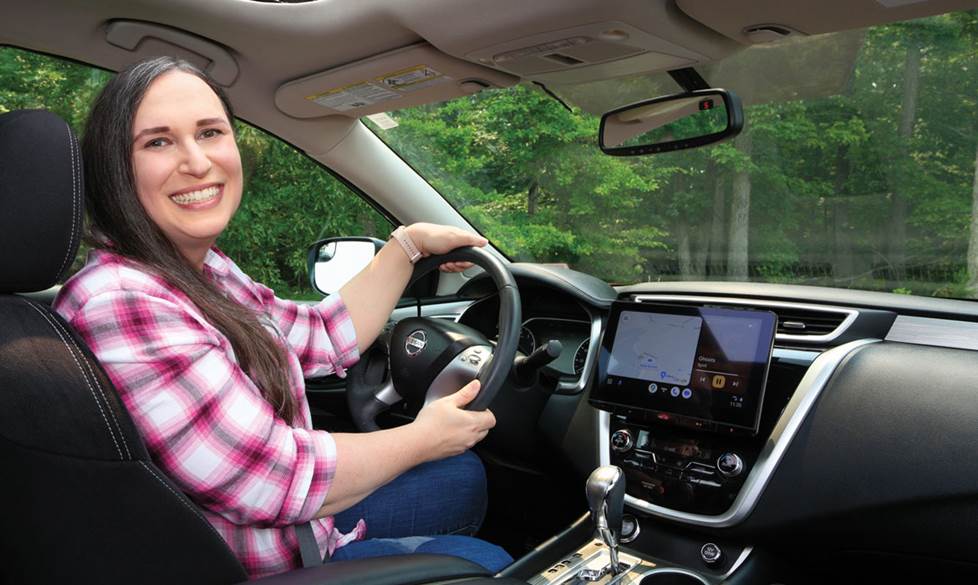
Natalie shows off this JVC in her Nissan. Even with the sunroof open, the display doesn't wash out.
Real-world experience
One of our newest Advisors, Natalie, recently installed this receiver in her 2016 Nissan Murano. While fairly new to Crutchfield, Natalie is actually a seasoned car audio expert, so I was interested to get her take on the installation process and what she thought of a receiver that's drawn so much attention.
Why the upgrade?
"This vehicle is for my oldest child, Jamie, who will start driving full time this fall. We wanted the new radio to have wireless Android Auto™ to ensure the fewest distractions — essentially taking the phone out of their hands while driving. The massive 10" touchscreen display is a huge upgrade from the older 6" display we originally had in the Nissan."
Read more about Android Auto and see our full selection of stereos that feature wireless Android Auto.
How did the installation go?
"I worked in a local car audio store and installed a lot of gear as a side gig during college, so I have some experience. This installation was very straightforward (assisted by our MasterSheet instructions).
"Because this JVC has a larger screen that comes out from the dash, I’d made sure its dimensions would clear vents and controls beforehand. I always recommend to my customers that they do this before installing a floating-screen stereo. We list floating display dimensions on our web site, so you can check the clearance on your dash. In my installation experience with this JVC, I also noted that I could adjust the display mount's height and depth positions to ensure I had access to controls I needed."
Natalie added, "Its conventional "double-DIN" chassis mounted securely in the Nissan. And the Murano’s vast dash cavity let us hide all the wiring and Nissan climate control box easily. We used the iDatalink Maestro ADS-MRR interface to connect to the Nissan wiring and get extra features, such as a display of vehicle gauges on the stereo and the retention of the steering wheel controls."
Once you input your vehicle information into our online vehicle selector, we'll show if the iDatalink interface is compatible and what features it retains and adds.
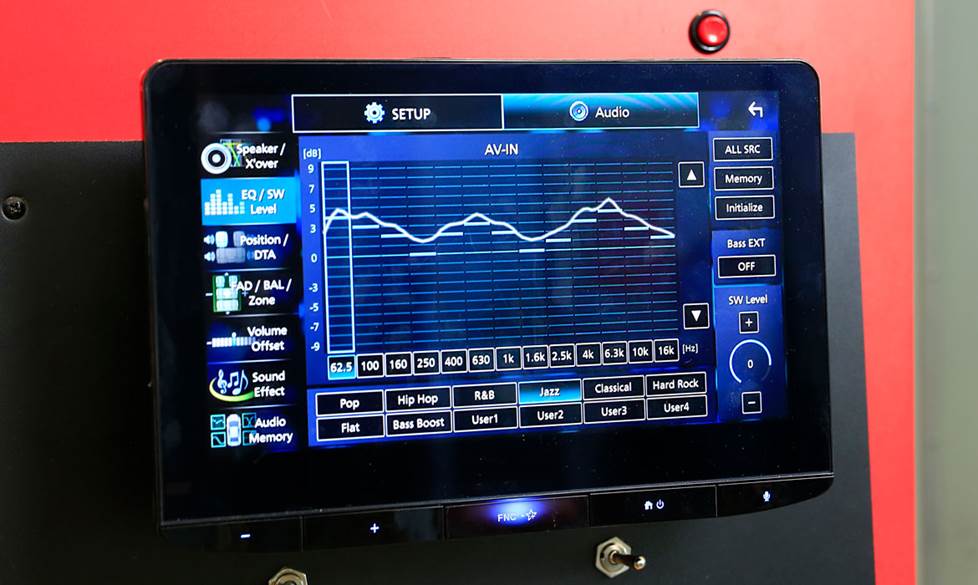
We show off this JVC's deep equalizer settings in a demo setup at our Virginia-based contact center.
Natalie’s impressions of the JVC
"The thing that really struck me was the resilience of the JVC’s display in sunlight. Our Nissan has a panoramic sunroof which we use a lot, and the factory radio display washed out in daylight. The Z1000W is completely visible even in direct sunlight. We can also manually tilt the screen on the fly, which is really handy for quick adjustments.
"Another unexpected benefit was how good this JVC made the factory Bose audio system sound. There was a noticeable improvement in instrument separation and the overall soundfloor. Its equalizer and crossover settings really cleaned things up.
"The wireless Android Auto connects easily to Jamie’s Google phone, for streaming TIDAL music while the phone stays in the console or in a bag. We also keep a Nintendo Mini in the glove box, so the group can play games on the big display when parked."
Who’s going to benefit most from this type of receiver?
Natalie stated, "I recommend this to anyone looking for a better screen experience. It has optimal brightness without washing out in lots of light — great for convertibles. And the big screen provides a larger image for backup cams and navigation maps.
"It’s also great for those looking for smooth smartphone integration, with wireless Android Auto and Apple CarPlay® interfaces that cover music, navigation, and more.
"And if a customer is looking for lots of sound-tweaking capabilities, there are far more settings than a factory radio has."
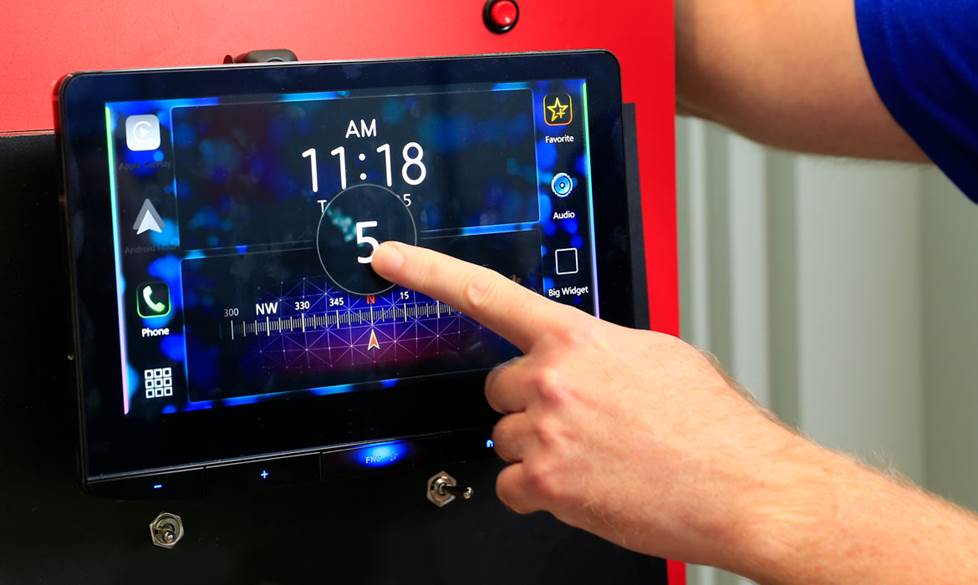
When you're not in Apple CarPlay or Android Auto, JVC provides a unique Gesture Control to control standard functions, such as volume adjustments and track selections, by simply swiping the screen.
Find out if a floating receiver is right for you
If you're considering upgrading to a big-screen receiver, be sure to use our vehicle selector tool to find out if a receiver like the JVC KW-Z1000W is right for your ride. And if you have any questions about JVC or any other products we carry, you can contact our friendly advisors via phone or chat.

Robert
Posted on 4/28/2025
Can you load RV specific GPS apps to the Unit?