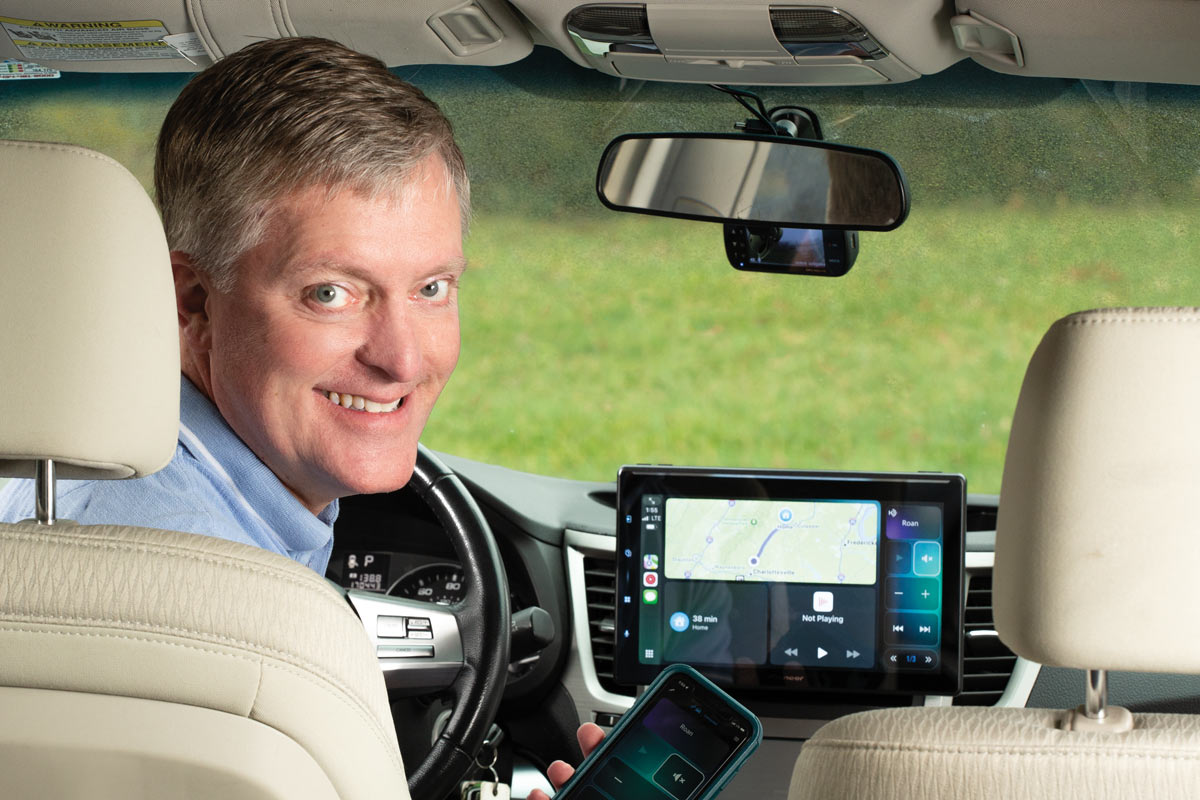
A hands-on review of the Pioneer DMH-WT6000NEX
A floating touchscreen stereo makes a great copilot

A big, floating touchscreen stereo definitely has its advantages. This article covers my first experience with this type of receiver in my own vehicle. If you're shopping for a touchscreen receiver, I hope this article helps to answer some of your questions.
When I was presented the opportunity to try out the new Pioneer DMH-WT6000NEX “floating” touchscreen stereo in my car, I jumped at the chance. Crutchfield has been selling this type of receiver for a few years, and I was keen on trying out some of the innovations that Pioneer included on this one.
Features of the Pioneer DMH-WT6000NEX
This stereo is packed with all the capabilities you’d expect in a high-end, touchscreen receiver and a few extras.

Here’s a brief rundown of its features:
- A 10.1" floating screen with a chassis that fits in single-DIN dash openings
- Capacitive touchscreen display – a light touch is all it takes for a quick response
- Wired or wireless Apple CarPlay® and Android™ Auto for seamless phone integration
- High-res music playback, including FLAC, WAV, and DSD files
- Rear USB input, rear 3.5mm audio/video input, two RCA camera inputs
- six-channel, 4-volt preamp outputs for adding amplifiers
- works with iDataLink Maestro modules to retain factory features, communicate with factory systems, and display engine performance and other vehicle data
- Built-in HD Radio® tuner and SiriusXM-ready
- WebLink Cast to mirror select smartphones
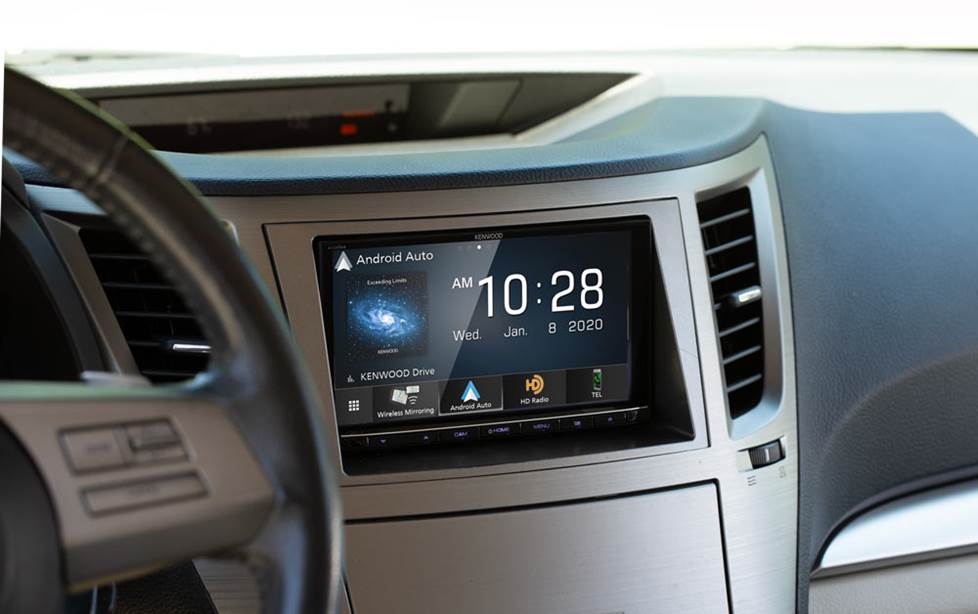
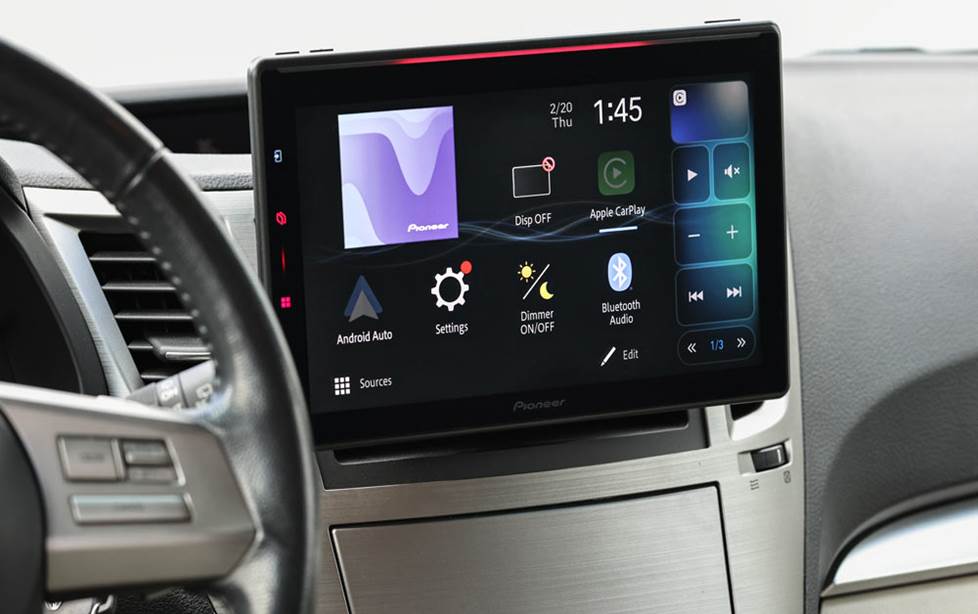
Big screen difference. Using the slider, you can see the increase in display size from my 7" Kenwood receiver display to the Pioneer's 10" display in my dash.
Reviewing the Pioneer floating touchscreen
The biggest stereo display I’ve had in a vehicle is 7", which I always thought worked nicely. I wondered if the Pioneer 10" touchscreen was going to be too big and distracting — something I'm very concerned about when I'm on the road. So I wanted to see its effectiveness in a real world application.
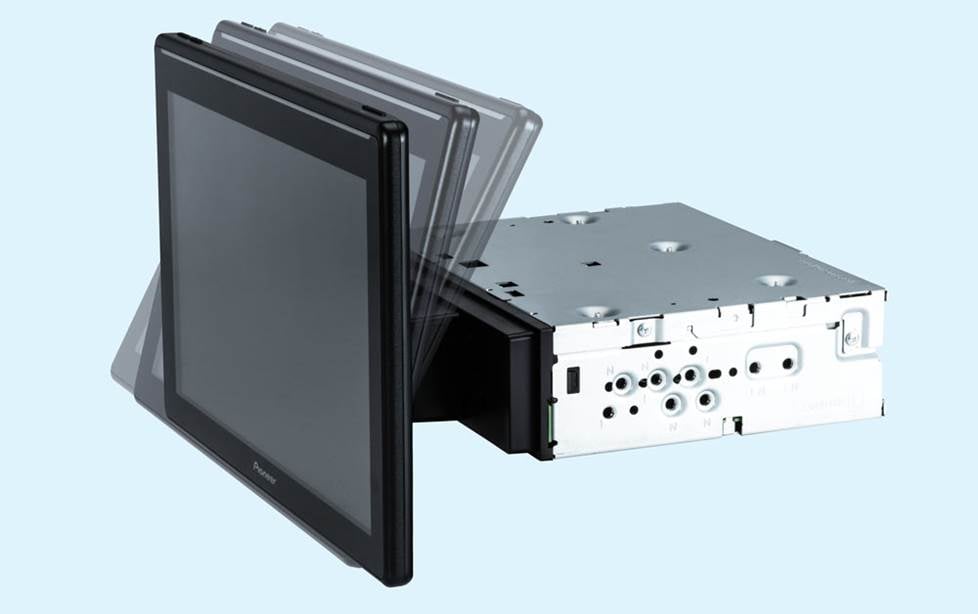
This image shows the Pioneer's "DIN"-style (2" tall) chassis and floating display. Once the receiver is mounted, the display can be tilted for better visibility and less glare.
Installing the stereo in my Outback
Before I even got into my 2011 Subaru Outback, I was able to assemble and attach the compatible dash kit (discounted when you purchase your receiver at Crutchfield) to the Pioneer receiver while sitting at my desk. The tricky part was to determine the position of the display height when I assembled the kit, so I wouldn't block any dash vents or controls I needed. I made a few measurements on my dash and adjusted the position of the display on its mount.
The height position can be adjusted later, but it's a finicky process using very small screws. It's better to get it right the first time. The radio and mounting kit assembly has to be sturdy and secure, since it's holding the weight of the display in the dash. Once the receiver is mounted in the dash, you can adjust the tilt angles quickly depending on your dash console layout (see image above).
I planned on using the iDatalink Maestro ADS-MRR module and compatible wiring harness to retain several factory features like steering wheel audio controls for my music and hands-free calls. I plugged the Maestro module into my laptop and opened iDatalink's WebLink app. Once I provided my vehicle info and the stereo's serial number, I was able to select dedicated buttons on my steering wheel for different functions. Once the module was updated (or “flashed”) for the stereo and my vehicle, I was ready to complete the wiring.
For the connections, I used Posi-Product connectors to make the connections between the Pioneer and iDatalink harnesses. However, iDatalink also offers direct-connect wiring harnesses for select radios, like this Pioneer. This could shave your installation time down even more.
Next, I headed out to the Subaru and removed the old stereo. I then mounted the entire assembly, plugged in the final connections, and tucked the wiring bundles away in the dash.
Pleasantly impressed the oversized screen
While this type of display does stick out from the dash, I found the DMH-WT6000NEX to be helpful instead of obtrusive. When I fired it up and began to discover its features, I found that this receiver’s protrusion from the dash actually put it a little farther out of my peripheral view than my previous screen, and was actually less of a distraction. That was a surprise!
The maps from Apple CarPlay® and my iPhone® were gloriously clear. When I needed it, I could use the display at a quick glance. When I didn’t, I could easily shut it off, while the receiver functioned normally.
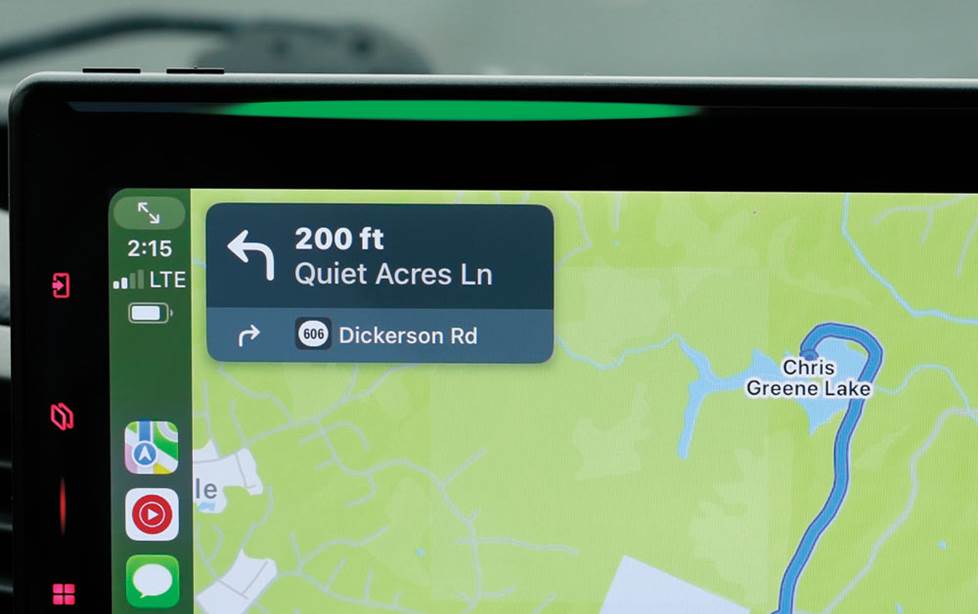
The slim light on the top bezel is the Luminance Bar, and it responds to directions when using select navigation apps. You can also customize the color to match your dash lighting.
Pioneer’s "Luminance Bar" is a handy and fun feature
Pioneer includes a "Luminance Bar" light in the top bezel of the display. It can dance with music and syncs with voice commands. But it's also compatible with Apple® Maps and Google Maps™ navigation to provide a “heads-up” assistant that helps with turns.
While I thought I wouldn’t notice it much, it worked nicely for getting me to the right place when I had other things going on the display, and more importantly, on the road. As I approached a turn, the light would shift to the direction of the turn. And when I was within 250 feet, it began rapidly blinking in the turn direction to provide more urgent guidance.
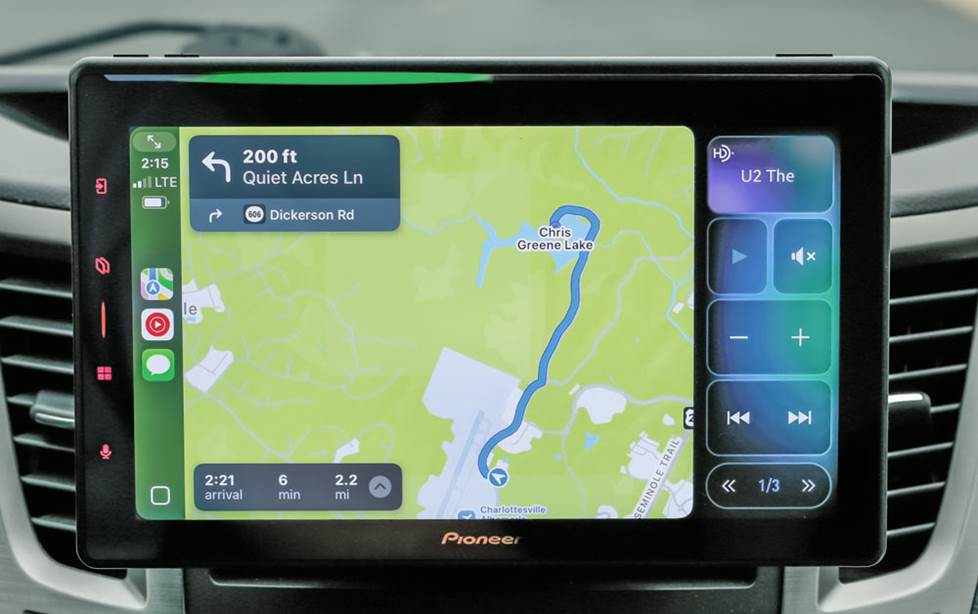
The split-screen feature is huge. It lets you use your smartphone interface, but still see and control other sources on your radio, like HD Radio.
Split-screen goodness
Where this car stereo really impressed me was its ability to allow CarPlay (or Android Auto™) to work in tandem with other sources, like a USB drive or HD Radio®. Older receivers lack this. Thanks to sidebar controls on the display, I listened to my high-res music files from a USB drive while using Apple Maps for navigation.
This Pioneer is fun to use, helps me on my drive, and sounds outstanding. For 2025, Pioneer is focusing on a strategy they call “CES-X”: Convenience, Entertainment, Safety, and “Xpandability.” With the DMH-WT6000NEX, I’d say so far, so good!
I'd also like to thank Pioneer for the information, support, and sample receiver they provided for this article.
Pros and cons of the Pioneer DMH-WT6000NEX floating touchscreen stereo
Using this stereo was a fun experience. Here are my quick takeaways from having it installed in my car.
Pros
- It's fun and easy to use
- It's big but surprisingly easy on the eyes
- It helps me on my drive – it provided entertainment and navigation
- Sounds outstanding with my Morel amplifier and speakers – the stereo's 4-volt preamp output signal sends the amp an ultra-clean signal to show off my high-res music
Cons
- It's big (yup, it could be a con, too) — some folks may not like the overall size of the stereo's display with the aesthetics in their vehicle
- There are a few tactile buttons on the top bezel for volume and mute, but I'd like to see more for additional controls without looking at the display
- The cover made for hiding the display's rear bracket and wiring is extremely difficult to install, especially once the radio is mounted in the dash — I recommend installing this cover when you attach the stereo to the dash kit before it goes in the dash
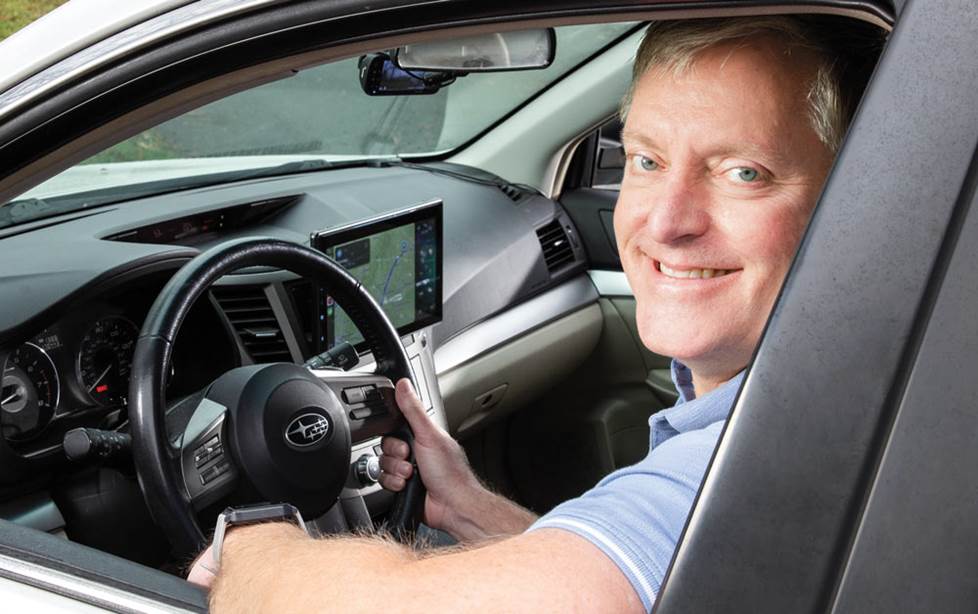
Ready for your new "floating" receiver?
The Pioneer DMH-WT6000NEX is a great choice for an outstanding stereo upgrade. But feel free to check out our full selection of floating screen stereos.
Our knowledgeable Advisors are available online or by phone for any questions you might have on floating touchscreen (or any other kind) receivers. In many cases, we offer discounts on the installation gear you'll need for a new radio, as well as instructions for removing the factory radio.
You can also use our online tool to select your vehicle and get the right gear for the job. Lastly, you get lifetime Tech Support on all products you purchase from Crutchfield, so we won't leave you hanging.



jed
Posted on 4/24/2025
Does pioneer have an anti glare screen for this unit?