Review: TIDAL high-fidelity music streaming
Better than Spotify?

Heads up!
Welcome to this article from the Crutchfield archives. Have fun reading it, but be aware that the information may be outdated and links may be broken.W
hen we listen to music, we often have to choose between sound quality and convenience. I’ll admit to settling for “good enough” in the past, from MP3 downloads to quickly pulling up songs on YouTube and listening through my phone's built-in speaker.
But what if you could get uncompromised sound alongside instant gratification? That's what TIDAL offers. It's an online music service that touts higher-quality audio than Spotify®.
What is Lossless streaming?
Most streaming services compress music files for fast delivery to your smartphone or tablet. Part of the music is essentially chopped off. While that leaves the meat and potatoes, you lose musical nuances that can give a song more life and substance.
TIDAL, however, offers CD-quality music streaming. It streams FLAC files at 1,411 kbps – that delivers far more data than the lossy streams offered by Spotify and most other services.
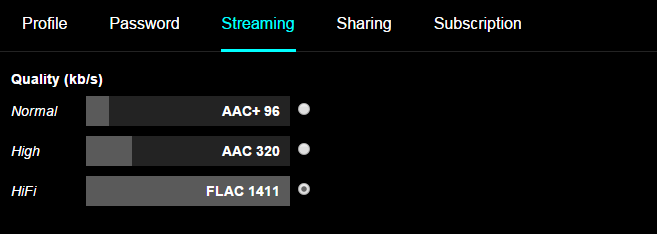
TIDAL lets you choose and toggle between three different sound qualities.
TIDAL offers two “tiers” of streaming plans — $19.99 a month for “HiFi” streaming and $9.99 a month for “Standard” streaming. The HiFi plan gives you CD-quality lossless and high-res streaming capabilities, while the Standard plan streams music at 320 kilobits-per-second (kbps), on par with Spotify and Google Play.
You can toggle between sound quality settings. TIDAL HiFi takes up a lot of data, so if you're out and about and listening on, say, a portable Bluetooth speaker, you'll probably want to choose a lower setting. You can also download songs to your phone to play when you're away from an internet connection. Handy when you're on a road or plane trip, or when you don't want to use your data plan.
It should be noted that TIDAL HiFi can tax less robust wireless networks. I had no issues on my computer when connected by Ethernet, but occasionally had problems on my Android phone over Wi-Fi. Every once in a while, the audio would drop out or start skipping near the end of a song.
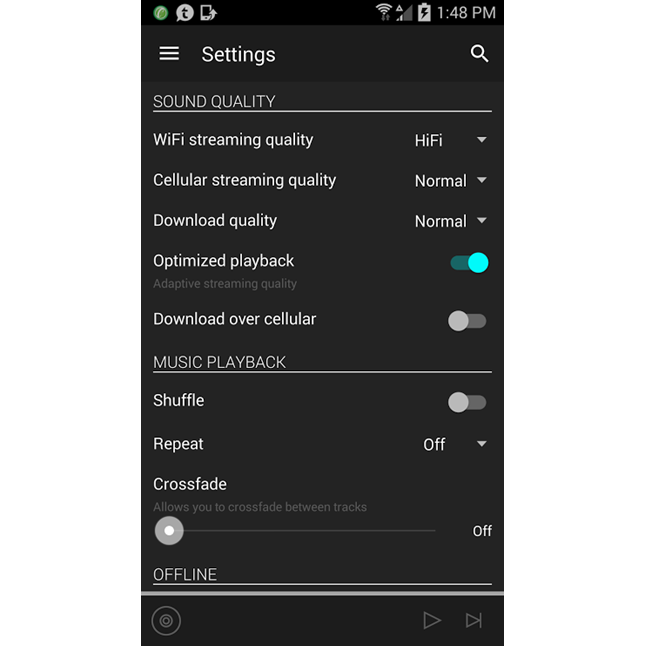
You can set different streaming bitrates on TIDAL's mobile app, so you don't have to manually toggle when on Wi-Fi or your data plan.
TIDAL streams high-resolution music via MQA. MQA encoding "folds" studio-quality audio into files that are small enough to stream. Called TIDAL MASTERS, it is currently available on the TIDAL desktop PC app and through the Bluesound multi-room music service.
So how does it sound?
I fired up TIDAL for a first impression through some nice portable headphones — the Sennheiser HD 1 On-ears. I plugged directly into my Android phone as I cooked a hearty weekend breakfast. I put on some jazzy horns-and-percussion hip-hop in the form of the new Oddisee album. Well-rounded bass laid the foundation for a rich mid-range that felt light and bouncy. It was a perfect Sunday morning soundtrack as the energetic sound added oxygen to the room. What I heard was on pace with the attack-of-the-senses aroma of my morning mugful and scrambling skillet.
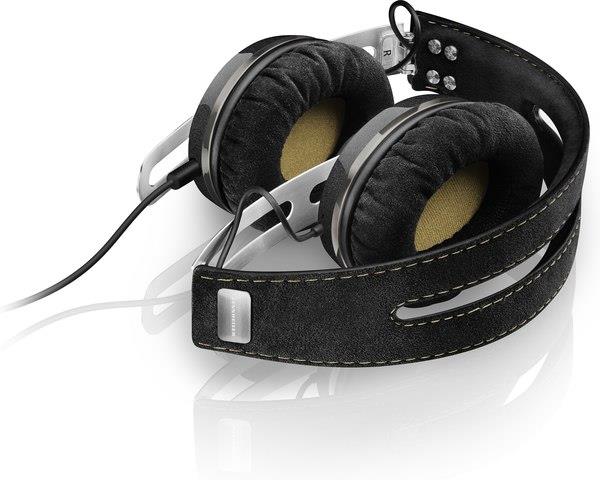
TIDAL sounded great through the Sennheiser HD 1 On-ear headphones.
At work, I used the same headphones at my desk and played the Tom Petty track “Melinda.” The HD 1 On-ears have a pretty up-front sound, but this felt more open with instruments playing from different directions. As the keys melodically lulled me into the groove, I barely noticed the percussion building the beat. By the time I caught my toe-tapping, the rhythm guitar kicked in and the pace picked up. Then Petty’s vocals started, perfectly placed in the track, taking the rollercoaster ride home.
So how does TIDAL's sound quality compare to Spotify's? I used Preservation Hall Jazz Band's "St. James Infirmary, Part 1 and 2" (featuring Jim James and Trombone Shorty) as a test track. It’s one of my favorite live recordings, because it's closest to how I heard them perform it here in Charlottesville. I had listened to it many times on Spotify, and TIDAL gave me a much stronger illusion that I was there in the building. It was so powerful, that I could practically recreate that memorable concert by closing my eyes.
When I reviewed the Bluesound Pulse Soundbar, I tried it out the Tidal Masters high-res offerings. Here's what I thought:
"The sound seemed to open up and breathe a little more with the higher-resolution files. Roberta Flack’s “Killing me Softly” was a highlight.
The strong thump of the bass and percussion took over my rapidly nodding head at first. Then my movement was forced to slow down by Flack’s beautiful “can’t-be-rushed” vocals as the song went on. Her voice was crystal clear, and there was an extra spaciousness to the song."
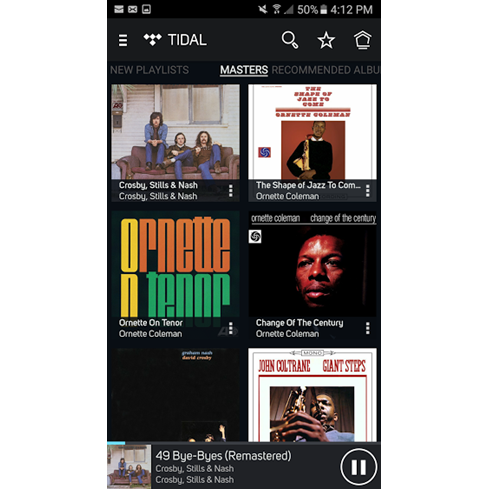
Bluesound lets you stream studio-quality MQA music files via TIDAL MASTERS.
Best gear for listening to TIDAL
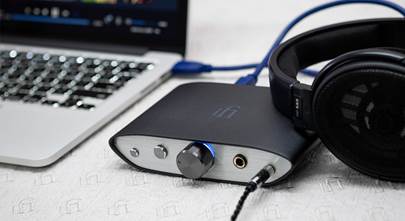
It was striking how good TIDAL sounded just through a decent pair of headphones connected directly to my computer or phone. Of course, better headphones yield better sound. Add a headphone amp or digital-to-analog converter to your listening setup for some extra power and depth.
If you want to use TIDAL with your home stereo, you have some options. There's no stereo integration on the level of Spotify Connect, but you can play TIDAL wirelessly on a receiver with Apple Airplay. For better sound, use TIDAL's web player and connect your computer to a DAC or digital inputs on your home system.
TIDAL is also integrated into Bluesound, DTS Play-Fi, Denon HEOS, and Sonos, multi-room systems that let you play music through your whole house. I tried it out with a Sonos wireless home theater we set up — the music sounded bigger than the speakers themselves. Like everything with Sonos, there’s seamless control between TIDAL and other music services.
User experience
I admitted earlier how much convenience matters to me, so all the praise of the sound only matters if TIDAL is as intuitive and engaging as the other music services. Both the desktop browser and mobile app succeed here.
Desktop is super easy to navigate, with all your main options to the left and the “search” field up top.
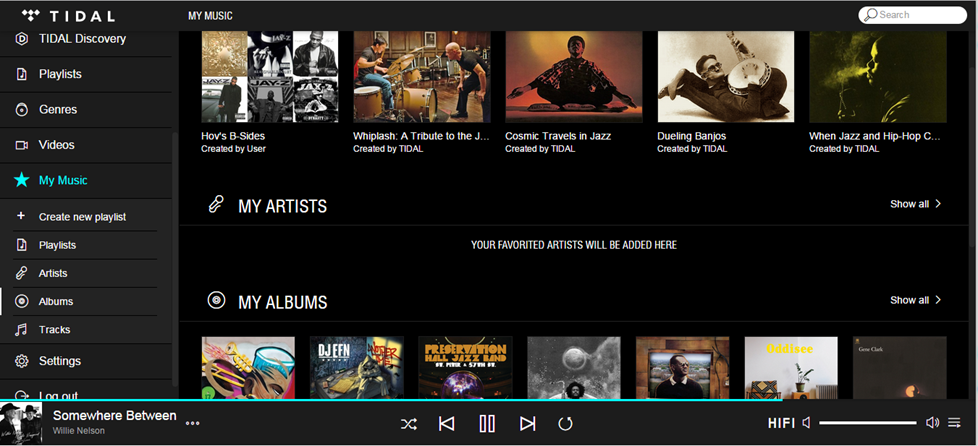
I typically gravitate to the “My music” area so I was pleased to see it highlighted and “expanded” so could quickly get to my saved playlists, artists, or albums.
The playlists are also very good, usually having something to do with recent news or a cultural event. I also like how you’re given an easily digestible amount and can choose to view more if you would like. It makes music discovery simple without overwhelming you with choices.
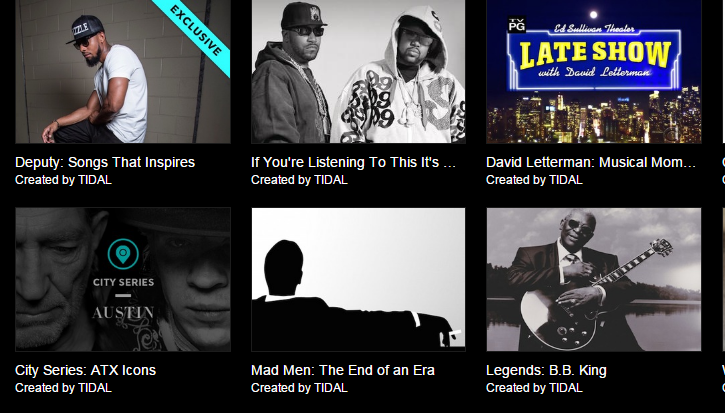
You can search playlists by genre or mood, and I found a pretty dense catalog of playlists in each category.
Cool features and content
TIDAL allows you to use multiple devices at the same time, which is super convenient. I pulled up the mobile app on my phone and it's just as user-friendly as the desktop, with a similar layout. Topical content is displayed first under "What's New." Along with the curated music, TIDAL offers high-definition music videos, as well as concert footage.
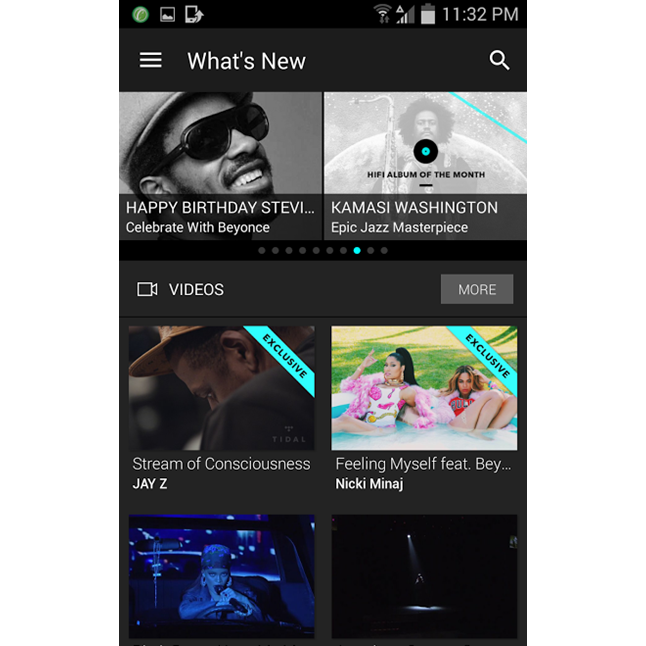
The mobile apps' home screen serves up new content every day.
In just the few weeks I had for my trial, TIDAL had two really cool live events – Jack White played an acoustic show, and Jay-Z himself (who recently purchased and relaunched TIDAL) performed in a smaller, intimate club. He dug in the crates and ran through his B-sides backed by a live (and lively) band. As I bobbed my head along, it reminded the most jaded hip hop fan of his excellent back catalog. I felt like I was part of an exciting, exclusive music club.
There are even daily long-form articles and in-depth artist interviews. They practically served as liner notes, one of the things I miss most from CDs and LPs. It may be the closest thing left to the ritual of pulling a new disc or platter out and soaking in the packaging, art, and words.
I scrolled through a Q& A with an artist as I listened to a new album, immersed in the experience like I was back in my room as a teenager, fresh from the record store...at least until my kids shouting in the other room woke me from my nostalgic daydream.
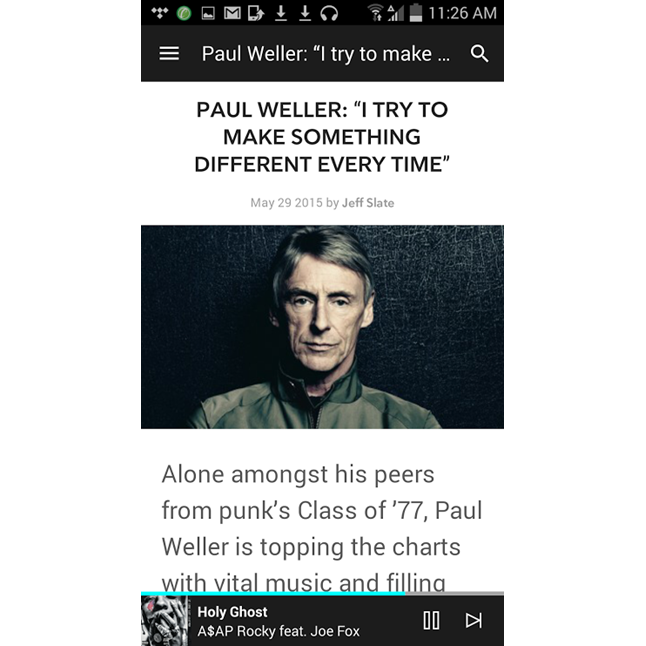
TIDAL's Q&A's and articles are enjoyable companions to the music.
Final thoughts
As I said, I’ve often sided with convenience. But if I can get something nice, and it’s just as effortless, it’s worth considering – even at a higher price. Let’s put it this way: I’m not exactly clamoring to go back to black bars on the side of my movies. TIDAL gives me access to all my tunes through an intuitive, straightforward, and fun interface while preserving essential musical details.
Now that I’ve had a taste, I understand what a difference that makes.
mobilee.jpg)